NetWorker:如何在 CLI 中执行 NetWorker 客户端软件清点
Summary: 可以直接从 NetWorker 服务器执行此操作,而无需单独登录到每台客户端计算机,也无需使用第三方软件。
This article applies to
This article does not apply to
This article is not tied to any specific product.
Not all product versions are identified in this article.
Instructions
必须按以下顺序运行以下命令:
步骤 1:
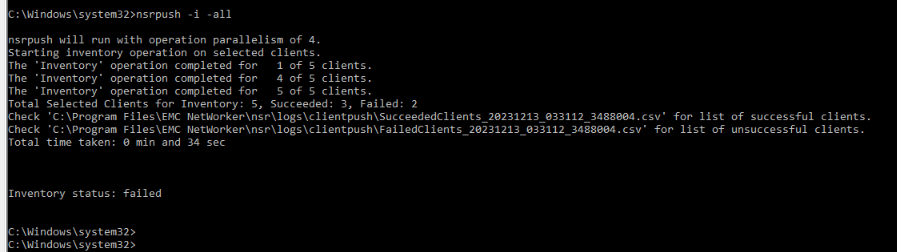
nsrpush -i -all
这将在所有客户端上执行清点。这可以使用客户端名称而不是选项“限制为特定主机”-all“
可在 NetWorker 服务器上的以下位置找到成功/失败的清点操作的日志以及用于对错误进行故障处理的错误消息:
NetWorker-Installation-Path\nsr\logs\clientpush\
步骤 2:
nsrpush -s -t -all > output.txt
这将以表格形式列出每个客户端上安装的所有 NetWorker 软件包,并将输出定向到文件“output.txt”。这可以使用客户端名称而不是选项“限制为特定主机”-all”

Additional Information
有关其他选项的更多详细信息,请参见 nsrpush 可以从 NetWorker Command Reference Guide(NetWorker 命令参考指南)中查看。NetWorker 文档可通过以下方式获得:适用于NetWorker的支持 |手册和文档 (您必须使用戴尔支持帐户登录)。
Affected Products
NetWorkerArticle Properties
Article Number: 000220483
Article Type: How To
Last Modified: 06 Apr 2026
Version: 3
Find answers to your questions from other Dell users
Support Services
Check if your device is covered by Support Services.