ChromeOSのサポートを受ける方法
Summary: この記事では、ChromeOS Enterprise 製品と ChromeOS Education 製品のサポートを受ける方法について説明します。
This article applies to
This article does not apply to
This article is not tied to any specific product.
Not all product versions are identified in this article.
Instructions
対象オペレーティング システム:
- ChromeOS Enterprise(一部のLatitudeプラットフォーム)
- ChromeOS Education(Chromebook)
Dellは、一部のLatitude(Latitude 14-5400/7410およびLatitude 13-5300 2-in-1など)でChromeOS Enterpriseを、Chromebookコンピューター(Chromebook、3100、3100 2-in-1、3400、5190、5190 2-in-1、7310、3189、3180、Inspiron Chromebookなど)でChromeOS Educationを提供しています。どちらもベーシックおよびProSupportの資格で提供されます。
Self-Helpオプション
ほとんどの技術情報については、以下を参照してください。
サポートを受けるには、以下を行います。
- Webブラウザーで、Dellサポートにアクセスします
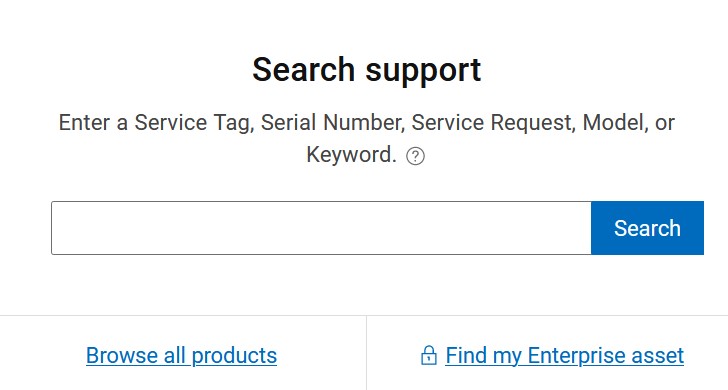
- [検索サポート]で、お使いのハードウェアのサービス タグを入力して[検索]をクリックします。
注:
- 詳細については、「 サービス タグまたはシリアル番号の位置確認」を参照してください。
- 適切なサービス タグが見つからない場合は、セールス エージェントに問い合わせてサポートを受けてください。
- ページの右側にある[テクニカル サポートへのお問い合わせ]をクリックします。
![[お問い合わせ]のスクリーンショット](https://supportkb.dell.com/img/ka0Do000000EXYPIA4/ka0Do000000EXYPIA4_ja_2.jpeg)
- 利用可能なその他のお問い合わせ方法については、ページの一番下までスクロールしてください。

注:
- その他の連絡方法は地域によって異なる場合があります。
Affected Products
Chromebook, ChromebookArticle Properties
Article Number: 000191202
Article Type: How To
Last Modified: 26 Aug 2025
Version: 4
Find answers to your questions from other Dell users
Support Services
Check if your device is covered by Support Services.