PowerSwitch N2224PX, N2248PX, and N3248PX Interface Flapping if Connecting POE 802.3AT Device
Summary: On Dell Networking PowerSwitch N2224PX, N2248PX, and N3248PX, some interfaces flap continuously when connecting Power over Ethernet (PoE) 802.3AT devices.
This article applies to
This article does not apply to
This article is not tied to any specific product.
Not all product versions are identified in this article.
Symptoms
On Dell Networking PowerSwitch N2224PX, N2248PX, and N3248PX, some interfaces flap continuously when connecting POE 802.3AT devices.
N2200PX series
The issue is seen on higher number interfaces, for example interface 25-48 on 48-port switch model, or interface 13-24 on the 24-port switch model.
General Symptoms
The issue usually occurs with wireless access points (AP) that require a higher amount of power. See the AP technical specifications to clarify the power requirements of the device. Look for keywords such as 802.3AT, 802.3AF or 802.3BT, class or PD
NOTE: This article assumes OS 6.7.x and OS 6.8.x.
Cause
There are several possible causes:
Energy-Efficient Ethernet (EEE) is enabled.
EEE is more commonly used with desktops or laptops and can cause issues with devices that do not support power throttling. EEE and Energy Detect are enabled by default on the N-Series copper ports however is not supported on 2.5G ports.
POE device requiring 802.3AT is connected to switch hardware port with mode 802.3BT.
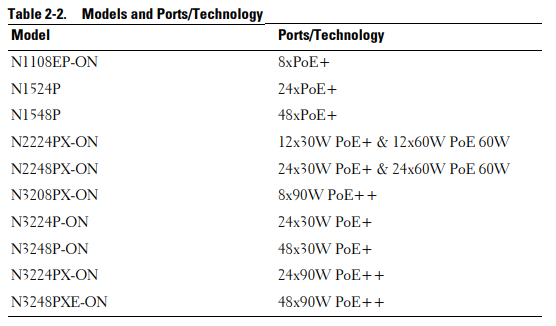
For N2224PX and N2248PX models, the first half of the interfaces natively support 802.3AT (30 W), while the second half supports 802.3BT (60 W).
For N3224PX and N3248PX models, the detection mode for all interfaces is set to 802.3BT by default and require a CLI command to detect mode AT.
NOTE: N3224P and N3248P interfaces support 802.3AT (30 W) by default.
Resolution
Apply the following configurations:
- Disable green-mode
configure
interface gi 1/0/X
no green-mode eee
no green-mode energy-detect
end
- Set port to mode
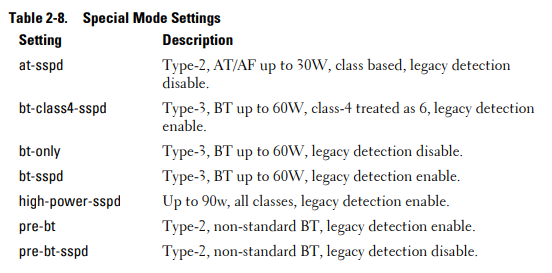
at-sspd
- For OS 6.8.x
configure
interface gi 1/0/X
power inline powered-device mode at-sspd
end
- For OS 6.7.x
configure
interface gi 1/0/X
power inline powered-device at-sspd
end
- For OS 6.6.x and lower
The
at-sspd command is not available. Upgrade to 6.7.x and later.
Additional Information
Dell Networking PowerSwitch N2200-ON Series
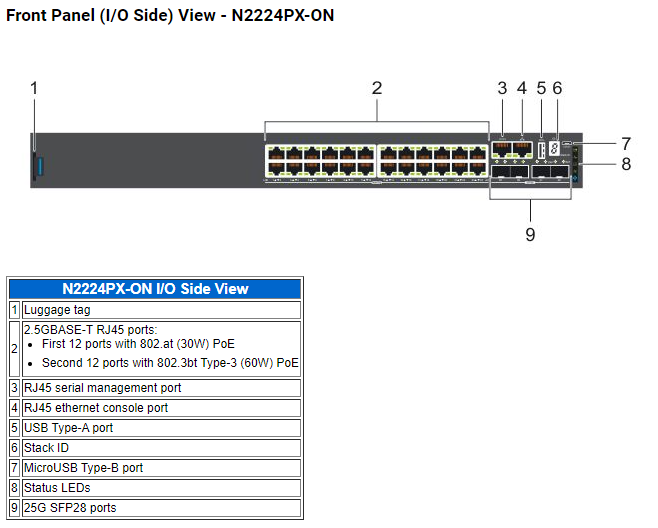
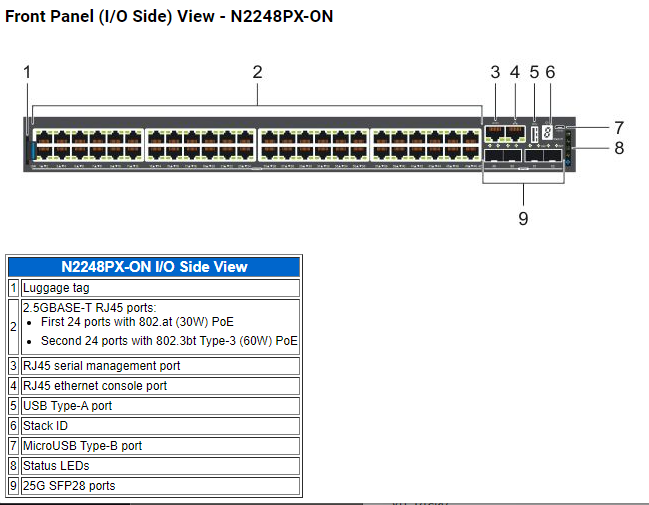
Dell PowerSwitch N3200-ON Series
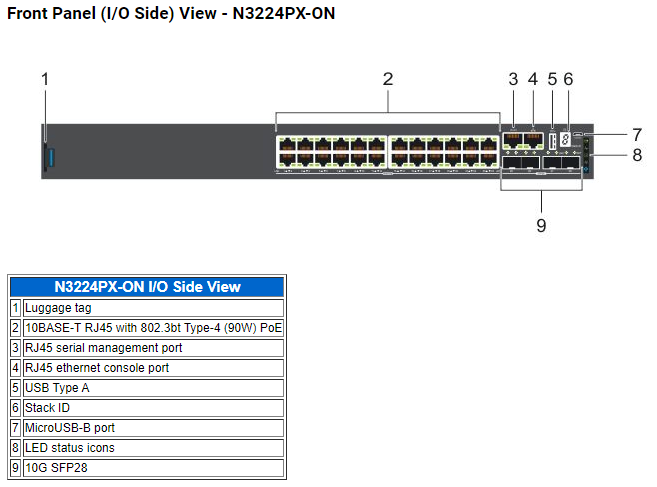
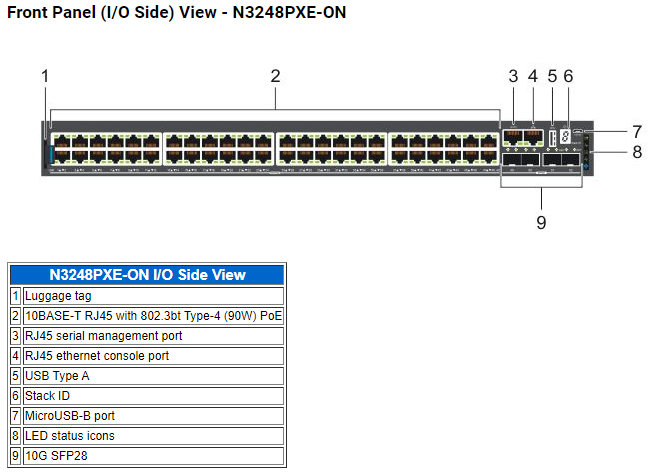
Dell Networking N-Series Switches User Guide version 6.8.0
Dell Networking N-Series N1108EP-ON, N1500, N2200- ON, and N3200-ON Switches User’s Configuration Guide Version 6.8.0
Page 73 - Energy-Efficient Ethernet
EEE and Energy Detect are enabled by default on the N-Series copper ports.
Energy Detect and EEE are not supported on out-of-band, 2.5G, or 5G NBASE-T ports.
Page 78 - Table 2-2. Models and Ports-Technology
Page 81 - PoE 60 W support
PoE 60 W power must be configured manually for 802.3AT switches.
Page 85 - Special Mode Setting for Legacy and Non-Compliant PDs
When legacy or non-compliant devices are plugged into the interfaces, the devices may not be detected and the plugged devices may not power on. The interfaces must be configured in one of the following special modes, based on the device for the controller to detect them.
Dell Networking N-Series Switches CLI Reference Guide version 6.8.0
Dell Networking N-Series N1108EP-ON, N1500, N2200- ON, and N3200-ON Switches CLI Reference Guide Version 6.8
Page 2191-2192 power inline powered-device mode
Affected Products
PowerSwitch N2200-ON Series, Dell EMC Networking N3200-ONArticle Properties
Article Number: 000209264
Article Type: Solution
Last Modified: 25 Apr 2025
Version: 7
Find answers to your questions from other Dell users
Support Services
Check if your device is covered by Support Services.