Dell NativeEdge: 카탈로그에서 다운로드가 실패하고 "내부 서버 오류"가 표시됨
Summary: NativeEdge Orchestrator 3.0.0.0에서 카탈로그에서 다운로드가 실패하고 "내부 서버 오류"가 표시될 수 있음
Symptoms
NativeEdge Orchestrator 3.0.0.0에는 에어갭이 없는 환경에서 NativeEdge Orchestrator 내의 청사진과 플러그인을 직접 다운로드할 수 있는 새로운 기능이 도입되었습니다. 크기가 더 큰 플러그인을 다운로드하려고 할 때 "내부 서버 오류"가 발생할 수 있습니다.
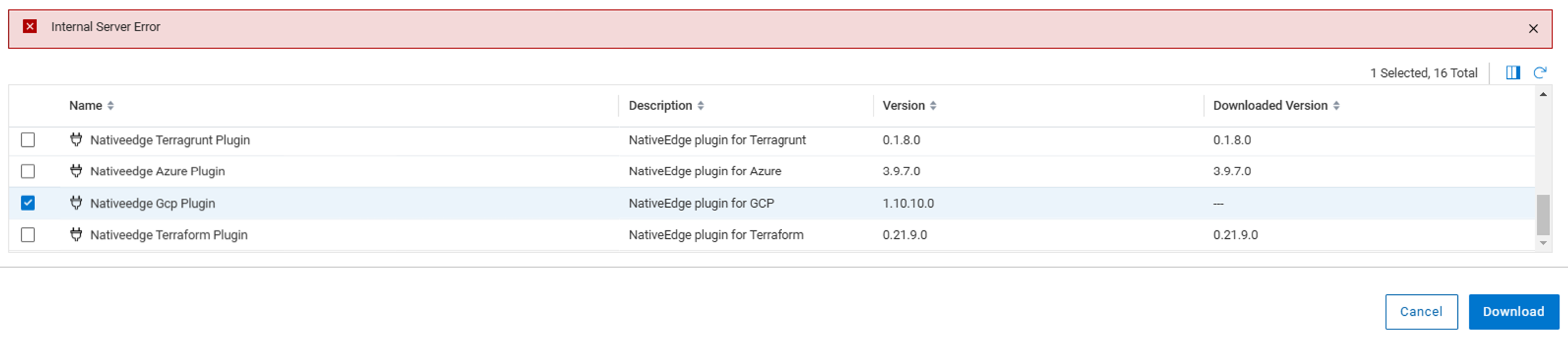
브라우저 개발자 도구를 사용하여 네트워크 로그를 검사하면 "500 내부 서버 오류"가 표시될 수 있습니다.

Cause
이 문제는 다운로드를 완료하는 데 30초 이상 걸릴 때 발생합니다. 스테이지 백엔드의 로그에서 아래 오류가 발생합니다.
message: "Requested URL: /plugins?title=Nativeedge%20Gcp%20Plugin&visibility=tenant&package_name=nativeedge-gcp-plugin&plugin_archive_url=https%3A%2F%2Fdownloads.dell.com%2FFOLDER12410532M%2F1%2Fnativeedge-gcp-plugin_1.10.10.0_J34CH.wgn ECONNABORTED timeout of 30000ms exceeded"
Resolution
"500 내부 서버 오류"는 잘못된 경보입니다. 대부분의 경우 플러그인 파일이 성공적으로 다운로드됩니다.
사용자는 "카탈로그에서 다운로드"의 인터페이스를 새로 고칠 수 있습니다. 다운로드한 플러그인이 올바르게 표시됩니다.
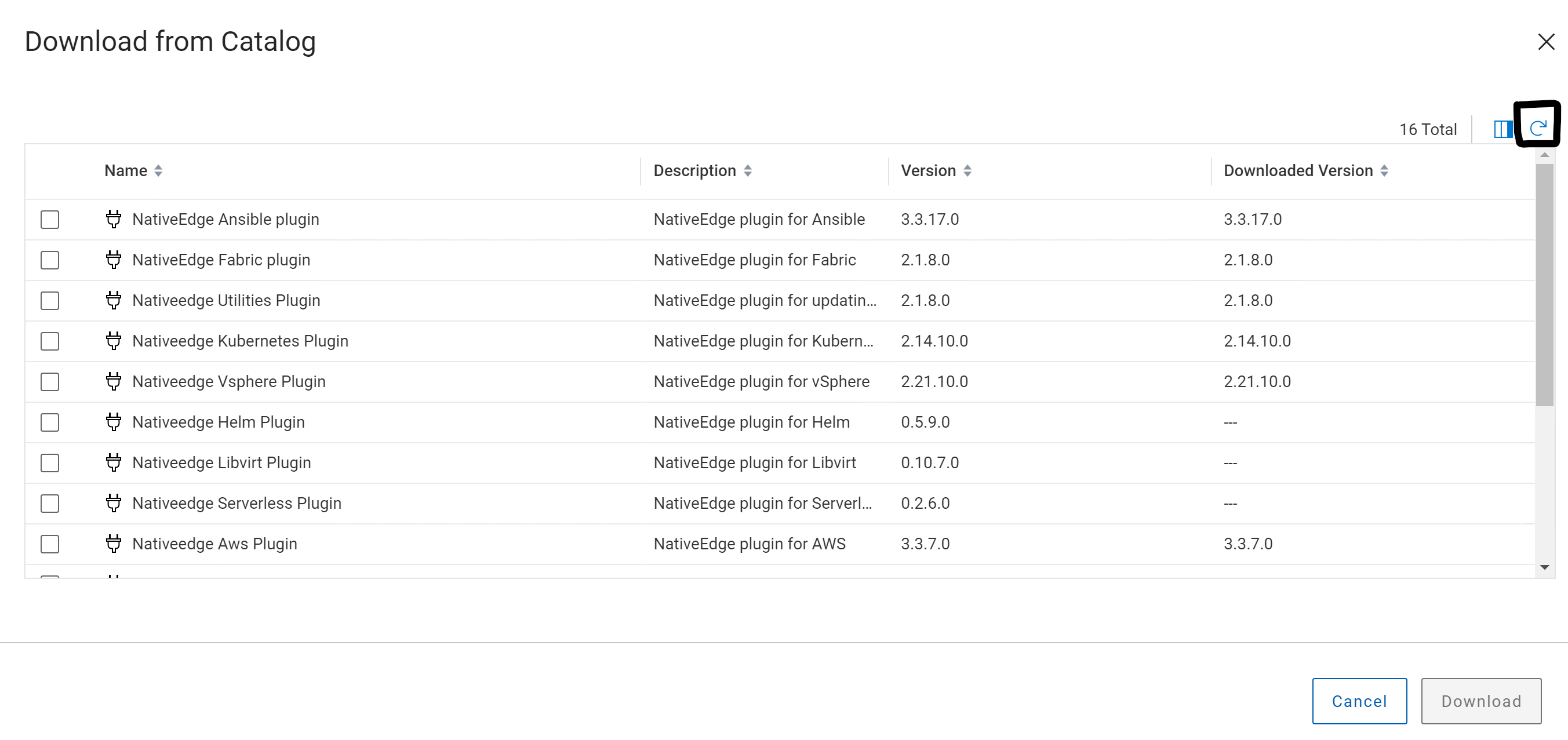
어떤 경우든 위의 해결 방법으로 문제가 해결되지 않으면 Dell 지원 부서에 추가 문제 해결을 문의하십시오.
이 수정 사항은 향후 NativeEdge 릴리스에서 사용할 수 있습니다.