Så här genomför du policyer för Dell Data Security-servrar
Summary: Läs mer om hur du genomför policyer för Dell Data Security- och Dell Data Protection-servrar genom att följa de här instruktionerna.
This article applies to
This article does not apply to
This article is not tied to any specific product.
Not all product versions are identified in this article.
Instructions
Läs om hur du genomför policyer i Dell Security Management Server (tidigare Dell Data Protection Enterprise Edition Server eller Dell Data Protection Virtual Edition).
Berörda produkter:
- Dell Security Management Server
- Dell Security Management Server Virtual
- Dell Data Protection | Enterprise Edition för Mac.
- Dell Data Protection Virtual Edition-server
Berörda versioner:
- v8.0 och senare
Policyer måste sparas och sedan verkställas i Dell Security Management Server för att ändringar ska träda i kraft på en hanterad slutpunkt.
Policyinställningarna för Dell Security Management Server varierar mellan produktversioner v9.2.0 och senare eller v8.0.0 till 9.1.X. Klicka på lämplig version för att få specifika anvisningar. Mer information om version finns i Identifiera Dell Data Security-/Dell Data Protection Server-version (på engelska).
v9.2.0 och senare
- Logga in på administrationskonsolen för Dell Data Security.
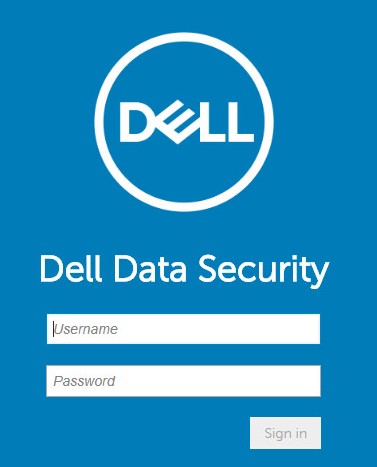 Mer information om version finns i Konfigurera administrationskonsolen för Dell Data Security/Dell Data Protection Server (på engelska).
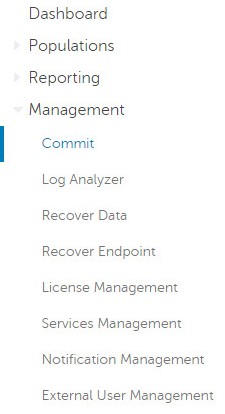
 - I menypanelen till vänster klickar du på Populations och sedan på Endpoints.
- Ange en kommentar som beskriver sparade principändringar som ska verkställas.
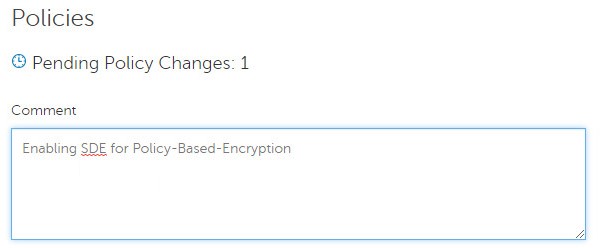
- Klicka på Genomför policyer.

v8.0.0 till 9.1.X
- Skicka inloggningsuppgifter för att logga in på Dell Data Protection-administrationskonsolen.
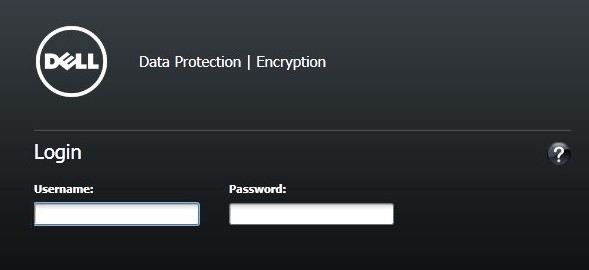 Mer information om version finns i Konfigurera administrationskonsolen för Dell Data Security/Dell Data Protection Server (på engelska).
 - I den vänstra rutan klickar du på Genomför policyer.

- Ange en kommentar som beskriver sparade principändringar och klicka sedan på Verkställ ändringar.
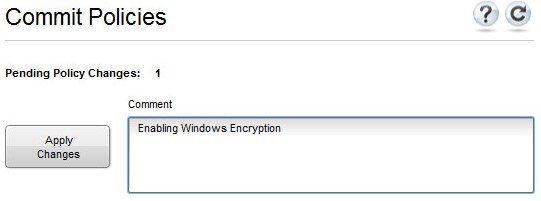 Notera: Ett väntande principändringsnummer tilldelas baserat på antalet principer, slutpunkter och domäner som påverkas.
Additional Information
Videos
Affected Products
Dell EncryptionProducts
Dell Data SecurityArticle Properties
Article Number: 000123779
Article Type: How To
Last Modified: 21 Aug 2026
Version: 16
Find answers to your questions from other Dell users
Support Services
Check if your device is covered by Support Services.