Alienware X14 Laptops Do Not Support Wake-on-LAN
Summary: The following article provides information about a Wake-on-LAN (WOL) problem with the Alienware x14 laptop. WOL does not work with the Windows 11 operating system.
Symptoms
WOL does not work in Windows 11
Alienware x14 laptop owners find that you cannot wake your laptop from sleep mode.
The WOL Tool (wol32.exe) uses either the wired Local Area Network (LAN) or the wireless Local Area Network (WLAN).
This is only reported when running the Windows 11 Operating System on the laptop.
Cause
Microsoft confirms that a laptop running the Windows 11 operating system can only wake using the Remote Desktop application. (The Remote Desktop application comes preinstalled with Windows 11.)
Resolution
Microsoft only supports WOL on windows 11 when you are using their preinstalled Remote Desktop application.
The following steps take you through enabling Remote Desktop in Windows 11:
Configuring Client and Server docking through the LAN.
-
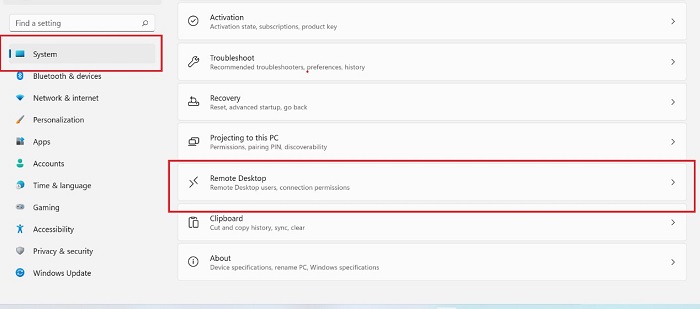
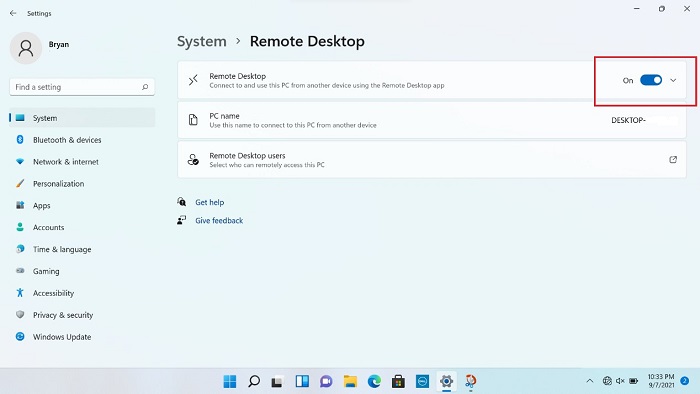
Open Settings and go through System > Remote Desktop > Remote Desktop On.
-
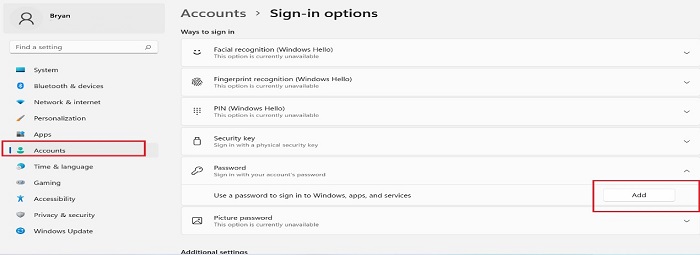
Go to Accounts and click Sign-in Options: (See Figure.3)
-
Select Add.
-
Select a New Password.
-
Enter a password.
-
Confirm the password.
-
Select Finish.
-
-
Open the Control Panel and go through Network & Internet > Network and Sharing Center > Change Adapter Settings.
-
Right-click the Realtek USB Gigabit Ethernet (GbE) Family Controller adapter and select Properties.
-
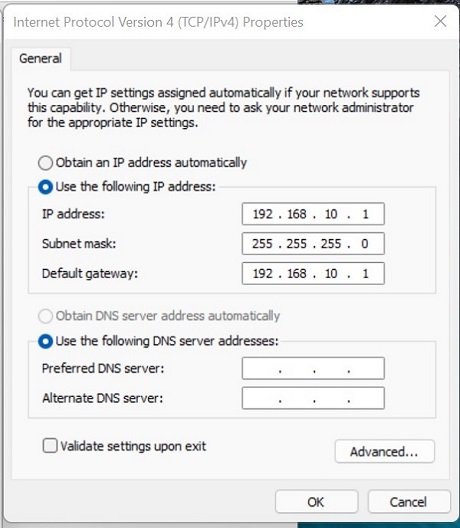
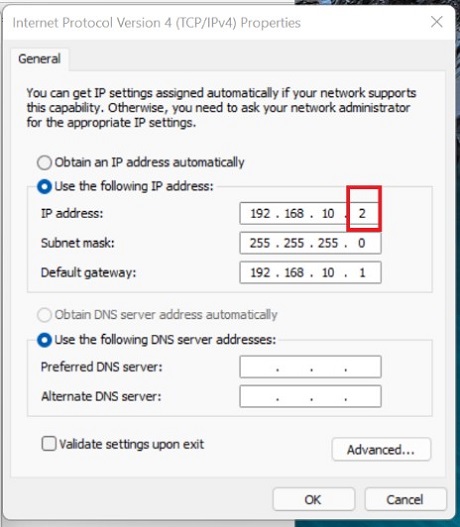
Click Internet Protocol Version 4 (TCP/IPv4) > Setting the Internal Protocol (IP).
-
Open a command-line application on the Server and type the following command followed by pressing the Enter key: (Ensure that a working network is connected.)
ping 192.168.10.2 -
The Client enters Modern Standby (MS).
-
Search for Remote Desktop Connection in the taskbar.
-
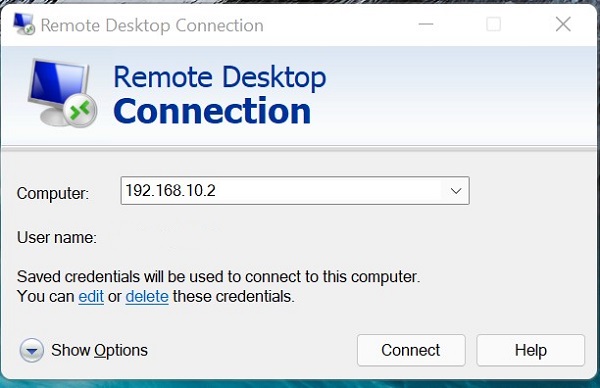
Open the Remote Desktop Connection Tool from the search results on the Server. Enter the following details:
-
Enter the Client IP address:
192.168.10.2. -
Enter the Accounts name and Password.
-
-
Confirm that you can connect to the Client.
-
Confirm that the Client can now WOL through the Server by MS.