VxRail: Mismatched Uplink presents various network issues.
Summary: When a VxRail vmnic is not assigned to the proper uplink, various network issues may occur.
Symptoms
If the vmnics are not properly aligned to the correct uplink, various network issues become apparent.
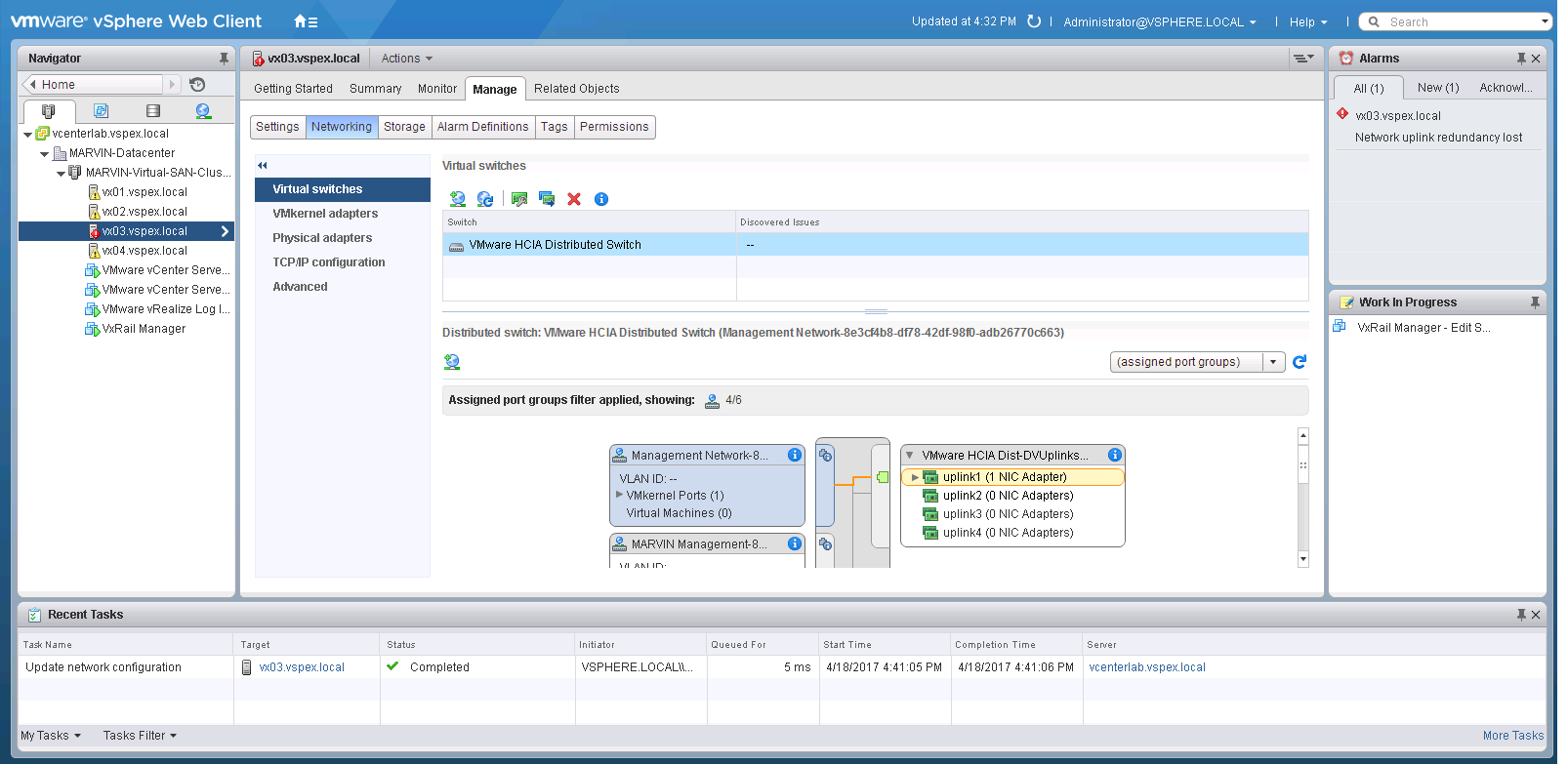
Here is an example of one such network issue called out in vCenter:
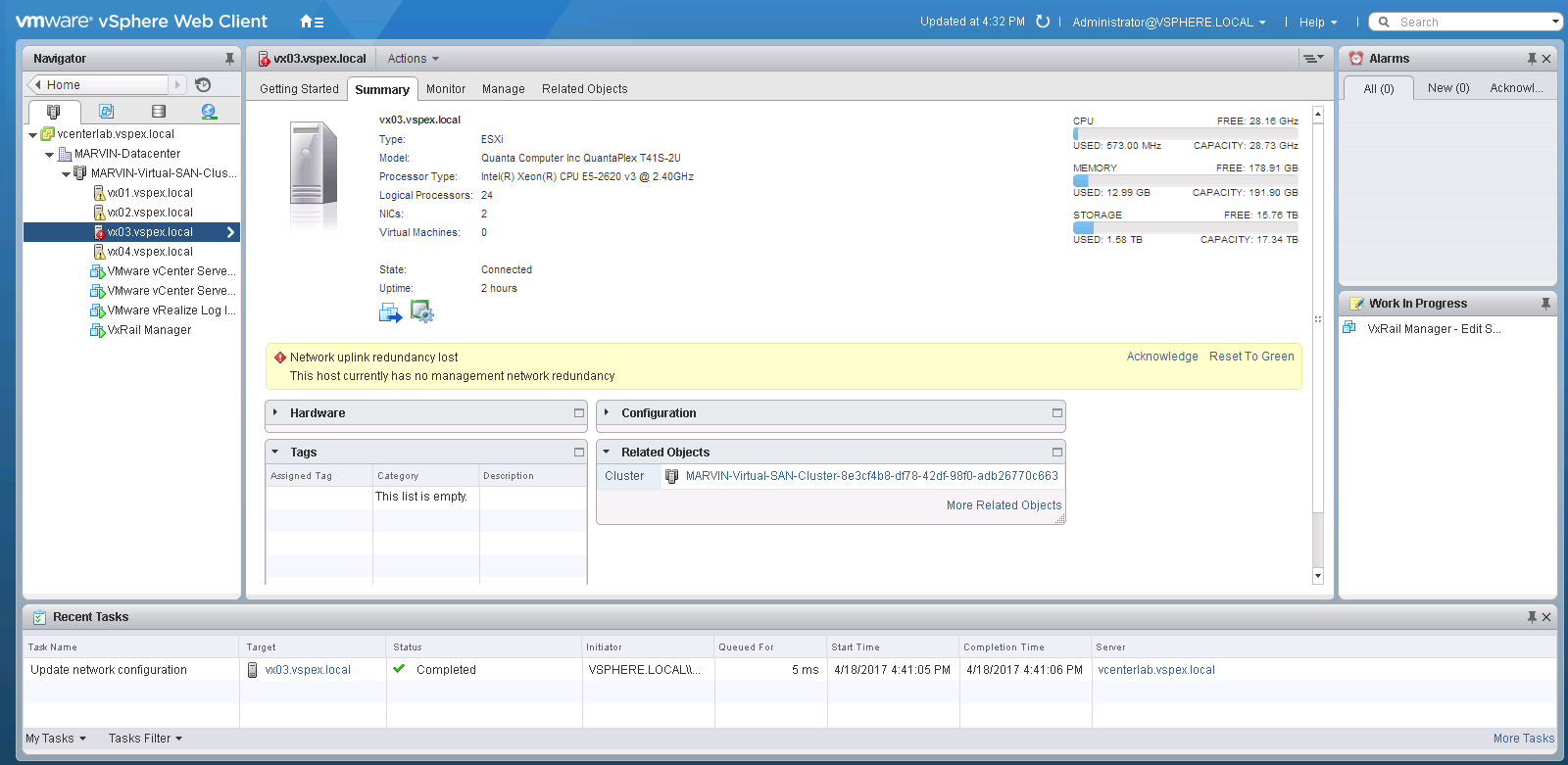

In addition, if the uplink is wrong you may not be able to get to the node remote console from the iDRAC if these links are wrong.
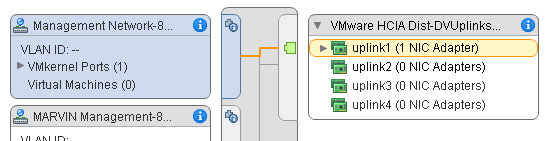
Here is another display which shows something is wrong:
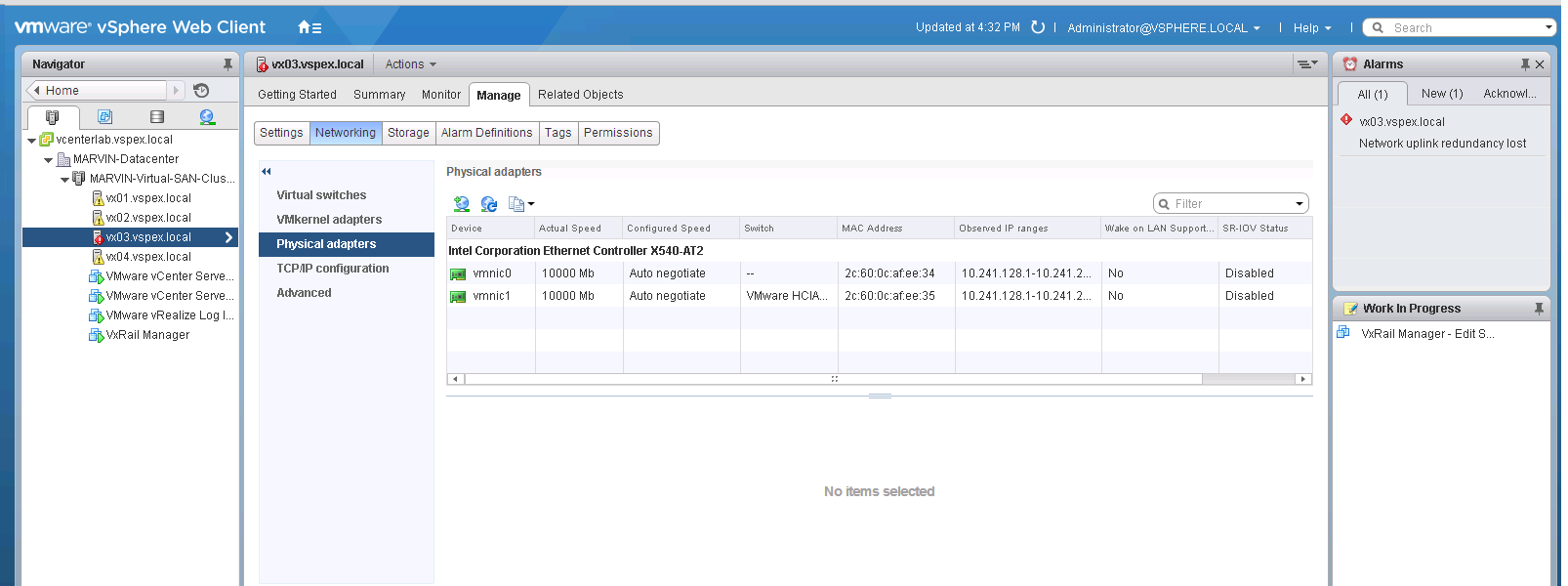
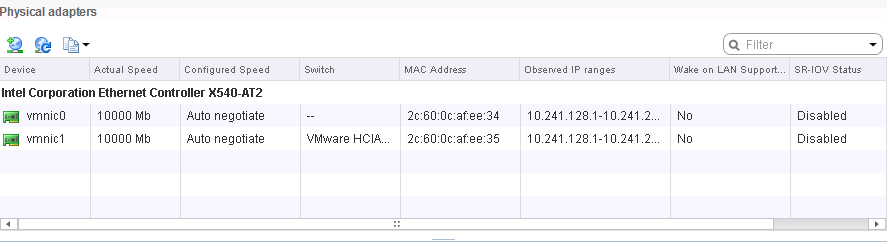
Notice there is no switch associated with VMNIC0:
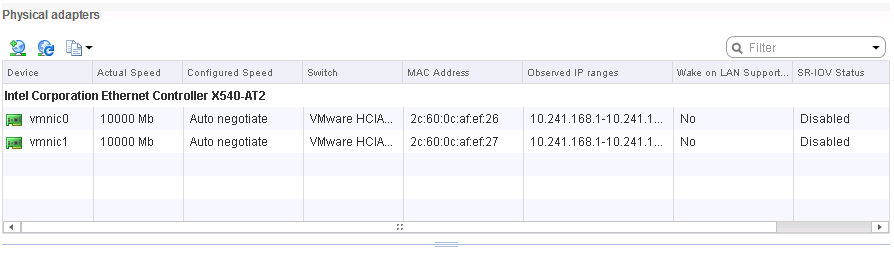
This is what a GOOD display would look like:
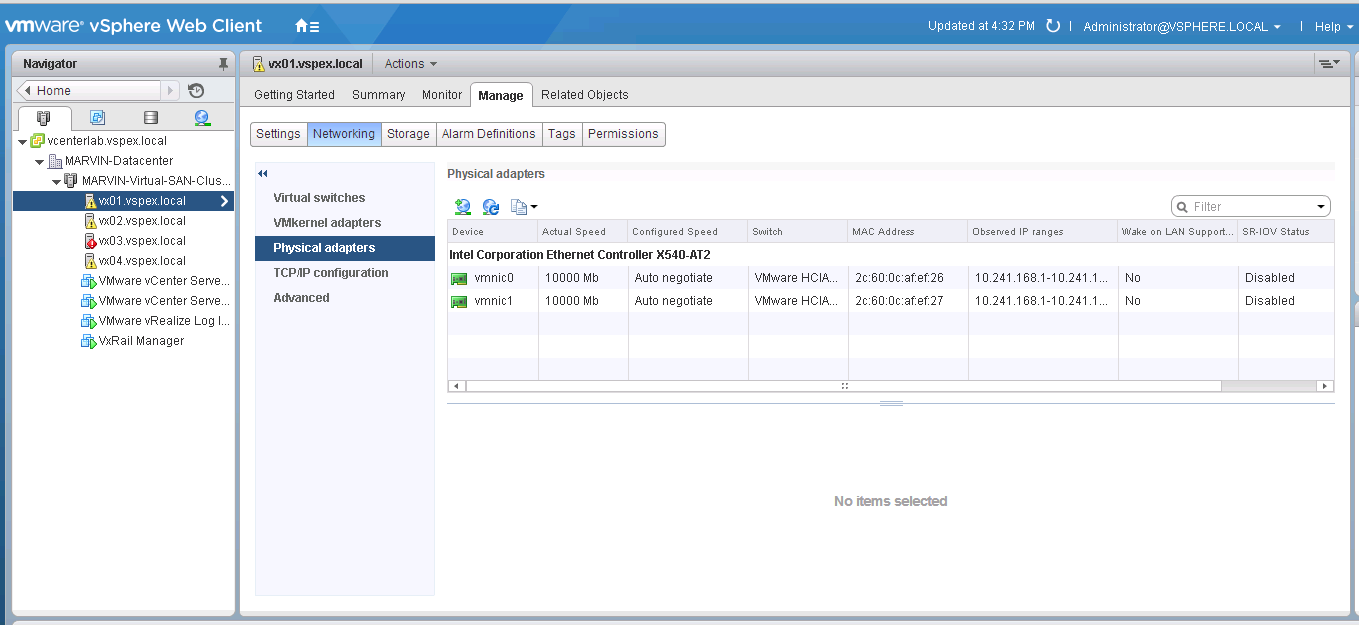
Notice there is a switch associated with each adapter.
Cause
Resolution
Here is an example of what your vmnic to uplink relationship must look like:
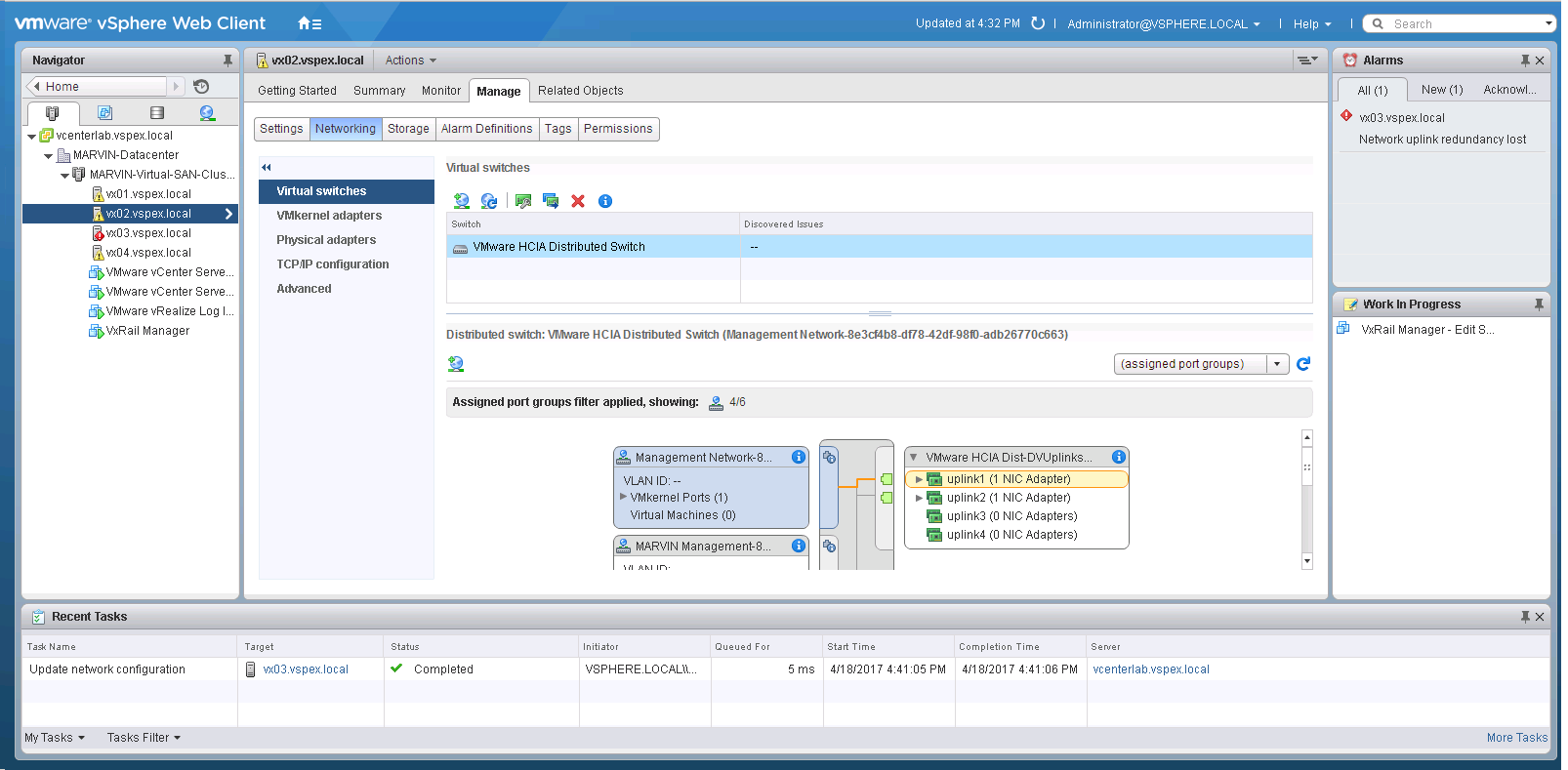
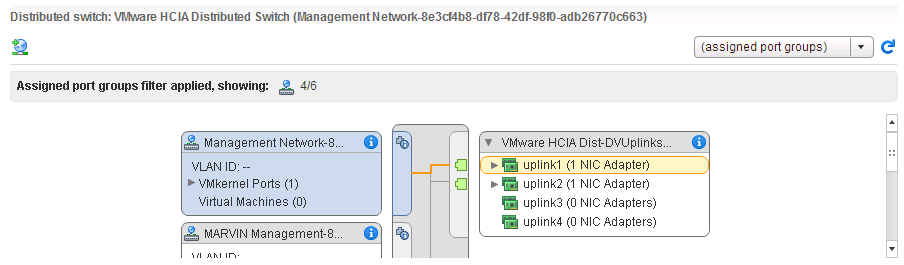
In order to get it there, follow these steps:
Select Networking in the Left pane.
Select Manage in the right pane. 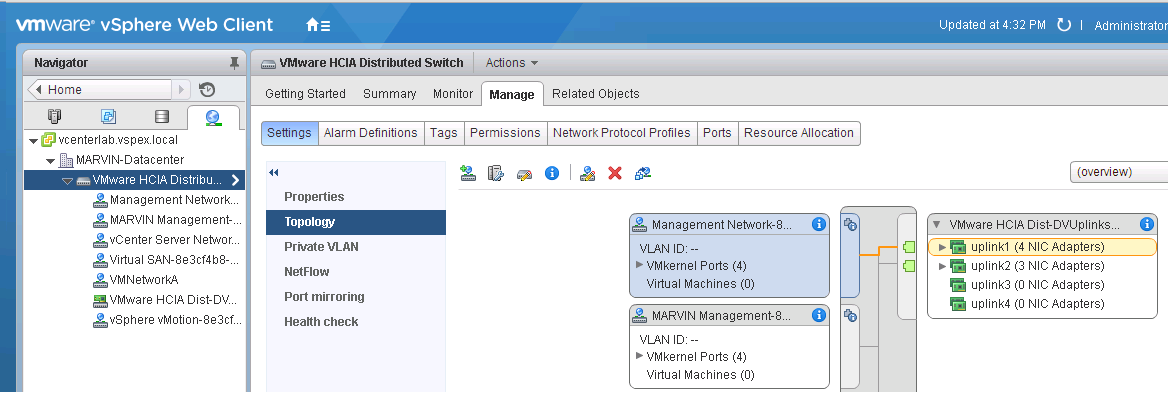
Right-click the switch name to bring up the Distributed switch action popup.
Select Add and Manage hosts.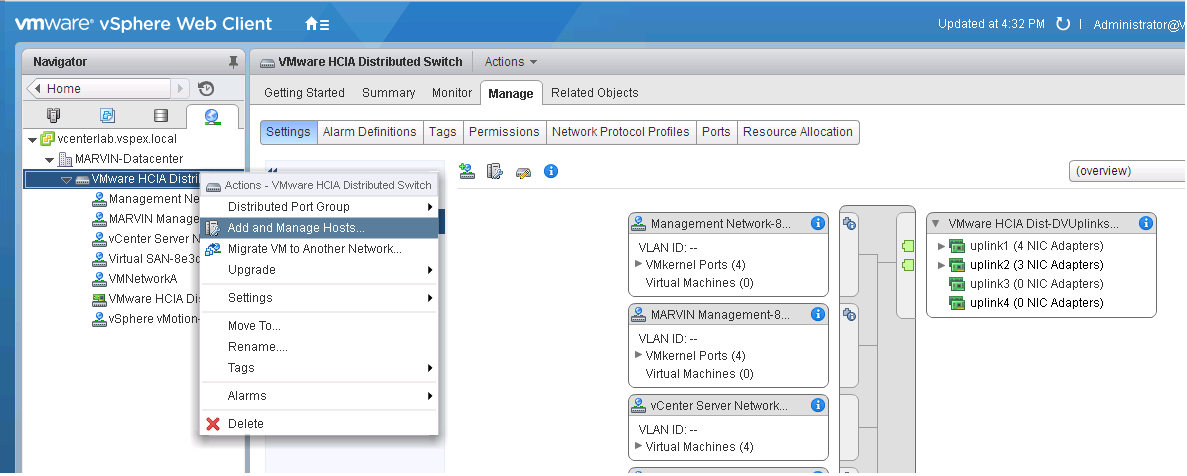
Select Manage Networking and press next.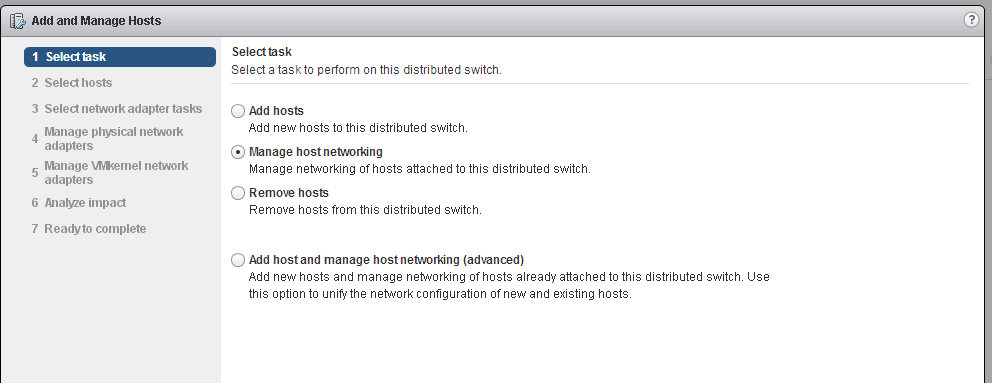
Select Hosts to get the next appear and then select the host with the bad.
vmnic/uplink pair In this case it is node 3. Then press OK and then next.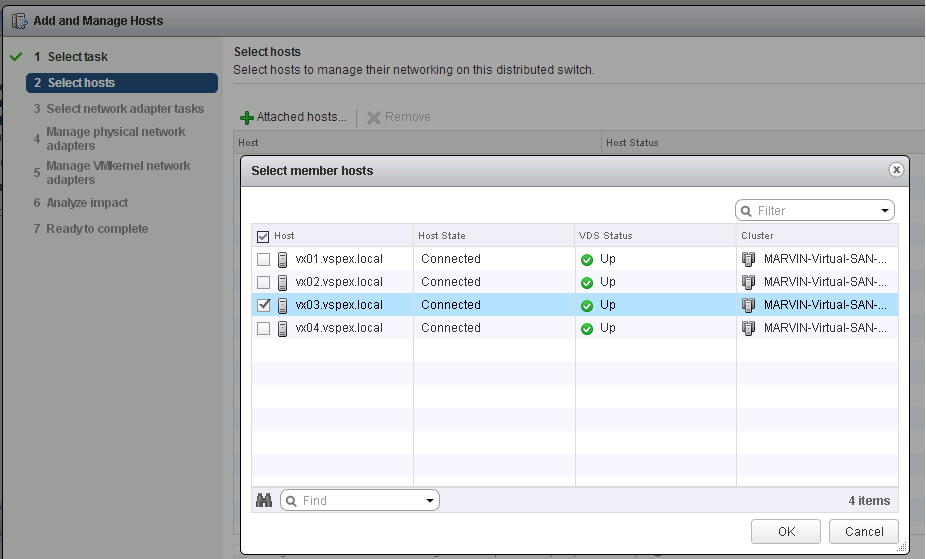
Check ONLY Manage physical adapters and then press next.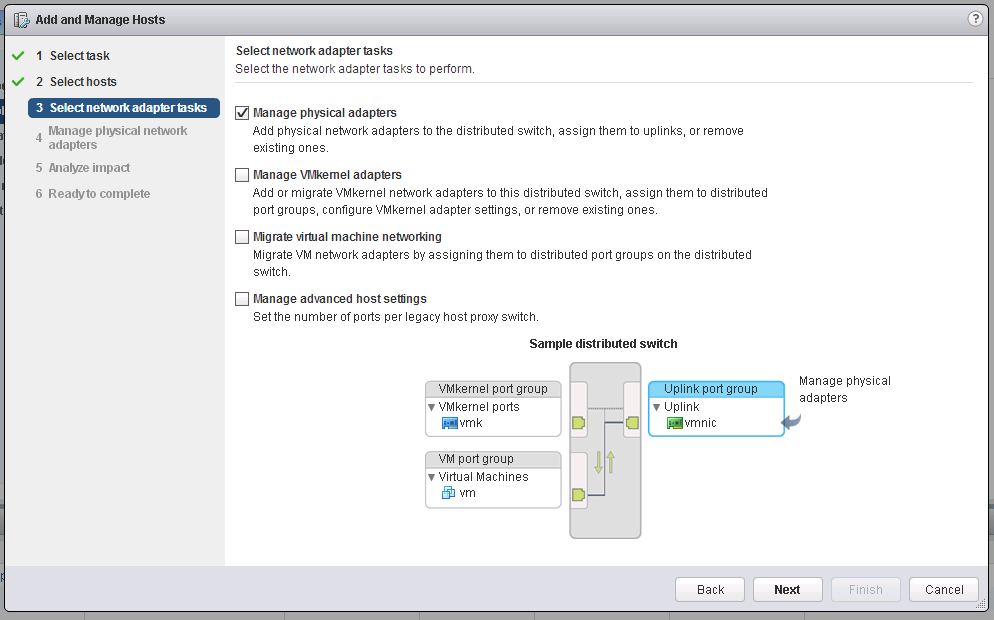
This next screen really shows us what we must fix. We can see that vmnic0 is associated with uplink2.
That is wrong. We must associate vmnic0 with uplink1 and vmnic1 with uplink2.
Click unassign adapter for both vmnic's.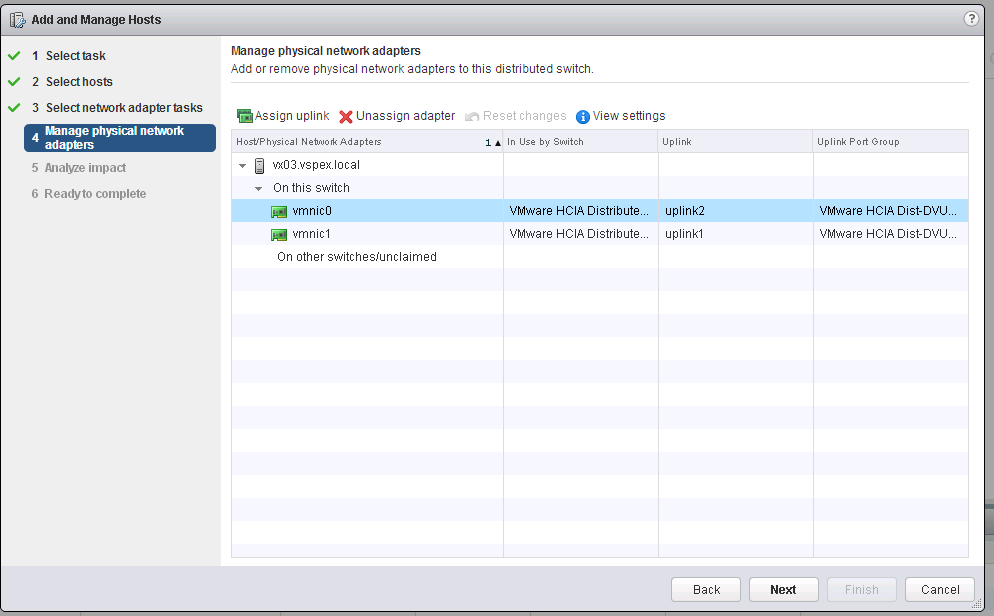
Next select vmnic0 and click assign uplink. The below window appears.
Select uplink1 (for vmnic0).
Do the same thing to assign uplink2 to vmnic1.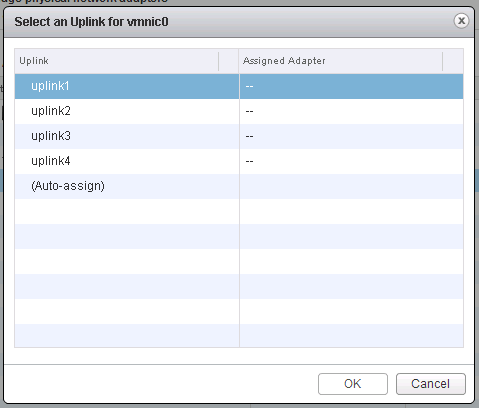
Once that is done press next.
Press next again on the analyze impact screen.
Press the finish button on the next screen.
A task starts to run your request. When it is done your vmnics, and uplinks are good.