VxRail:在不重新引导的情况下在 vCenter Server Appliance 中重置 root 密码
Summary: 本文介绍如何在 VMware vCenter Server Appliance (VCSA) 6.7 U1、7.x 和 8.x 中重置丢失的根密码而不重新启动。
This article applies to
This article does not apply to
This article is not tied to any specific product.
Not all product versions are identified in this article.
Instructions
在 VMware vCenter Server Appliance (VCSA) 6.7 U1 中,SSO 用户 SystemConfiguration.BashShellAdministrator 可以访问 Bash 并运行 sudo 没有密码,弥合了与root的差距。默认情况下,用户登录到一体机 shell,并且必须启用 shell 才能访问 Bash。
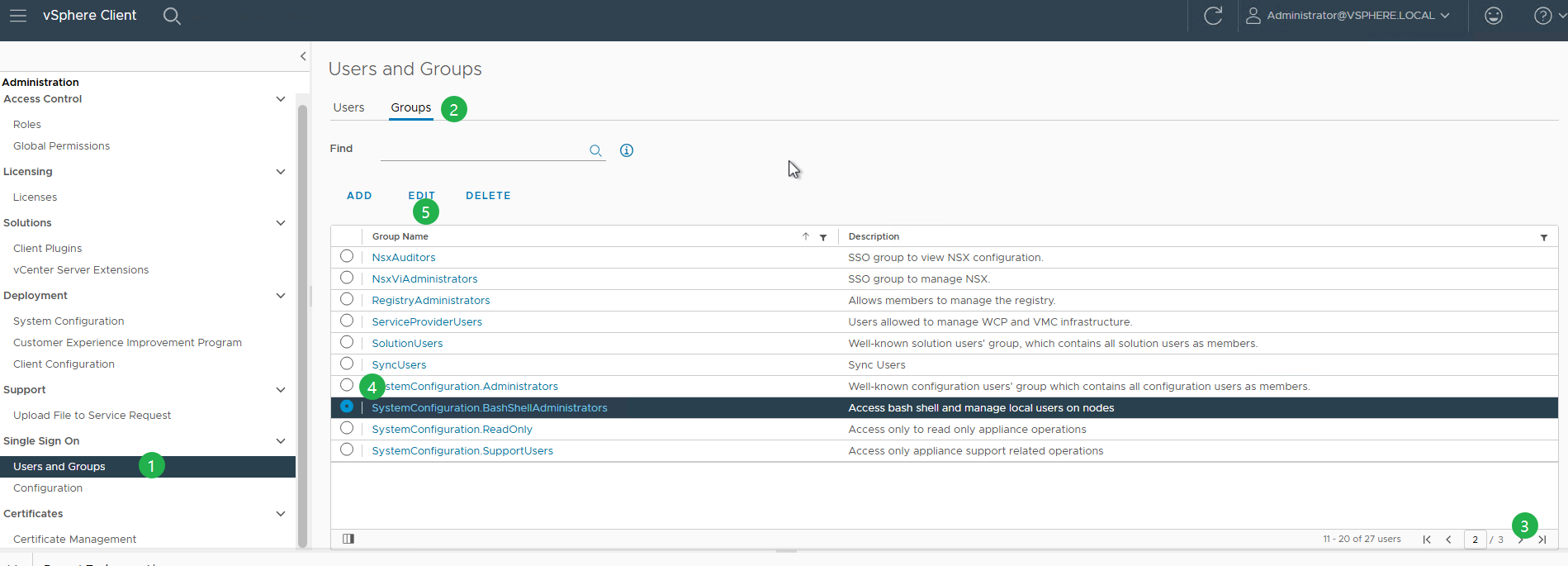
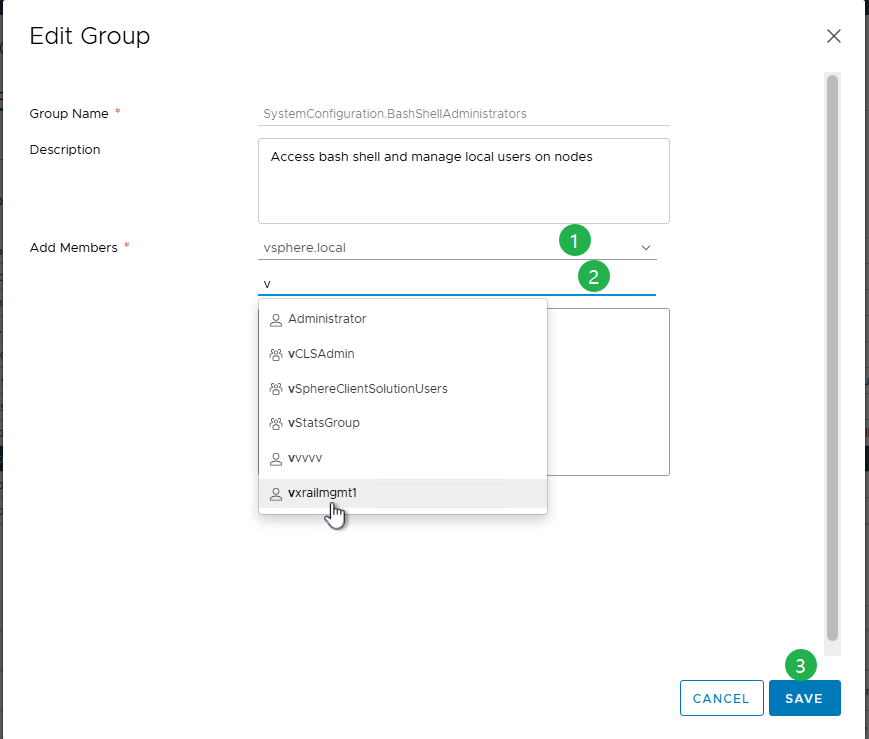
在 VCSA 中重置 root 密码的过程:
- 要通过 SSH 连接到 VCSA,请使用以下命令登录
administrator@vsphere.local,其中末尾数字部分vsphere.local是您的默认 SSO 域。- 如果 SSH 处于禁用状态,请使用 VAMI (
https://<vcenter_fqdn>:5480)。 - 您可以验证身份为
administrator@vsphere.local或 SSO 管理员组的任何其他成员。 - 启用或禁用 SSH 和 Bash Shell 访问。
- 如果 SSH 处于禁用状态,请使用 VAMI (
- 如果这是您首次登录,请先启用 shell,然后键入 shell 以访问它。

shell.set --enable true
shell
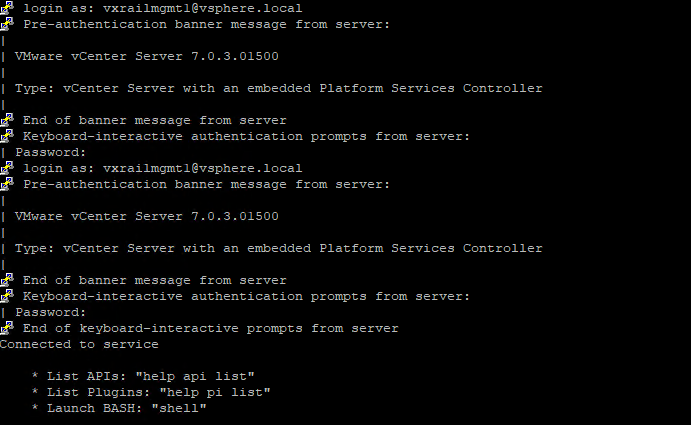
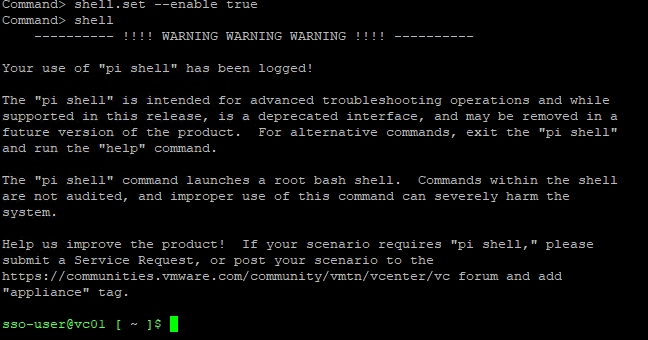
- 一旦进入 shell 作为
sso-user,执行以下命令以切换到 root shell。
sudo -i
- 如果 root 帐户由于多次登录尝试失败而被锁定,请使用以下命令将其解锁。
pam_tally2 --user=root --reset

对于 8.0 U2 及更高版本:
/usr/sbin/faillock --user root --reset
提醒:
pam_tally2 在 Photon 4 中已弃用,请使用 faillock 。
- 进入 root shell 后,运行 passwd 以更改 root 密码。
passwd
或者,使用以下命令:
sudo passwd root

- 更新密码后,使用新凭据验证对 vCenter Server Appliance 的访问权限。
- 若要防止将来出现此问题,请通过运行以下命令将 root 密码设置为永不过期。
chage -I -1 -m 0 -M 99999 -E -1 root or at the VAMI ( https://<vcenter_fqdn>:5480)
Additional Information
有关更多信息,请参阅 Broadcom 文章在不重新启动的情况下在 vCenter Server Appliance 中重置根密码/6.7u1/7.x/8.x (321369)
Article Properties
Article Number: 000302492
Article Type: How To
Last Modified: 06 Apr 2026
Version: 3
Find answers to your questions from other Dell users
Support Services
Check if your device is covered by Support Services.