Så här får du åtkomst till administrationskonsolen för Dell Data Security-servern
Summary: Lär dig hur du får åtkomst till administrationskonsolen för Dell Data Security- eller Dell Data Protection-servern genom att följa dessa stegvisa instruktioner.
This article applies to
This article does not apply to
This article is not tied to any specific product.
Not all product versions are identified in this article.
Instructions
Dell Data Security (tidigare Dell Data Protection) kräver en administrationskonsol för att hantera:
- Policyer
- Rapporter
- Krypteringsnycklar
Berörda produkter:
- Dell Security Management Server
- Dell Data Protection Enterprise Edition-server
- Dell Security Management Server Virtual
- Dell Data Protection Virtual Edition
Berörda versioner:
- 8.0 och senare
Instruktionerna för inloggning på administrationskonsolen varierar beroende på vilken version av Dell Data Security-servern som används.
Klicka på lämplig produktversion för specifika steg för åtkomst till administrationskonsolen. Information om versionshantering finns i Ta reda på vilken version av Dell Data Security Server du har.
9.2 och senare
- Öppna en webbläsare och gå till https://servername.company.com:8443/webui.
 Obs!
Obs!- Det fullständigt kvalificerade domännamnet (FQDN) i exemplet är inte detsamma som för servern i din miljö.
- Port 8443 kan skilja sig från administrationskonsolporten i din miljö.
- Logga in på administrationskonsolen.
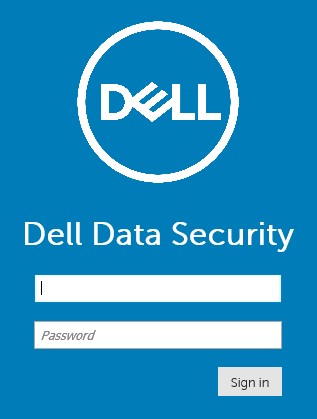 Obs!
Obs!- I version 11.4 och senare uppmanas användaren att ange OTP (engångslösenord) om antingen Google Authenticator eller e-post MFA (multifaktorautentisering) har konfigurerats för användaren.
- Mer information om hur du konfigurerar MFA finns i Hantera flerfaktorautentisering i administrationskonsolen för Dell Security Management Server.
8.0 till 9.1.5
- I Utforskaren i Windows går du till:
- Dell Data Protection Enterprise Edition-server:
C:\Program Files\Dell\Enterprise Edition - Slutpunkt:
C:\Program Files\Dell\Virtual Edition
Obs!- Slutpunktsåtkomst kräver installation av administrationskonsolen (tidigare Remote Management Console) från Dell Data Protection Virtual Edition-mediet.
- Installationsanvisningar finns i Installera Dell Data Protection Remote Management Console.
- Dell Data Protection Enterprise Edition-server:
- Dubbelklicka
Credant.Console.

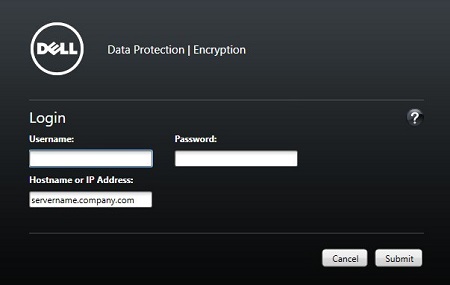
- Skicka inloggningsuppgifter för att logga in på administrationskonsolen.
Additional Information
Videos
Affected Products
Dell EncryptionArticle Properties
Article Number: 000126852
Article Type: How To
Last Modified: 21 Jul 2026
Version: 16
Find answers to your questions from other Dell users
Support Services
Check if your device is covered by Support Services.