VxRail:在 vCenter Server Appliance 中重設 root 密碼,無需重新開機
Summary: 本文說明如何在 VMware vCenter Server Appliance (VCSA) 6.7 U1、7.x 和 8.x 中重設遺失的 root 密碼,而無需重新開機。
This article applies to
This article does not apply to
This article is not tied to any specific product.
Not all product versions are identified in this article.
Instructions
在 VMware vCenter Server Appliance (VCSA) 6.7 U1 中,SSO 使用者 SystemConfiguration.BashShellAdministrator 可以存取 Bash 並執行 sudo 無需密碼,將差距彌合到根。根據預設,使用者會登入裝置 shell,且必須啟用 shell 才能存取 Bash。
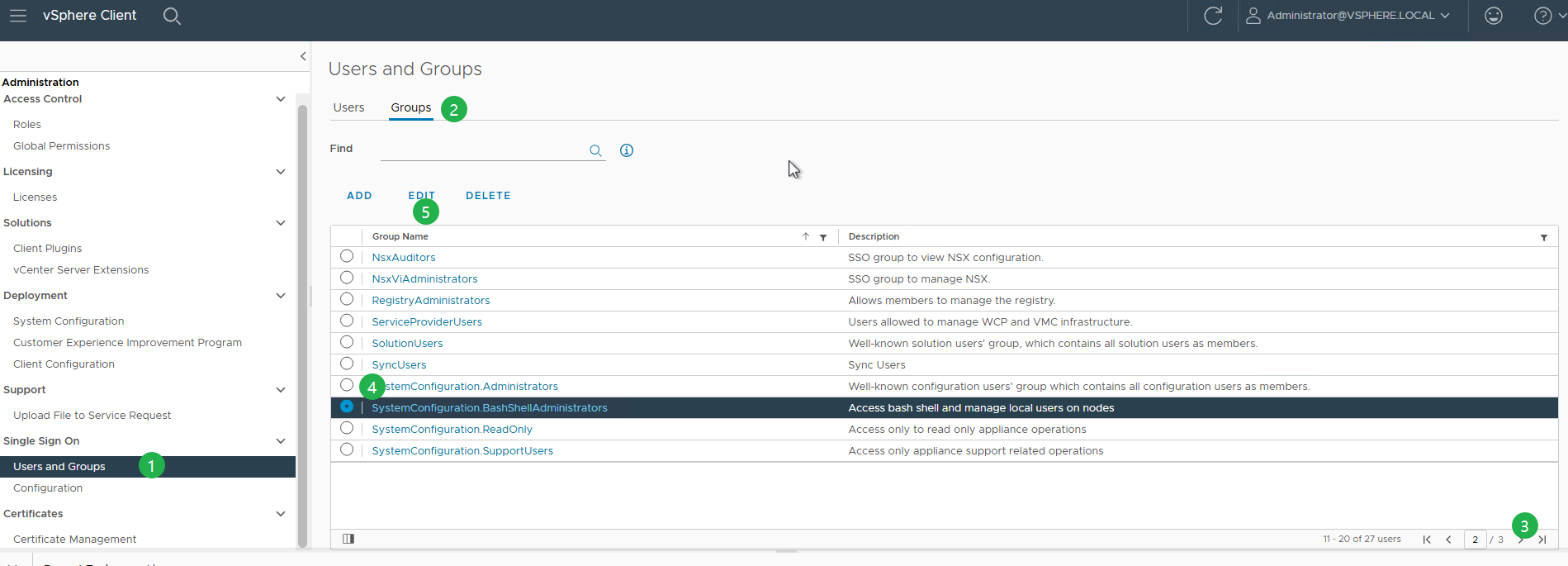
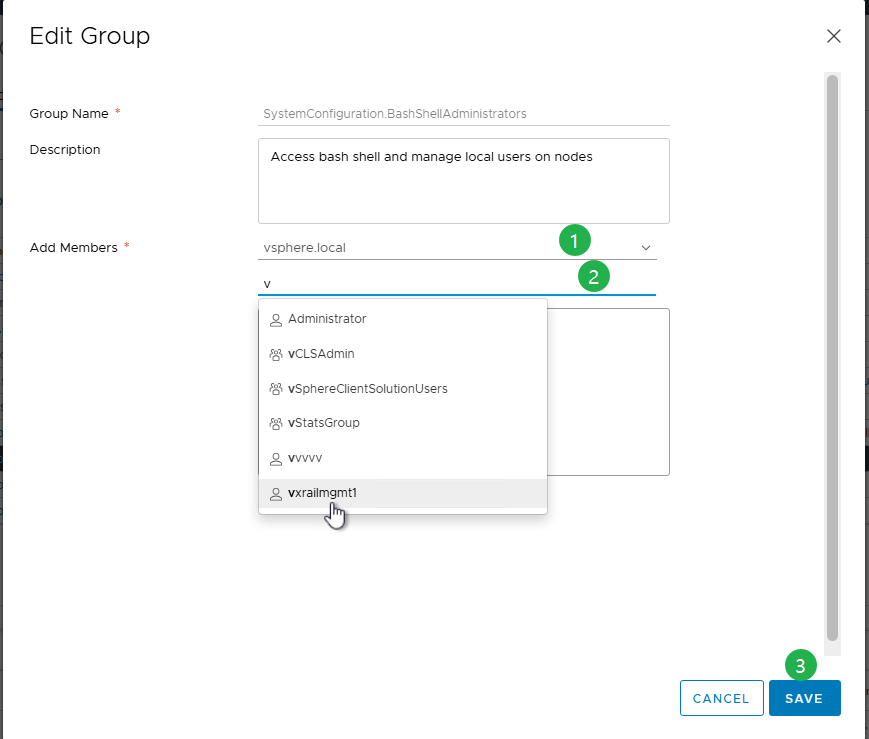
重設 VCSA 中根密碼的程序:
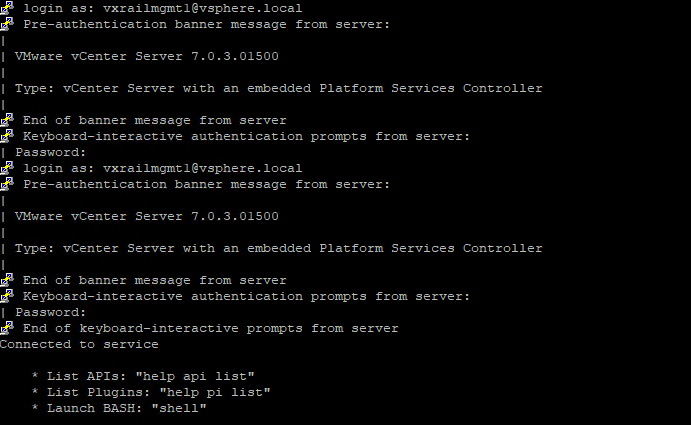
- 若要透過 SSH 連線至 VCSA,請使用以下方式登入:
administrator@vsphere.local,其中vsphere.local是您的預設 SSO 網域。- 如果 SSH 已停用,請使用 VAMI (
https://<vcenter_fqdn>:5480)。 - 您可以驗證為
administrator@vsphere.local或 SSO 管理員組的任何其他成員。 - 啟用或停用 SSH 和 Bash Shell 存取。
- 如果 SSH 已停用,請使用 VAMI (
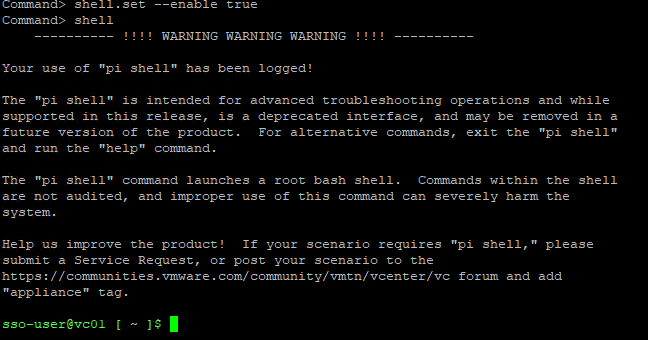
- 如果這是您第一次登錄,請先啟用shell,然後鍵入shell以訪問它。

shell.set --enable true
shell
- 一旦進入外殼作為
sso-user,運行以下命令切換到根外殼。
sudo -i
- 如果根帳戶因多次嘗試登入失敗而鎖定,請使用下列命令將其解除鎖定。
pam_tally2 --user=root --reset

8.0 U2 以上版本:
/usr/sbin/faillock --user root --reset
注意:
pam_tally2 在 Photon 4 中已棄用,使用 faillock 。
- 進入根 shell 後,執行密碼 passwd 以變更根密碼。
passwd
或者,使用命令:
sudo passwd root

- 更新密碼後,請以新的認證確認 vCenter Server Appliance 的存取權。
- 若要防止將來發生此問題,請執行下列命令,將 root 密碼設定為永不過期。
chage -I -1 -m 0 -M 99999 -E -1 root or at the VAMI ( https://<vcenter_fqdn>:5480)
Additional Information
如需更多資訊,請參閱 Broadcom 文章在 vCenter Server Appliance 中重設 root 密碼,無需重新開機/6.7u1/7.x/8.x (321369)
Article Properties
Article Number: 000302492
Article Type: How To
Last Modified: 06 Apr 2026
Version: 3
Find answers to your questions from other Dell users
Support Services
Check if your device is covered by Support Services.