AppSync:AppSync UIからのエージェント ログ収集が「Exception Occurred: SmbAuthException、メッセージ: ログオン失敗: 不明なユーザー」
Summary: AppSync UIからのWindowsエージェント ホストのAppSyncエージェント ログの自動ログ収集に失敗しました。 ただし、サーバー ログの収集は正常に行われます。
This article applies to
This article does not apply to
This article is not tied to any specific product.
Not all product versions are identified in this article.
Symptoms
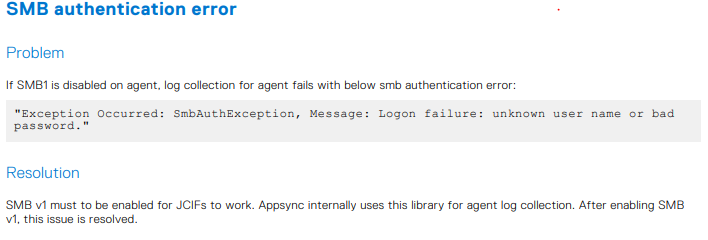
AppSync UIからログを収集しているときに、SMB認証エラーがスローされます。
AppSyncサーバー ログには、次の情報が表示されます。
ただし、ユーザーは、ユーザー名とパスワードが正しいこと、および適切な権限があることを確認しました。
AppSyncサーバー ログには、次の情報が表示されます。
<TimeStamp> INFO [EJB default - 3] [com.emc.archway.service.hostservice.HostServiceBean] [UDP-DAS-10] [] 7adf3a3e-f01a-4076-b352-a23198c6ee1a->>> userName === <UserName>  domain == xxxxxx
<TimeStamp> INFO [EJB default - 3] [com.emc.archway.service.hostservice.HostServiceBean] [UDP-DAS-10] [] 7adf3a3e-f01a-4076-b352-a23198c6ee1a->>> SMB URL formed to create the session is : smb://<Agent Host FQDN>/Admin$/AppSync-logs/appsyncHostPlugin_<HostName>_<TimeStamp>.zip
<TimeStamp> ERROR [EJB default - 3] [com.emc.archway.commands.logCollection.CollectLogsCommandBean] [UDP-DAS-10] [] 7adf3a3e-f01a-4076-b352-a23198c6ee1a->>> Exception Occurred: LogCollectionFailedException, Message: SmbAuthException, Message: Logon failure: unknown user name or bad password
Cause
SMB1がエージェント ホストで無効になっています。AppSyncは、エージェント ログ収集にこのライブラリーを内部的に使用します。
したがって、これは必要であり、『AppSync 4.6ユーザー ガイド』の348ページのトラブルシューティングのセクションにも記載されています。
Resolution
Windows Server ManagerページからSMB v1を有効にすると、問題が解決します。
また、『 AppSync 4.6ユーザー ガイド』の348ページにあるトラブルシューティングのセクションに、次の図に示されている情報もあります。
Additional Information
SMB1が有効になっている場合、このPowershellコマンドはtrueと表示されます。
Get-SmbServerConfiguration | Select EnableSMB1Protocol
Products
AppSyncArticle Properties
Article Number: 000211362
Article Type: Solution
Last Modified: 10 Oct 2025
Version: 2
Find answers to your questions from other Dell users
Support Services
Check if your device is covered by Support Services.