Aktywnego pióra Dell nie ma na liście w programie Dell Display an Peripheral Manager
Summary: Ten artykuł zawiera informacje na temat brakującej opcji aktywnego pióra Dell w programie Dell Display an Peripheral Manager (DDPM).
This article applies to
This article does not apply to
This article is not tied to any specific product.
Not all product versions are identified in this article.
Symptoms
Dotyczy produktów:
- Aktywne pióro Dell Pro Premium PN5122W
- Aktywne pióro Dell Pro Premium PN7522W
Dotyczy platform:
- Dell 14 Plus DB14250
- Dell 16 Plus DB16250
- Dell 14 Plus 2 w 1 DB04250
- Dell 16 Plus 2 w 1 DB06250
- Dell 14 Plus 2 w 1 DB04255
- Inspiron 14 7440 2 w 1
- Inspiron 14 7445 typu "2 w 1"
- Inspiron 14 7430 2 w 1
- Inspiron 16 7630 2 w 1
- Inspiron 14 7435 2 w 1
- Inspiron 16 7635 typu "2 w 1"
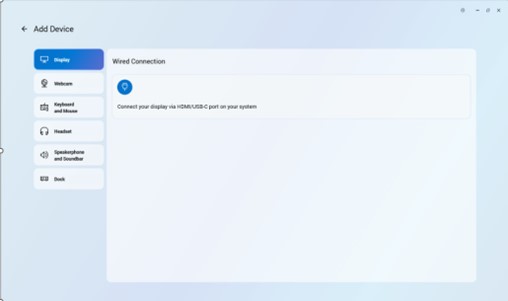
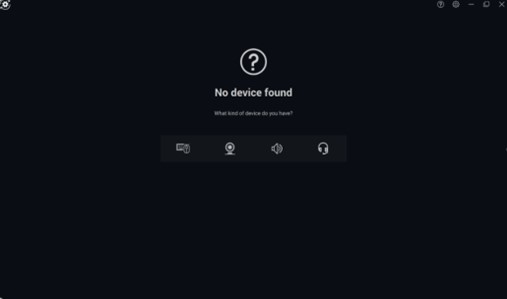
Nie można dodać aktywnego pióra Dell do aplikacji Dell Peripheral Manager ze względu na brak ikony pióra.
Cause
Problem związany ze sterownikiem
Resolution
Dział inżynieryjny pracuje nad poprawką, która ma zostać opublikowana w DDPM, a która eliminuje konieczność osobnego instalowania sterownika aktywnego pióra Dell. Po udostępnieniu aktualizacja programu DDPM zostanie opublikowana na stronie pomocy technicznej komputera. Termin wydania to luty 2026 r.
Problem można rozwiązać, aktualizując w komputerze sterownik aktywnego pióra firmy Dell do wersji A00-00 lub nowszej . Aby uzyskać instrukcje dotyczące pobierania i instalowania sterowników firmy Dell, zapoznaj się z artykułem Pobieranie i instalowanie sterowników firmy Dell.
Affected Products
Dell Pro Plus Active Pen PN5122W, Dell Pro Premium Active Pen PN7522W, Dell 14 Plus 2-in-1 DB04250, Dell 14 Plus 2-in-1 DB04255, Dell 16 Plus 2-in-1 DB06250, Dell 14 Plus DB14250, Dell 16 Plus DB16250, Inspiron 14 7430 2-in-1, Inspiron 14 7435 2-in-1
, Inspiron 14 7440 2-in-1, Inspiron 14 7445 2-in-1, Inspiron 16 7630 2-in-1, Inspiron 16 7635 2-in-1
...
Article Properties
Article Number: 000325971
Article Type: Solution
Last Modified: 24 Sept 2025
Version: 5
Find answers to your questions from other Dell users
Support Services
Check if your device is covered by Support Services.