Dell Encryption Enterprise Self-Encrypting Drive PBA and Static IP Addresses Not Syncing
Summary: Dell Encryption Enterprise Self-Encrypting Drive Pre-Boot Authentication environment may stop responding or state "The System Has Failed" When a Static IP address is set.
This article applies to
This article does not apply to
This article is not tied to any specific product.
Not all product versions are identified in this article.
Symptoms
Affected Products:
- Dell Encryption Enterprise Self-Encrypting Drive
- Dell Data Protection | Enterprise Edition Self-Encrypting Drive
Affected Versions:
- v8.10.0 and Earlier
How do I know I have the problem?
If you encounter one of these scenarios:
- At the PBA screen, the computer stops responding while attempting to load network adapter information.
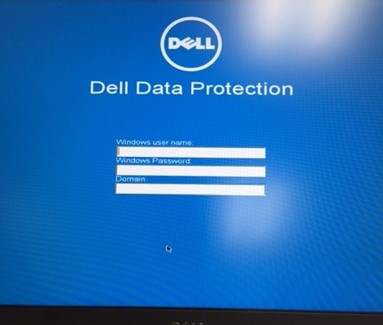
Figure 1: (English Only) PBA stops responding
- You receive the error: The computer failed. For recovery assistance, go to Dell Support.
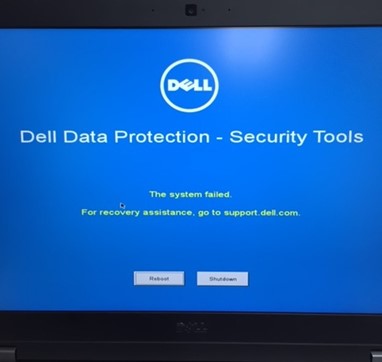
Figure 2: (English Only) Error stating The system failed
- Network settings in the PBA screen show incorrect IP addressing or old subnet information.
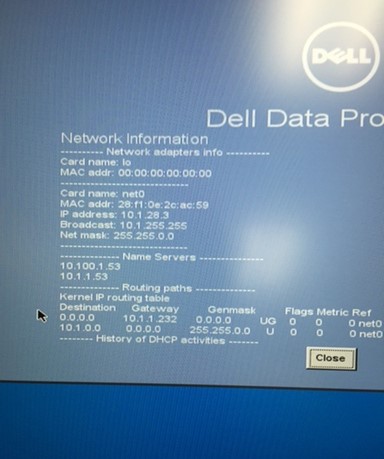
Figure 3: (English Only) PBA screen show incorrect IP address or old subnet
Cause
Why is this happening?
Static IP addresses are not synced when the host operating system's IP address is changed. This may cause failures when attempting to connect to DNS servers, or to gateways when entering the Linux-Based Pre-Boot Authentication environment.
Resolution
Note: The issue is resolved in v8.10.1 and later.
How do I get past the problem?
- Power-down the device.
- Unplug the Ethernet cord.
- Power the device back on.
- Enter in cached credentials to bypass the PBA.
- Once in the operating system, you can reinsert the Ethernet cable.
How do I change the IP Address in the PBA?
- De-Provision PBA
- Modify the SED Policy to Disable for the endpoint from the Dell Data Protection Server.
- Check for updates from the endpoint to remove PBA.
- Once the PBA is removed from the endpoint, add the PBA back onto the RMC.
- Check for update from the endpoint again to enable PBA with the new subnet information.
- Update Title-Text information or Legal Notice information.
- Modify the Title Text or Legal Notice Information for the endpoint.
- Save and Commit the policy.
- Check for updates from the endpoint to remove PBA.
- Once the text notifying the user that the PBA is updating has disappeared, you have updated the IP information.
To contact support, reference Dell Data Security International Support Phone Numbers.
Go to TechDirect to generate a technical support request online.
For additional insights and resources, join the Dell Security Community Forum.
Affected Products
Dell EncryptionArticle Properties
Article Number: 000129600
Article Type: Solution
Last Modified: 06 Sep 2023
Version: 8
Find answers to your questions from other Dell users
Support Services
Check if your device is covered by Support Services.