How to Identify the Advanced Threat Prevention Tenant ID and Region in Dell Security Management Server
Summary: This article explains how to pull the Tenant ID from Dell Security Management Server (formerly Dell Data Protection | Enterprise Edition) and Dell Security Management Server Virtual (formerly Dell Data Protection | Virtual Edition). ...
This article applies to
This article does not apply to
This article is not tied to any specific product.
Not all product versions are identified in this article.
Symptoms
Affected Products:
- Dell Endpoint Security Suite Enterprise
- Dell Security Management Server
- Dell Security Management Server Virtual
- Dell Data Protection | Enterprise Edition
- Dell Data Protection | Virtual Edition
Dell Endpoint Security Suite Enterprise leverages communication to a third-party SaaS solution using an identifier known as the Tenant ID.
Cause
Not Applicable
Resolution
Dell ProSupport may require the Tenant ID and Region to troubleshoot an environment. Click the Dell Security Management Server (formerly Dell Data Protection Server) version for steps on locating this information. For versioning information, reference How to Identify the Version of Dell Security Management Server.
To locate the Tenant ID and Region:
- In a web browser, go to Dell Security Management Server administrator console at https://domain.server.com:8443/webui/login.
Note:
- Domain.server.com must be changed to the Dell Security Management Server FQDN in your environment.
- The default port 8443 may differ in your environment.
- Sign in to the administration console.
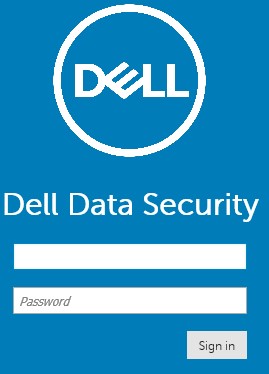
Figure 1: (English Only) Dell Security Management Server Administration Console Sign In
- In the left menu, expand Management and then click Services Management.
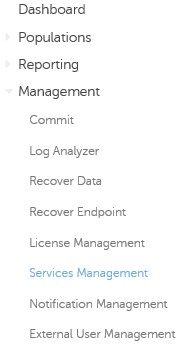
Figure 2: (English Only) Menu Selection
- In the Services Management menu, document the Tenant ID and Region.

Figure 3: (English Only) Services Management UI
Note: The information that is populated in the Services Management UI differs from the example.
The Tenant ID and Region must be pulled from the Dell Data Protection Server database:
| Table | Row | |
|---|---|---|
| Tenant ID | Information | Cylance.tenant.name |
| Region | Information | Cylance.tenant.region |
Dell ProSupport can help with pulling this information.
To contact support, reference Dell Data Security International Support Phone Numbers.
Go to TechDirect to generate a technical support request online.
For additional insights and resources, join the Dell Security Community Forum.
Affected Products
Dell EncryptionArticle Properties
Article Number: 000131606
Article Type: Solution
Last Modified: 03 Apr 2024
Version: 10
Find answers to your questions from other Dell users
Support Services
Check if your device is covered by Support Services.