Dell Command Integration Suite Microsoft System Centerのサポートを受ける方法
Summary: この記事では、Dell Command |Integration Suite Microsoft System Center。
This article applies to
This article does not apply to
This article is not tied to any specific product.
Not all product versions are identified in this article.
Instructions
対象製品:
- Dell Command |Integration Suite Microsoft System Center
Dell Command |Integration Suite Microsoft System Center for System Centerは、Dellクライアント コンピューターを構成および導入するための使いやすいUIベースのツールです。Dell Command |Integration Suite Microsoft System Center for System Centerは、Microsoft Configuration Managerコンソールに直接統合されます。これにより、Dell Command |構成。また、帯域内と帯域外の両方でリモート管理を行う機能も追加されています。
Self-Helpオプション
技術情報の詳細については、Dellナレッジベースを参照してください。
サポートを受けるには、以下を行います。
- https://www.dell.com/support/homeに移動します。
- ページの右側にある[サポートへのお問い合わせ]を選択し、次のいずれかをクリックします。
- [テクニカル サポート]:Dellサービス タグをお持ちの場合
- [オーダー サポート]:Dellサービス タグはないが、ソフトウェアにアクセスするためにサポートが必要な場合。
![[サポートへのお問い合わせ]をクリック](https://supportkb.dell.com/img/ka06P00000093GaQAI/ka06P00000093GaQAI_ja_1.jpeg)
図1: (英語のみ)[サポートへのお問い合わせ]をクリック
- [サービス タグを入力]をクリックします。
![[デバイスを特定してください]](https://supportkb.dell.com/img/ka06P00000093GaQAI/ka06P00000093GaQAI_ja_2.jpeg)
図2:(英語のみ)[デバイスを特定してください]
- クライアント(サーバーではない)サービス タグ を入力し、[ 送信]をクリックします。
![サービス タグの入力と[送信]のクリック](https://supportkb.dell.com/img/ka06P00000093GaQAI/ka06P00000093GaQAI_ja_3.jpeg)
図3:(英語のみ)サービス タグの入力と[送信]のクリック
- プロンプトで、[International Support]または[Support in[REGION]]を選択します。

図4:(英語のみ)モデルとサービス タグの確認
- ドロップダウン メニューから[ソフトウェアおよびサード パーティー アプリケーション]を選択し、[次へ]をクリックします。
![[Software and 3rd party applications]の選択](https://supportkb.dell.com/img/ka06P00000093GaQAI/ka06P00000093GaQAI_ja_5.jpeg)
図5:(英語のみ)[ソフトウェアおよびサード パーティー アプリケーション]の選択
- 使用可能なお問い合わせオプションを選択します。

図6:(英語のみ)お問い合わせオプションの選択
- 注文番号を入力し、[注文の検索]をクリックします。
![[注文の検索]のクリック](https://supportkb.dell.com/img/ka06P00000093GaQAI/ka06P00000093GaQAI_ja_7.jpeg)
図7:(英語のみ)[注文の検索]のクリック
- ページの右側にある[カスタマー サポートに連絡]をクリックします。
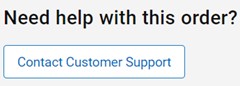
図8:(英語のみ)[カスタマー サポートに連絡]のクリック
- ドロップダウンから、[Missing Items]を選択します。
![[Missing Items]を選択](https://supportkb.dell.com/img/ka06P00000093GaQAI/ka06P00000093GaQAI_ja_9.jpeg)
図9:(英語のみ)[Missing or Wrong Items]の選択
- 使用可能なお問い合わせオプションを選択します。
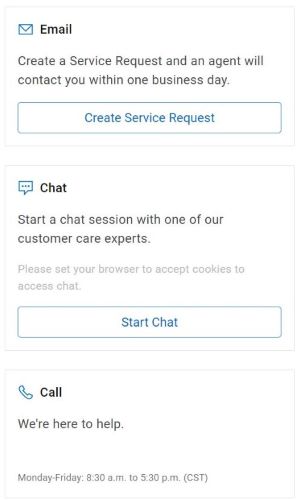
図10:(英語のみ)お問い合わせオプションの選択
注:
- その他の連絡方法は地域によって異なる場合があります。
- テクニカル サポートへのお問い合わせの際には、この記事(000189119)を参照してください。
Additional Information
Videos
Affected Products
Dell Command | Integration Suite for Microsoft System CenterArticle Properties
Article Number: 000189119
Article Type: How To
Last Modified: 13 Jun 2024
Version: 15
Find answers to your questions from other Dell users
Support Services
Check if your device is covered by Support Services.