Microsoft SQL Server Summary.txt記錄
Summary: 套用 SQL Server 安裝、解除安裝、功能變更及產品更新時,會建立Microsoft SQL Server 摘要.txt檔案記錄。本文說明此檔案中會發生什麼。
This article applies to
This article does not apply to
This article is not tied to any specific product.
Not all product versions are identified in this article.
Symptoms
Microsoft SQL Server 安裝或解除安裝失敗。
Cause
Microsoft SQL Server 安裝或解除安裝可能會因許多不同的原因而失敗,但 SQL Server
Summary.txt 日誌可能會提供有關安裝\卸載事件失敗原因的資訊。
Resolution
- 預設檔案位置
Summary.txt登入 SQL Server 2019 安裝是”C:\Program Files\Microsoft SQL Server\150\Setup Bootstrap\Log資料夾。安裝資料夾可能位於另一個磁碟機位置,「Log」資料夾位於該安裝位置。
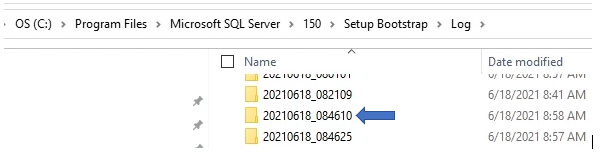
- 「Log」資料夾包含過去安裝資訊,如上個別資料夾中所見。每個資料夾都標有日期和安裝編號。Summary.txt記錄位於「Log」資料夾的根目錄中,通常位於資料夾和檔案清單的底部。
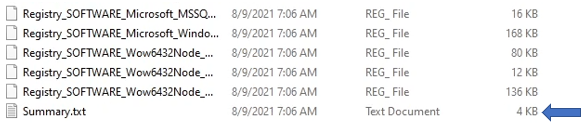
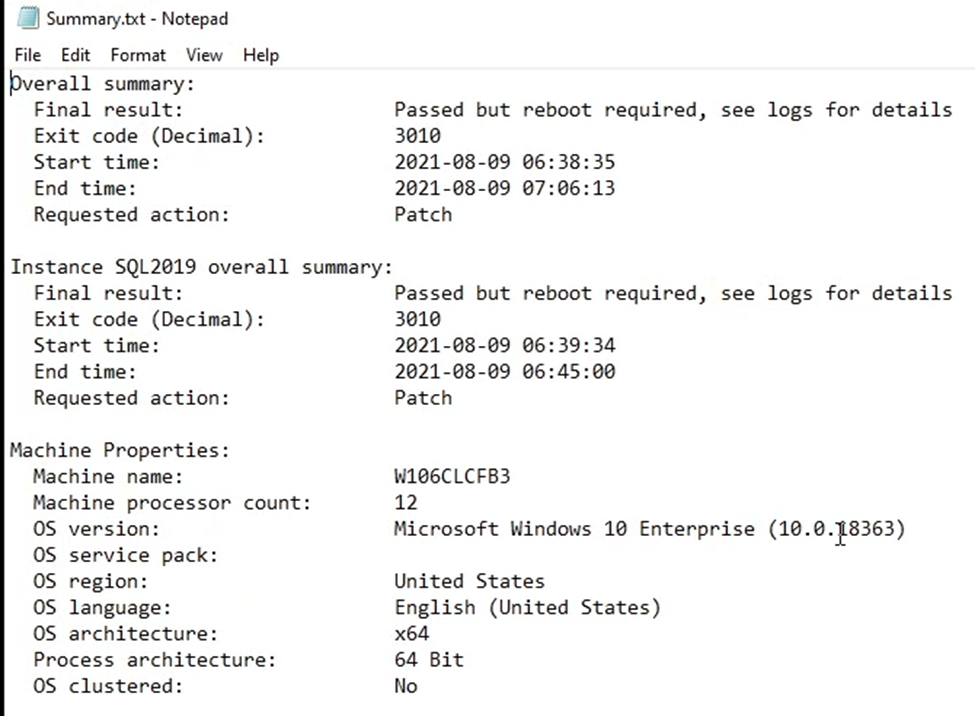
- SQL Server 安裝資訊位於
Summary.txt日誌包含多條資訊,可以確認安裝成功或顯示與失敗安裝相關的資訊。
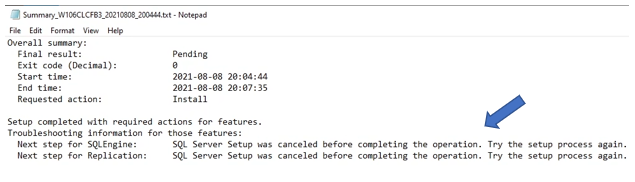
- 下面是一個示例,顯示有關涉及“SQLEngine 和複製”功能的故意強制故障的資訊。這只是一個範例,非強制故障會顯示故障的相關資訊,可用於進一步調查事件。
Affected Products
Dell Quickstart Data Warehouse Appliance, Microsoft Windows Server 2016, Microsoft Windows Server 2019, Microsoft Windows Server 2022, Microsoft Windows 2012 Server, Microsoft Windows 2012 Server R2, Prosupport for Microsoft SoftwareProducts
Dell Quickstart Data Warehouse Appliance, Microsoft Windows Server 2016, Microsoft Windows Server 2019, Microsoft Windows Server 2022, Microsoft Windows 2012 Server, Microsoft Windows 2012 Server R2, Prosupport for Microsoft SoftwareArticle Properties
Article Number: 000200565
Article Type: Solution
Last Modified: 05 Sep 2025
Version: 6
Find answers to your questions from other Dell users
Support Services
Check if your device is covered by Support Services.