How to check the SHA-256 checksum - Unisphere for PowerMax
Summary: Detailed Instructions to check the SHA-256 checksum - Unisphere for PowerMax
This article applies to
This article does not apply to
This article is not tied to any specific product.
Not all product versions are identified in this article.
Instructions
An SHA-256 checksum is a sequence of numbers and letters that a customer can use to check that the copy of a downloaded file is identical to the original. Small changes in a file produce very different looking checksums. e.g.: A single character difference produces a different looking checksum.
The steps to verify the checksum for Unisphere for PowerMax files are as follows:
For Windows:
- Ensure the customer downloads the latest Unisphere for PowerMax installation file from the Dell support site here.

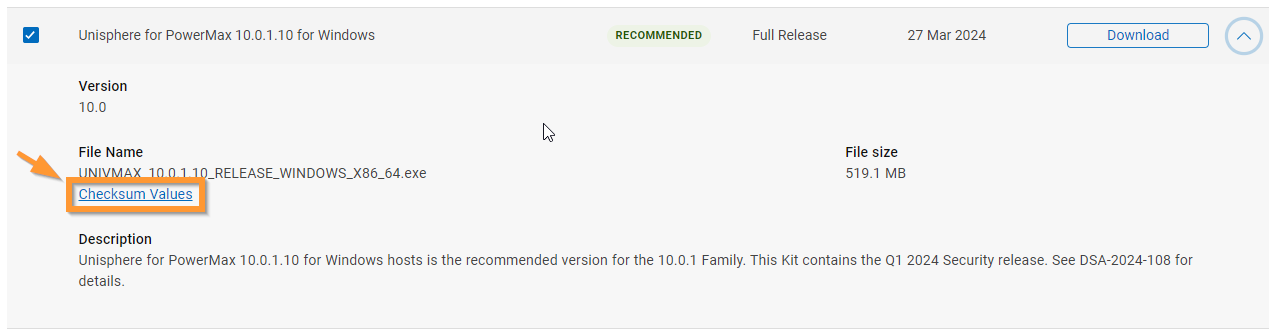
- After the file is downloaded, go back to the dell website here, and click on the "Checksum Values" link for the same download:
- Make a note of the checksum value:
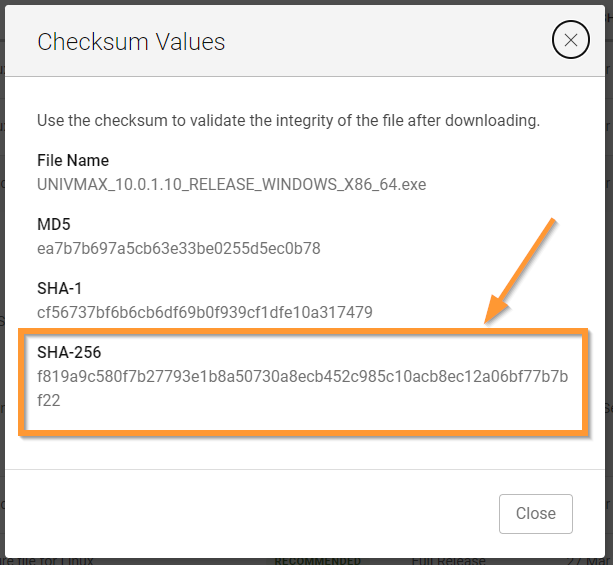
- Open PowerShell and navigate to the folder location for the Unisphere download and run the Get-FileHash command:
PS C:\Dell\downloads> Get-fileHash UNIVMAX_10.0.1.10_RELEASE_WINDOWS_X86_64.exe
- The output of this command should show the same checksum value as shown on the website above:

For Linux:
- Ensure the customer downloads the latest Unisphere bin file from the Dell support site here.

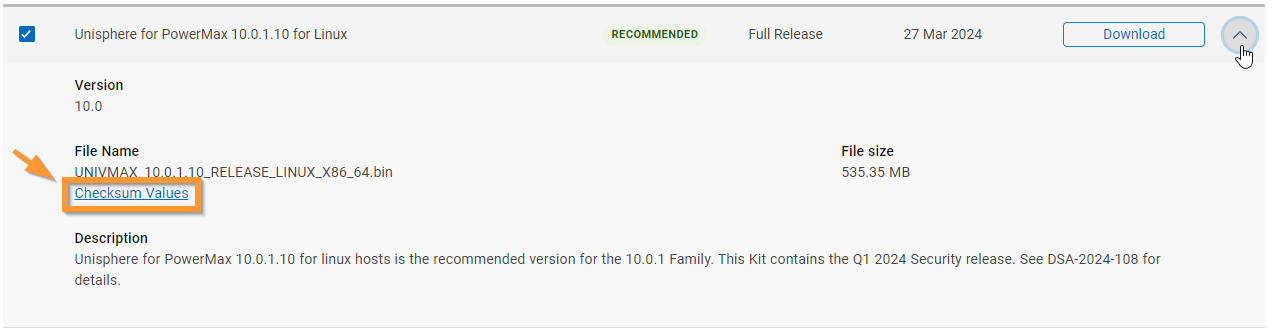
- After the file is downloaded, go back to the dell website, and click on the "Checksum Values" link for the same download:
- Make a note of the checksum value:
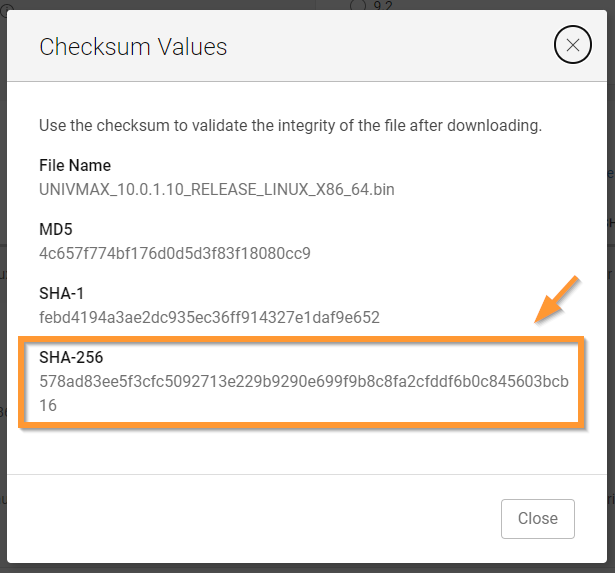
- Run the sha256sum command on the Red Hat host to check this value from the download: (see full instructions here
)
[Download]$ sha256sum UNIVMAX_10.0.1.10_RELEASE_LINUX_X86_64.bin
- The output of this command should show the same value as showing on the website above:

Article Properties
Article Number: 000206413
Article Type: How To
Last Modified: 21 Nov 2024
Version: 3
Find answers to your questions from other Dell users
Support Services
Check if your device is covered by Support Services.