Dell U3223QZ Monitor Camera Does Not Get 4K Webcam Video
Summary: Information about enabling 4K webcam video capture on the Dell U3223QZ monitor.
This article applies to
This article does not apply to
This article is not tied to any specific product.
Not all product versions are identified in this article.
Symptoms
Cause
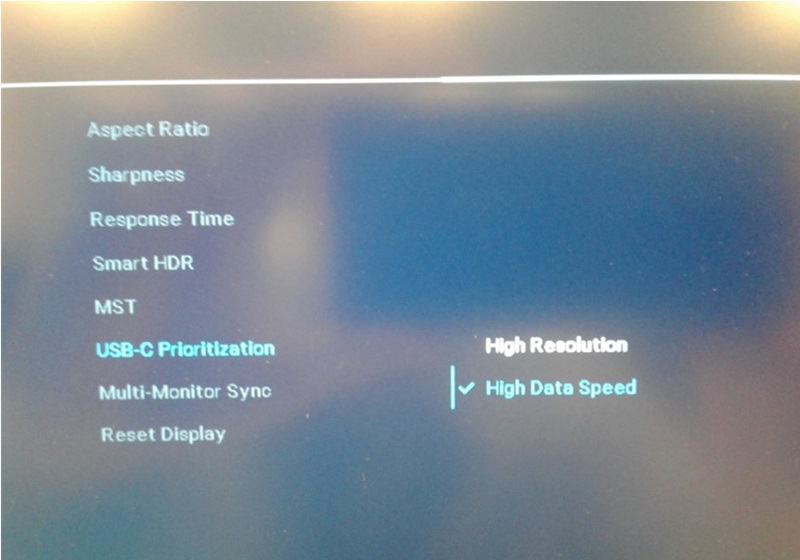
This happens because the monitors "USB-C Prioritization" setting is not set correctly.
The webcam is a USB device that works with data and not video. When the monitor is set to "High Resolution," the video bandwidth is increased while the USB Data speed drops to USB 2.0. At USB 2.0, the bandwidth is not enough to select 4K video for the Webcam. When selecting "High Data Speed," the USB speed is 3.0 bandwidth which is enough to select 4K video for the Webcam.
Note: The computer and the graphics card must support 4K resolution capability for webcam video to be captured in 4K.
Resolution
USB-C Prioritization Setting
To get the Dell U3223QZ monitors webcam to operate at a 4K resolution, you must set the monitor settings of "USB-C Prioritization" to "High Data Speed" instead of "High Resolution."
Affected Products
Dell U3223QZArticle Properties
Article Number: 000219919
Article Type: Solution
Last Modified: 19 May 2026
Version: 6
Find answers to your questions from other Dell users
Support Services
Check if your device is covered by Support Services.