Live Optics | Pure | Set up access to PURE FlashArray (Purity 5.3 or greater)
Summary: This document provides information about how to configure access to PURE storage arrays using FlashArray (REST API 2.x) Firmware 5.3 or greater.
This article applies to
This article does not apply to
This article is not tied to any specific product.
Not all product versions are identified in this article.
Instructions
Configure access to PURE storage arrays
- Log in to PURE app dashboard.
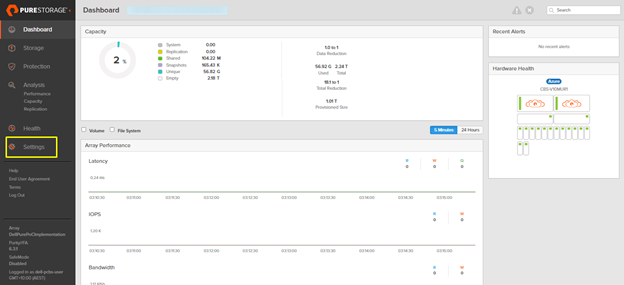
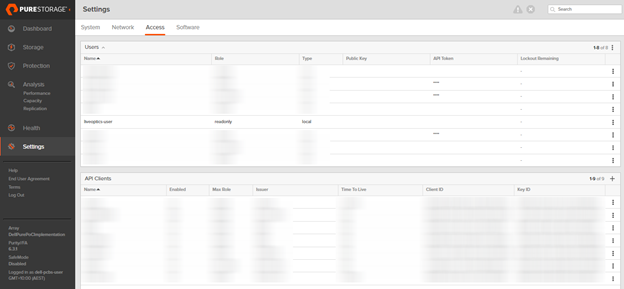
- Click Settings from the left panel.
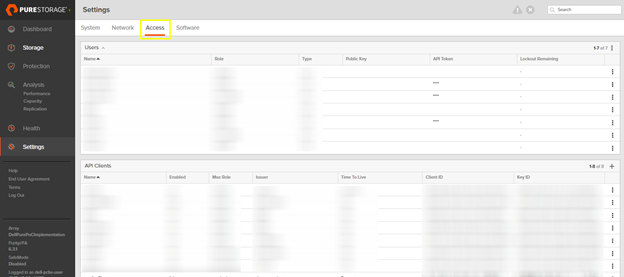
- Click Access.
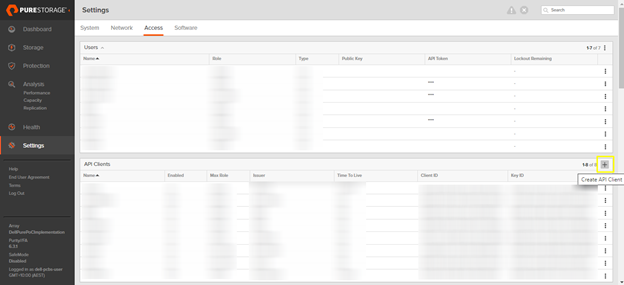
- Browse to the API Clients section and click the + icon. Select Create API Client.
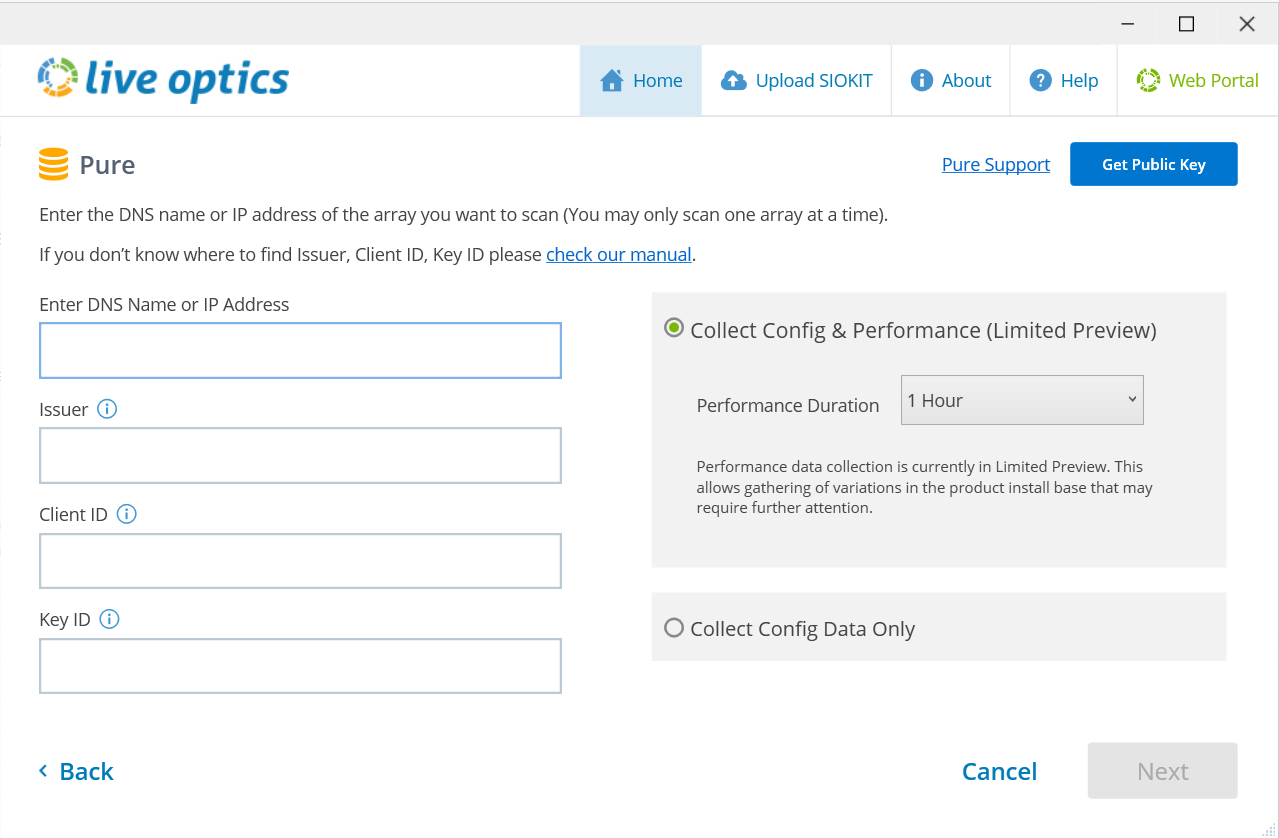
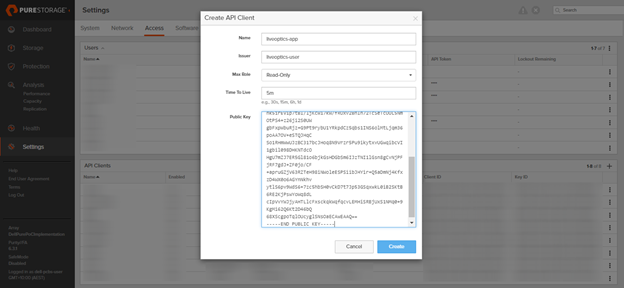
- Enter the following fields:
- Name: The name assigned to the API client
- Issuer: The issuer must be a valid user of the system. Search the Name column in the Users section.
- Role: The role Must be Read-Only.
- Time To Live: Time to Live needs be set to no less than 5 minutes.
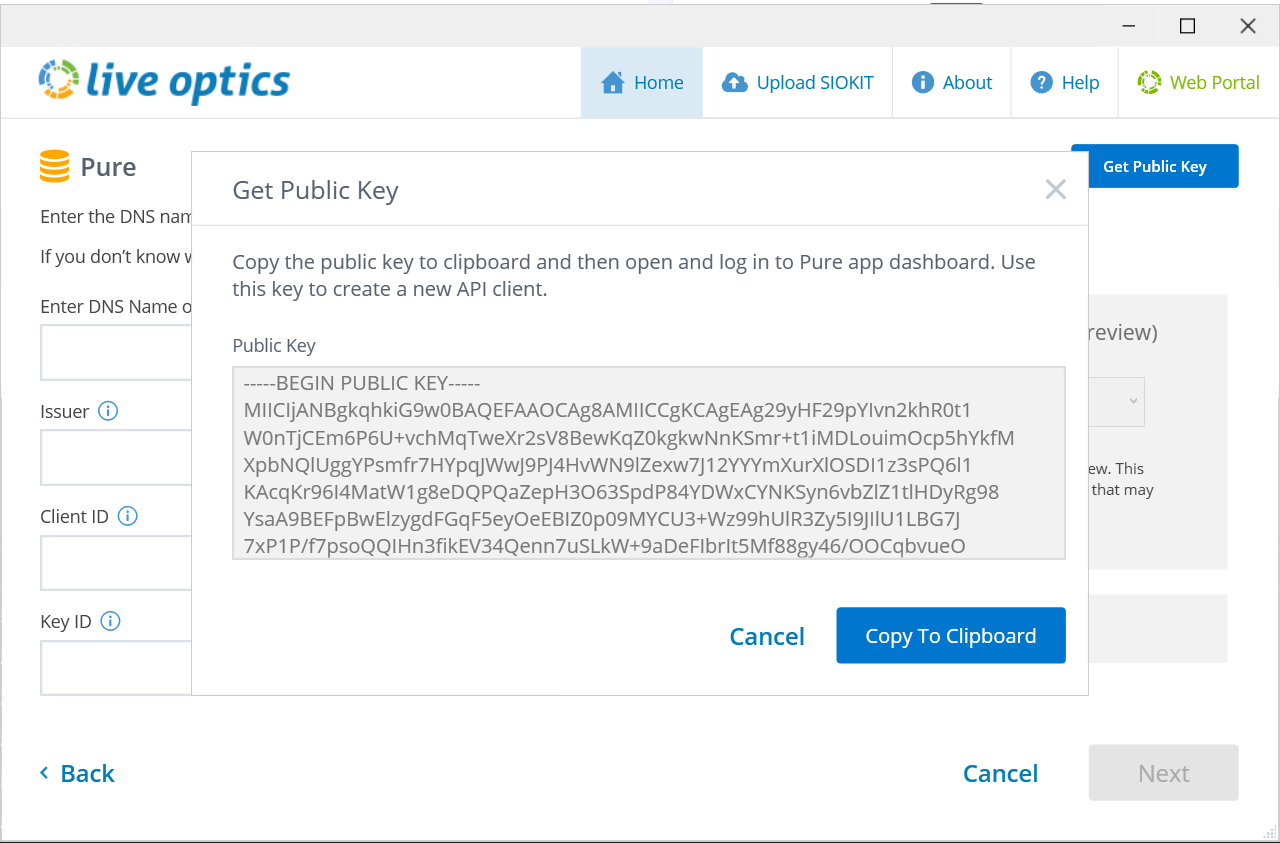
- Public Key: On the Live Optics collector, click Get Public Key to generate a new public key ID. Copy and paste it into this field.
- Click Create.
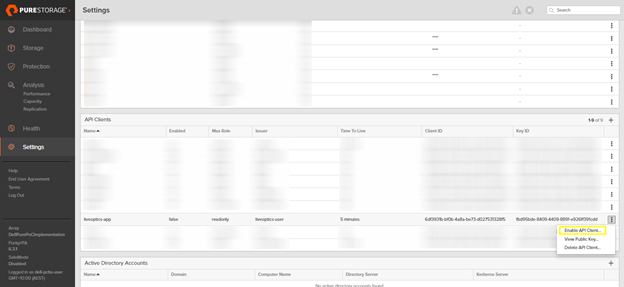
- T he API client is disabled by default. To enable, click the three dots to the right and select Enable API Client.
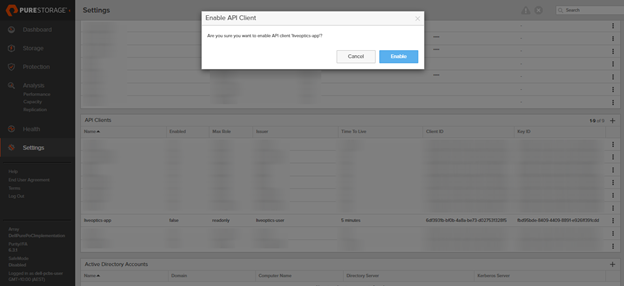
- A pop-up displays on the screen Click Enable to confirm.
9. Once confirmed, Enabled is True and the API client is added successfully.
Additional Information
If you have any questions, please reach out to Live Optics Support at liveoptics.support@dell.com.
Affected Products
AnalyticsArticle Properties
Article Number: 000231459
Article Type: How To
Last Modified: 25 Mar 2025
Version: 2
Find answers to your questions from other Dell users
Support Services
Check if your device is covered by Support Services.