「IDPA:ログ バンドルを作成してダウンロードする方法
Summary: この記事では、Integrated Data Protection Appliance (IDPA)上のAppliance Configuration Manager (ACM)からログ バンドルを収集する方法について説明します。ログ バンドルは、トラブルシューティングとサポート診断に不可欠です。
This article applies to
This article does not apply to
This article is not tied to any specific product.
Not all product versions are identified in this article.
Instructions
ログ バンドルを作成します。
1.次のURLにアクセスして、ブラウザーでACMのUIを開きます。
https://<acm_ip_or_fqdn>:85432.ダッシュボードの右上隅にあるログ生成アイコンの下のコンテキスト メニューから[Create log bundle]を選択します
3。ログを収集する単一のコンポーネントを選択するか、[Select.All」を実行して、すべてのコンポーネントからログを収集します。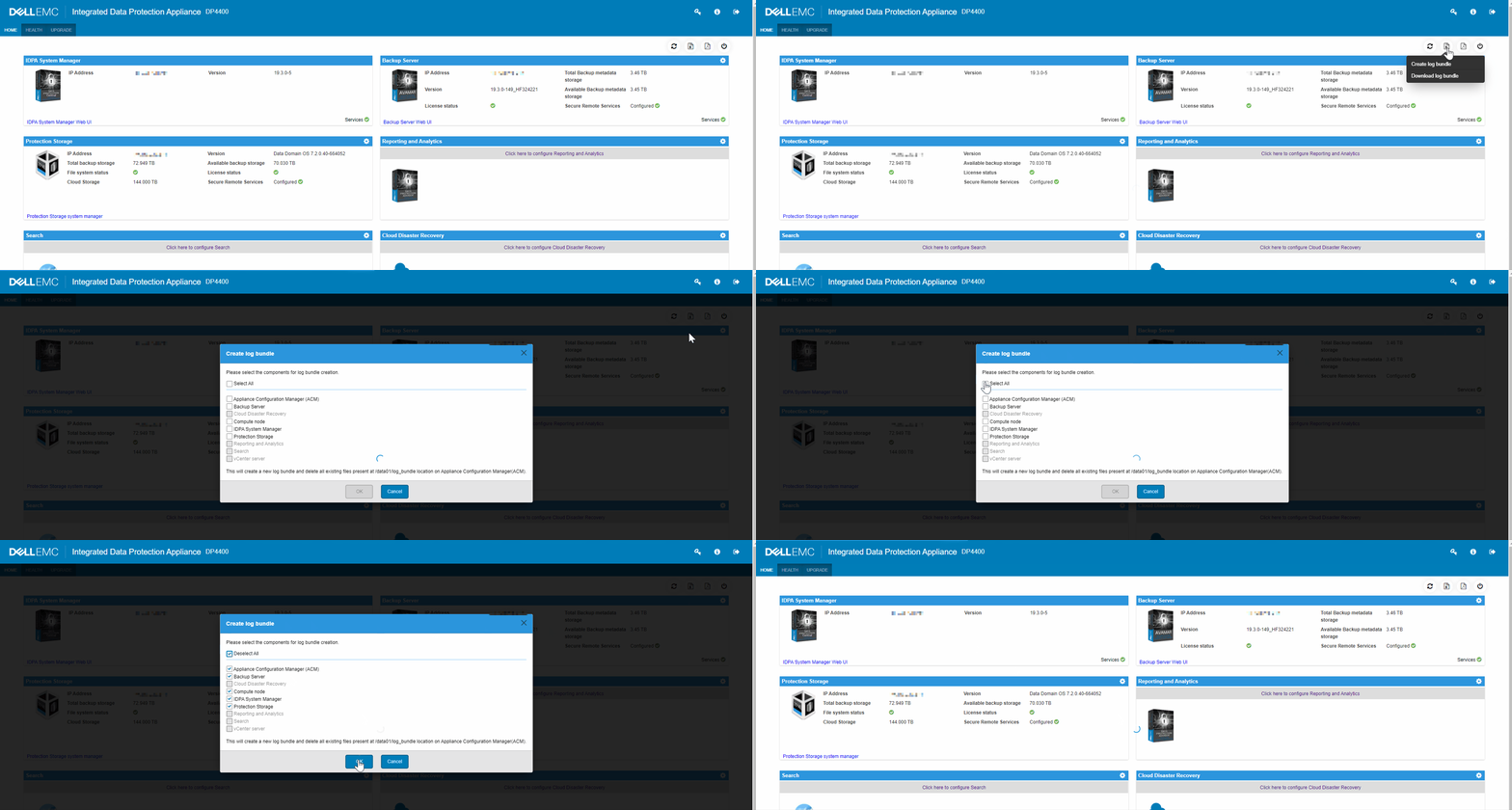
4.[OK]を選択してログ バンドルを生成します。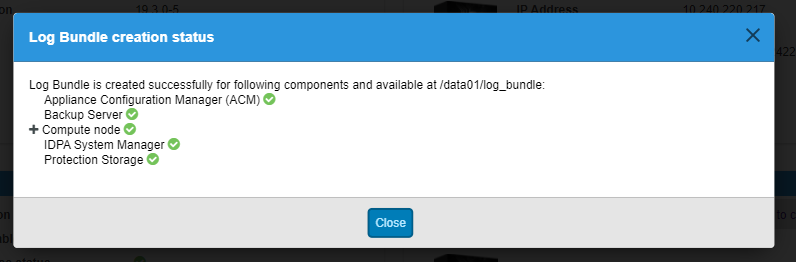
注:コンポーネント選択リストから[Select All]を選択すると、ログ バンドルの作成にかなりの時間がかかる場合があります。
ログ バンドルのダウンロード
1.次のURLにアクセスして、ブラウザーでACMのUIを開きます。
https://<acm_ip_or_fqdn>:85432.ダッシュボードの右上隅にあるログ生成アイコンの下のコンテキスト メニューから[Download log bundle]を選択します。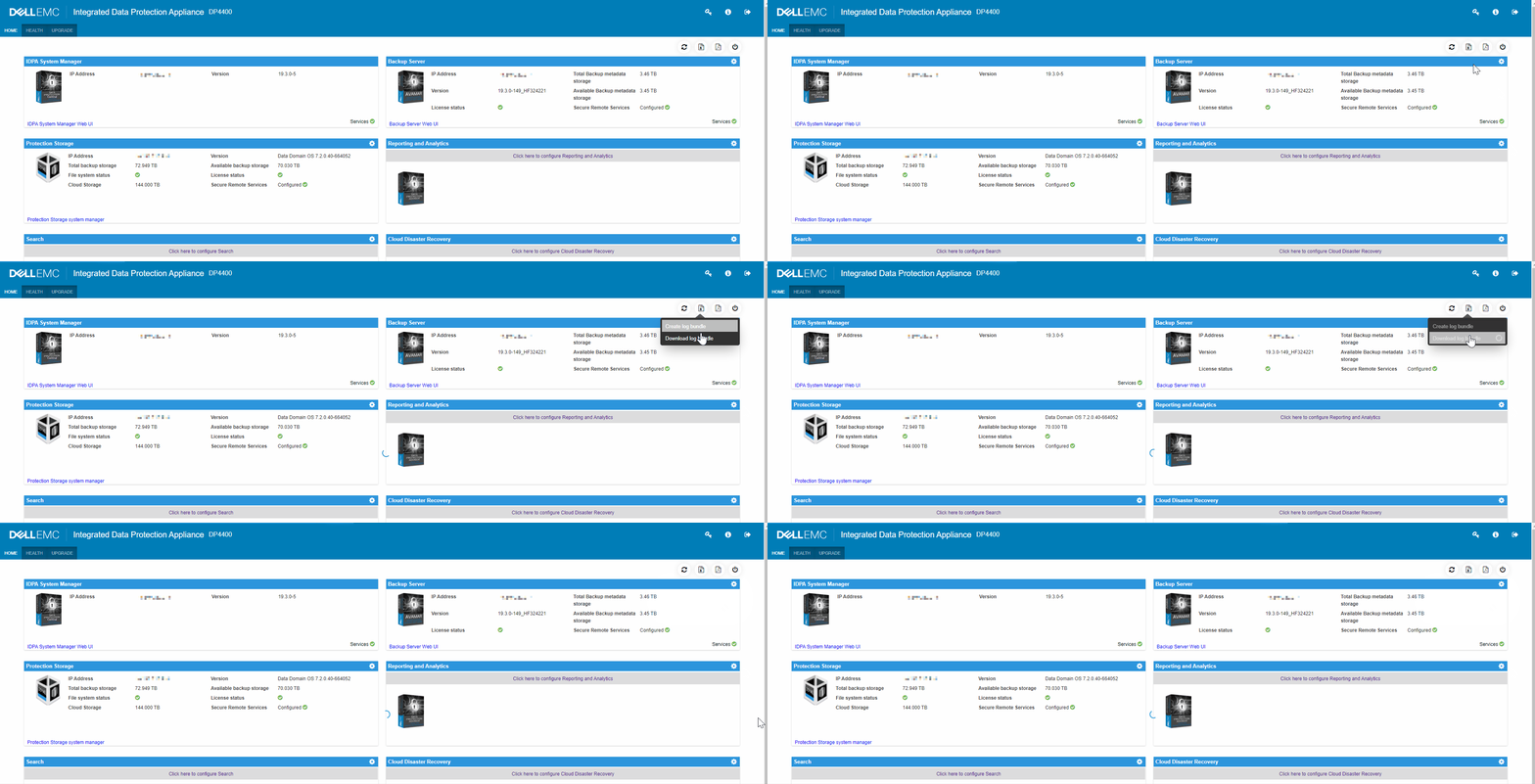
Additional Information
TSR(ハードウェア)ログ バンドルがリクエストされた場合は、次の記事を参照してください。「Data Domain:TSRログを収集する方法
IDPAログとバンドルのビデオ。
Affected Products
Integrated Data Protection Appliance FamilyProducts
PowerProtect DP4400, PowerProtect Data Protection Software, Integrated Data Protection Appliance Family, PowerProtect Data Protection Hardware, Integrated Data Protection Appliance SoftwareArticle Properties
Article Number: 000011126
Article Type: How To
Last Modified: 26 Sept 2025
Version: 9
Find answers to your questions from other Dell users
Support Services
Check if your device is covered by Support Services.