IDPA:如何建立和下載記錄套裝
Summary: 本文說明如何從 Integrated Data Protection Appliance (IDPA) 上的 Appliance Configuration Manager (ACM) 收集記錄套裝。記錄套裝對於故障診斷和支援診斷至關重要。
This article applies to
This article does not apply to
This article is not tied to any specific product.
Not all product versions are identified in this article.
Instructions
建立記錄套裝。
1.存取下列 URL,在瀏覽器中開啟 ACM 的 UI:
https://<acm_ip_or_fqdn>:85432.在儀表板右上角,從記錄產生圖示下方的內容功能表中選取「Create log bundle」
3.選擇要從中收集日誌的單個元件,或選擇“選擇”。全部」以收集所有元件的記錄。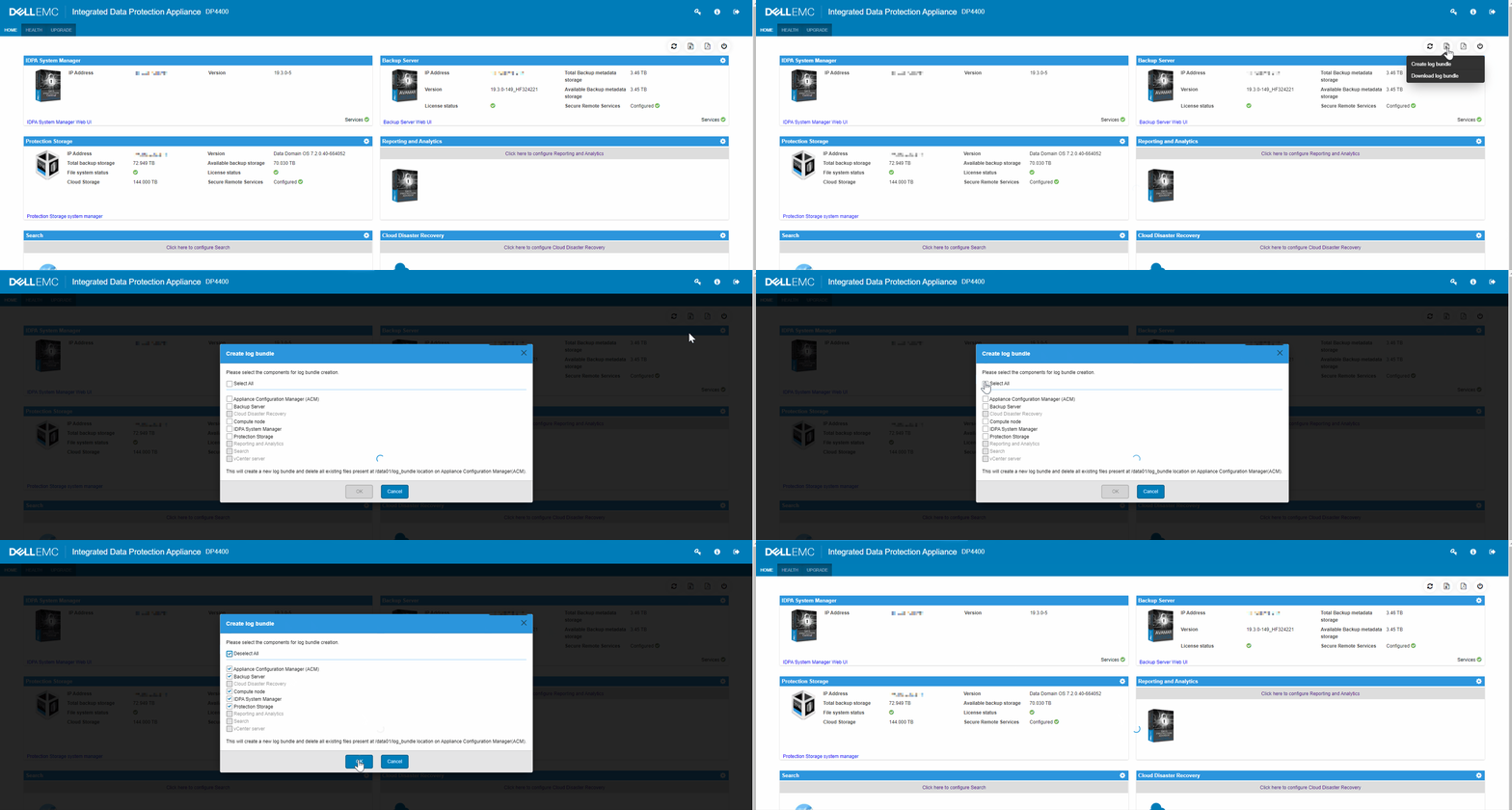
4.選取「OK」以產生記錄套裝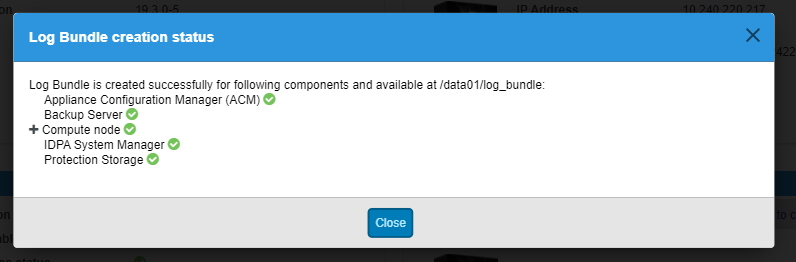
注意:從元件選擇清單選擇「全選」時,建立記錄套裝可能需要花費相當長的時間。
下載記錄套裝
1.存取下列 URL,在瀏覽器中開啟 ACM 的 UI:
https://<acm_ip_or_fqdn>:85432.在儀表板右上角,從記錄產生圖示下方的內容功能表中選取「下載記錄套裝」。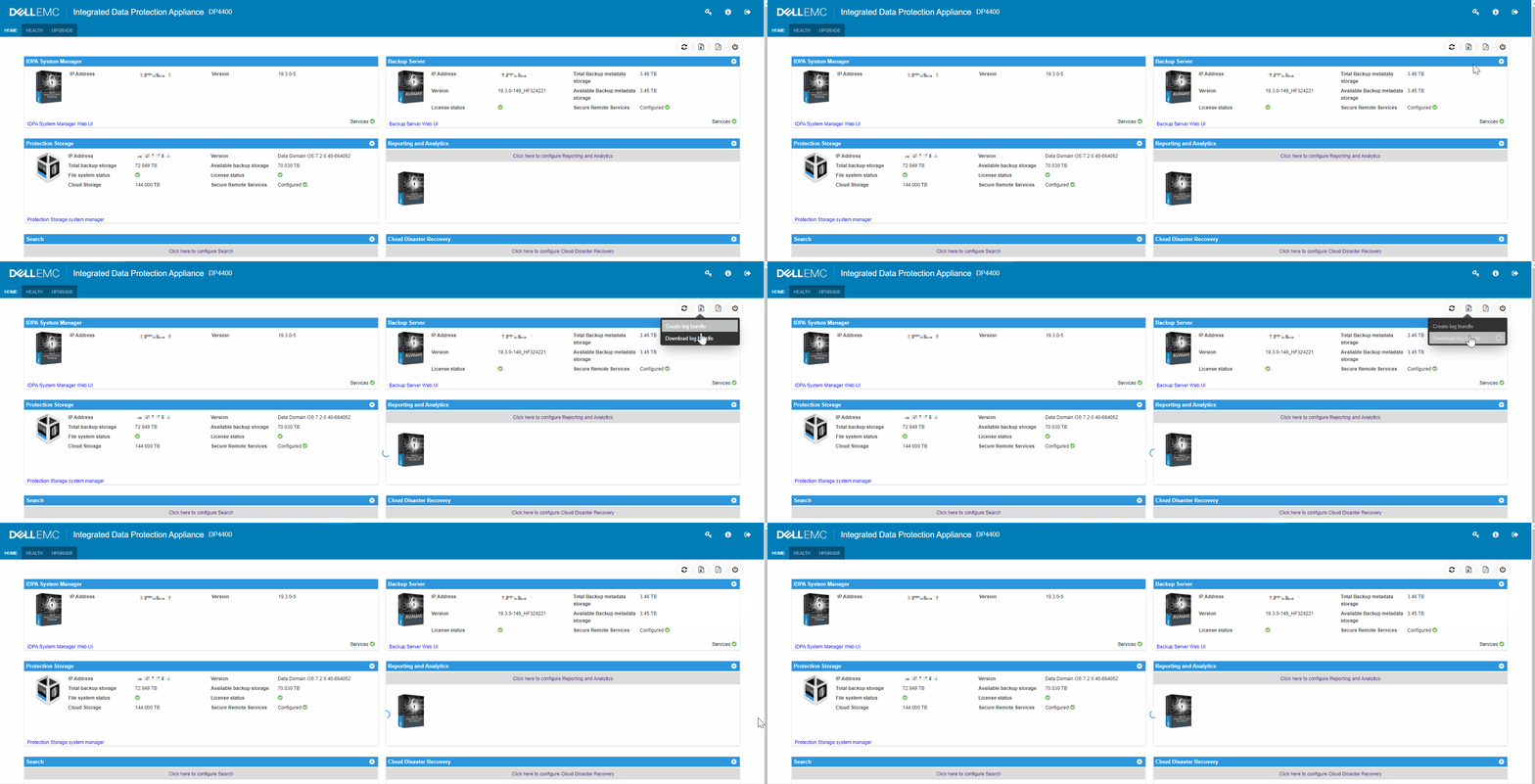
Additional Information
如果已要求 TSR (硬體) 記錄套裝,請參閱文章:Data Domain:如何收集 TSR 記錄
IDPA 記錄檔和套裝的影片。
Affected Products
Integrated Data Protection Appliance FamilyProducts
PowerProtect DP4400, PowerProtect Data Protection Software, Integrated Data Protection Appliance Family, PowerProtect Data Protection Hardware, Integrated Data Protection Appliance SoftwareArticle Properties
Article Number: 000011126
Article Type: How To
Last Modified: 26 Sept 2025
Version: 9
Find answers to your questions from other Dell users
Support Services
Check if your device is covered by Support Services.