Turno abierto: El clúster no está operativo después de realizar un ciclo de apagado y encendido en un nodo del plano de control
Resumen: Un nodo del plano de control se apaga de manera no ordenada; después de encenderlo, pasa al estado "no listo" y hace que el clúster no funcione.
Este artículo se aplica a
Este artículo no se aplica a
Este artículo no está vinculado a ningún producto específico.
No se identifican todas las versiones del producto en este artículo.
Síntomas
Realice un ciclo de apagado y encendido directo en un nodo del plano de control, después de que se inicie, el clúster no se recuperará.
Las páginas de la interfaz de usuario mostrarán información vacía o de error, por ejemplo:
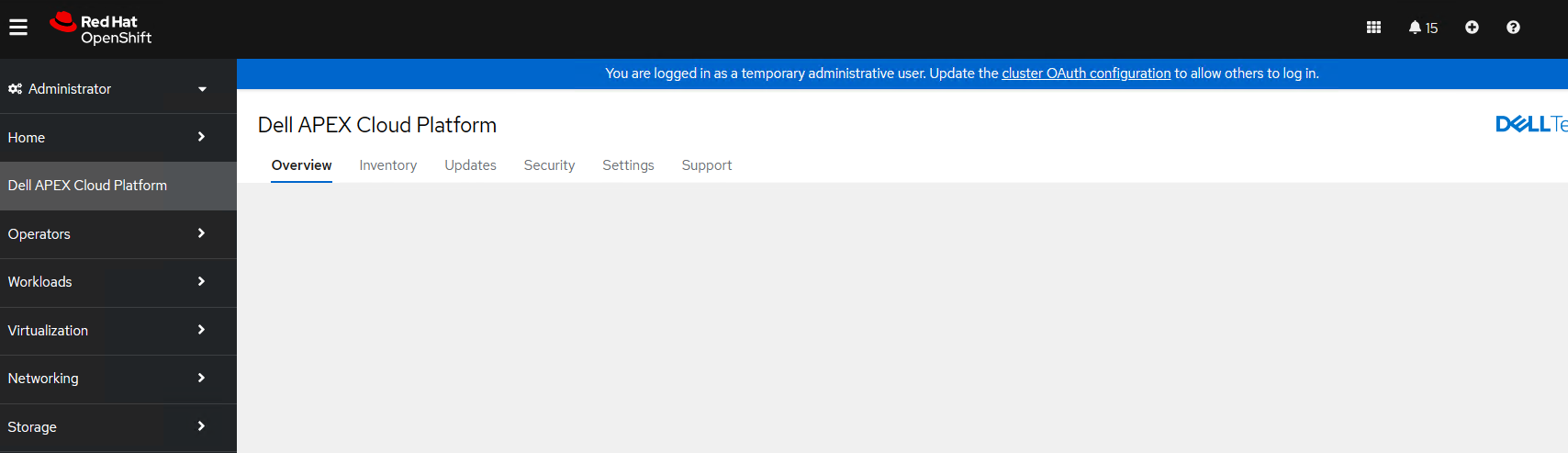
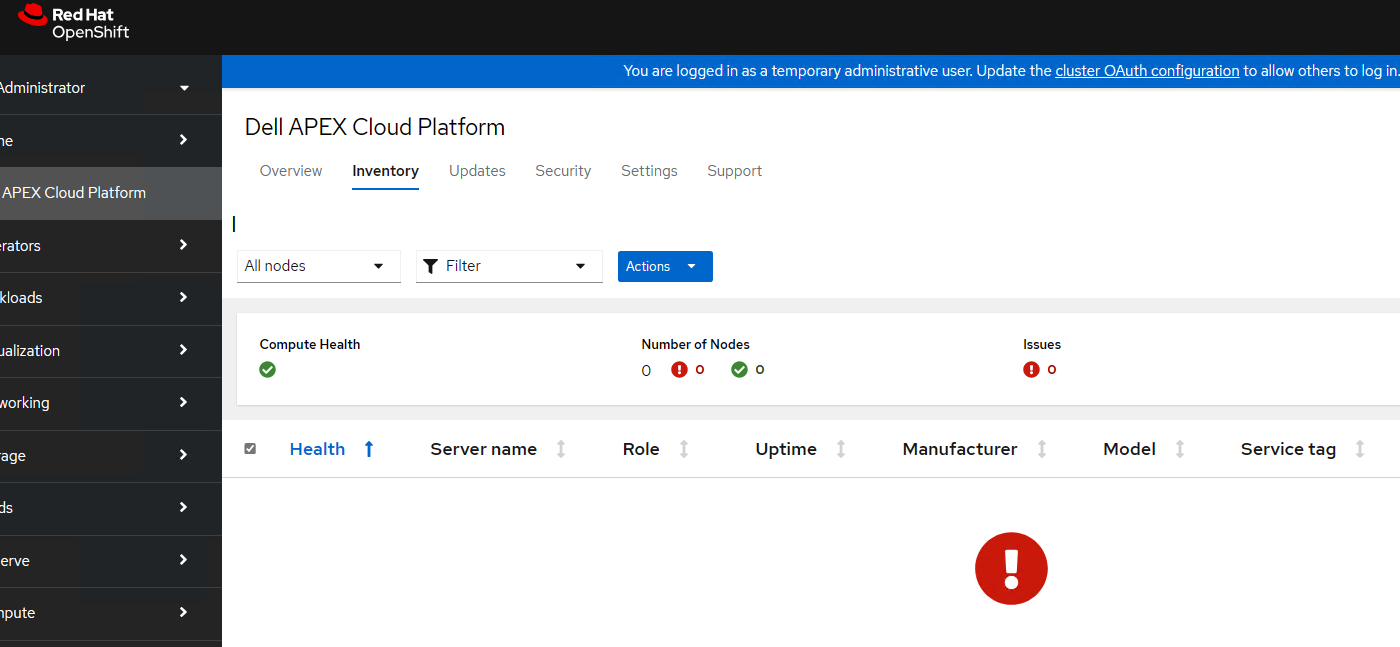
Las páginas de la interfaz de usuario mostrarán información vacía o de error, por ejemplo:
Causa
El ciclo de apagado y encendido directo de un nodo del plano de control no es compatible. Este es un escenario de recuperación ante desastres.
Cuando el nodo del plano de control se apaga de manera no ordenada, los controladores de la interfaz de almacenamiento de contenedores (CSI) no desconectan volúmenes automáticamente, lo que provocará que los pods se encuentren en el estado "Creación de contenedores". Cuando el nodo del plano de control se inicia después de un apagado desordenado, perderá cualquier caché local de la imagen de Docker e intentará recuperarla del administrador de depo, mientras que el pod del administrador de repositorio no estaba en estado de ejecución después del ciclo de apagado y encendido del nodo del plano de control, por lo que el nodo del plano de control pasará al estado "no listo" y hará que el clúster no funcione.
Cuando el nodo del plano de control se apaga de manera no ordenada, los controladores de la interfaz de almacenamiento de contenedores (CSI) no desconectan volúmenes automáticamente, lo que provocará que los pods se encuentren en el estado "Creación de contenedores". Cuando el nodo del plano de control se inicia después de un apagado desordenado, perderá cualquier caché local de la imagen de Docker e intentará recuperarla del administrador de depo, mientras que el pod del administrador de repositorio no estaba en estado de ejecución después del ciclo de apagado y encendido del nodo del plano de control, por lo que el nodo del plano de control pasará al estado "no listo" y hará que el clúster no funcione.
Resolución
Siga las instrucciones que se indican a continuación para desconectar los volúmenes de CSI después del apagado no ordenado del nodo.
1. Después de que un nodo se detecte como en mal estado, apague el nodo trabajador.
2. Asegúrese de que el nodo esté apagado mediante la ejecución del siguiente comando y la comprobación de que el estado sea No listo
3. Vincule el objeto de nodo correspondiente mediante la ejecución del siguiente comando:
5. Elimine el taint mediante la ejecución del siguiente comando:
Nota: En los comandos anteriores, <node name> = nombre del nodo que no se apaga correctamente
1. Después de que un nodo se detecte como en mal estado, apague el nodo trabajador.
2. Asegúrese de que el nodo esté apagado mediante la ejecución del siguiente comando y la comprobación de que el estado sea No listo
oc get node <node name>Importante: Si el nodo no se apaga por completo, no continúe con la contaminación del nodo. Si el nodo aún está activo y se aplica el taint, se pueden producir daños en el sistema de archivos.
3. Vincule el objeto de nodo correspondiente mediante la ejecución del siguiente comando:
oc adm taint node <node name> node.kubernetes.io/out-of-service=nodeshutdown:NoExecute4. Reinicie el nodo.
5. Elimine el taint mediante la ejecución del siguiente comando:
oc adm taint node <node name> node.kubernetes.io/out-of-service-
Nota: En los comandos anteriores, <node name> = nombre del nodo que no se apaga correctamente
Productos afectados
APEX Cloud Platform for Red Hat OpenShiftPropiedades del artículo
Número del artículo: 000217678
Tipo de artículo: Solution
Última modificación: 18 sept 2026
Versión: 4
Encuentre respuestas a sus preguntas de otros usuarios de Dell
Servicios de soporte
Compruebe si el dispositivo está cubierto por los servicios de soporte.