Data Domain: How to change the sync alert threshold
Resumen: This article explains how to change the sync alert threshold using the command line. By default, the sync alert threshold is set to 24 hours. However, based on specific requirements, it may need to be adjusted for a particular mtree to prevent the error: “Sync-as-of time is more than 24 hours ago.” ...
Este artículo se aplica a
Este artículo no se aplica a
Este artículo no está vinculado a ningún producto específico.
No se identifican todas las versiones del producto en este artículo.
Instrucciones
- Use SSH to connect to the PowerProtect Data Domain with the admin privilege.
- Run the "replication option show" command to check the sync alert threshold.
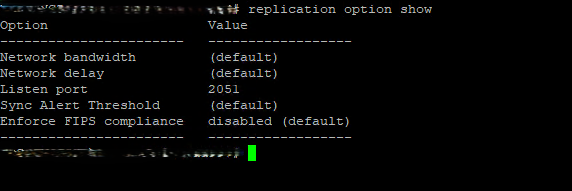
- To change the default value to different hours we need to use command "replication option set default-sync-alert-threshold <value>"
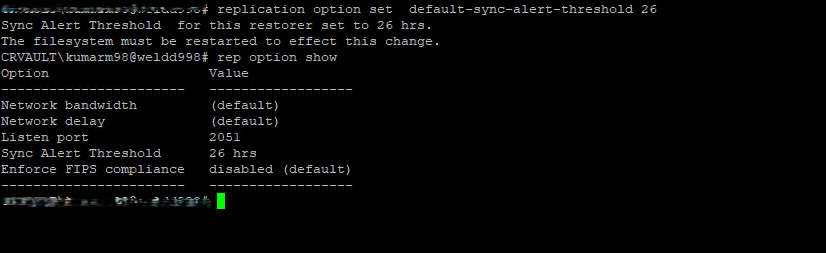
- The filesystem must be restarted to effect this change.
filesys restart
Productos afectados
Data DomainPropiedades del artículo
Número del artículo: 000462922
Tipo de artículo: How To
Última modificación: 11 may 2026
Versión: 1
Encuentre respuestas a sus preguntas de otros usuarios de Dell
Servicios de soporte
Compruebe si el dispositivo está cubierto por los servicios de soporte.