Avamar : Not able to access Avamar GUI "Avamar Administrator client is not compatible with the selected server" error reported
Resumen: Not able to access Avamar GUI with "Avamar Administrator client is not compatible with the selected server" error reported
Este artículo se aplica a
Este artículo no se aplica a
Este artículo no está vinculado a ningún producto específico.
No se identifican todas las versiones del producto en este artículo.
Síntomas
Not able to access GUI and the following error is reported:
The Avamar Administrator client is not compatible with the selected server.
The Avamar Administrator client cannot continue and will now exit.
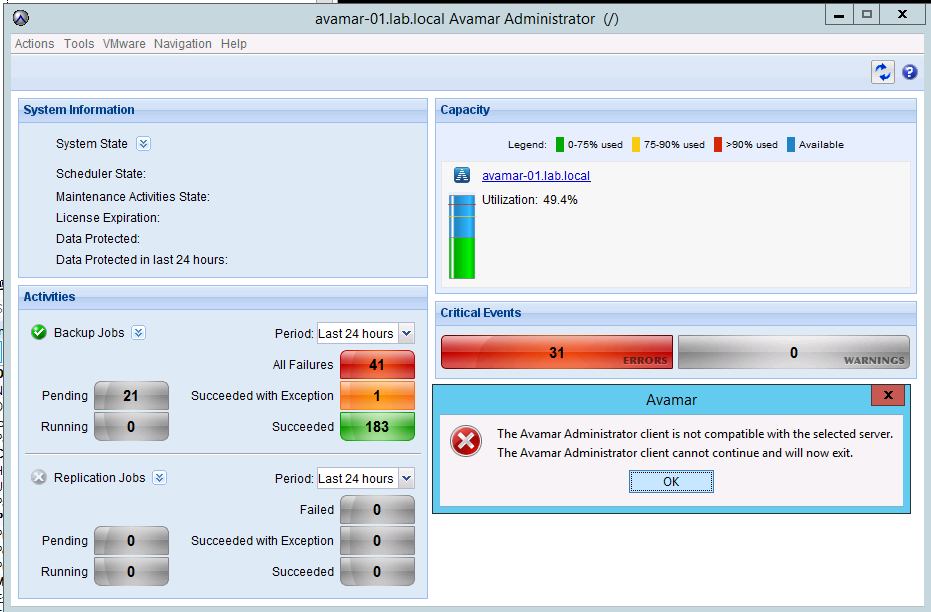
The MCS version has been checked and it matches the Avamar Administrator version.
If the MCS version doesn't match the Avamar Administrator version, download the latest Avamar Administrator version from the Downloads page.
The Avamar Administrator client is not compatible with the selected server.
The Avamar Administrator client cannot continue and will now exit.
The MCS version has been checked and it matches the Avamar Administrator version.
If the MCS version doesn't match the Avamar Administrator version, download the latest Avamar Administrator version from the Downloads page.
Causa
- Under certain circumstances, one or more Java processes can become hung.
- Usually, the hung Java PIDs have quite an old date.
- The following command can be used to confirm:
ps -ef | grep java
Resolución
- Stop the MCS, EMS/EMT and avinstaller services. The backup scheduler will be stopped with MCS.
dpnctl stop mcs
dpnctl stop ems
dpnctl stop avinstaller
dpnctl stop ems
dpnctl stop avinstaller
- As user "root" kill all java processes
killall java
- Verify no java processes remain
ps -ef | grep java
- As user "admin" restart the services
dpnctl start
- Verify services are running
dpnctl status
Productos afectados
AvamarProductos
Avamar, Avamar ServerPropiedades del artículo
Número del artículo: 000071469
Tipo de artículo: Solution
Última modificación: 18 abr 2026
Versión: 5
Encuentre respuestas a sus preguntas de otros usuarios de Dell
Servicios de soporte
Compruebe si el dispositivo está cubierto por los servicios de soporte.