PowerFlex 4.8: UI Inaccessible or Unstable Post 4.8 Upgrade - failed to initialize
Resumen: Upgrading to PowerFlex Management Platform (PFMP) 4.8 may cause the UI to load with the error "Failed to initialize" or be accessible but unstable.
Síntomas
During the upgrade of PFMP to version 4.8, the LifeCycle Management (LCM) process initiates the upgrade and updates the asmmanager service to reflect the new version. At this point, the asmmanager displays version 4.8 in the CLI.
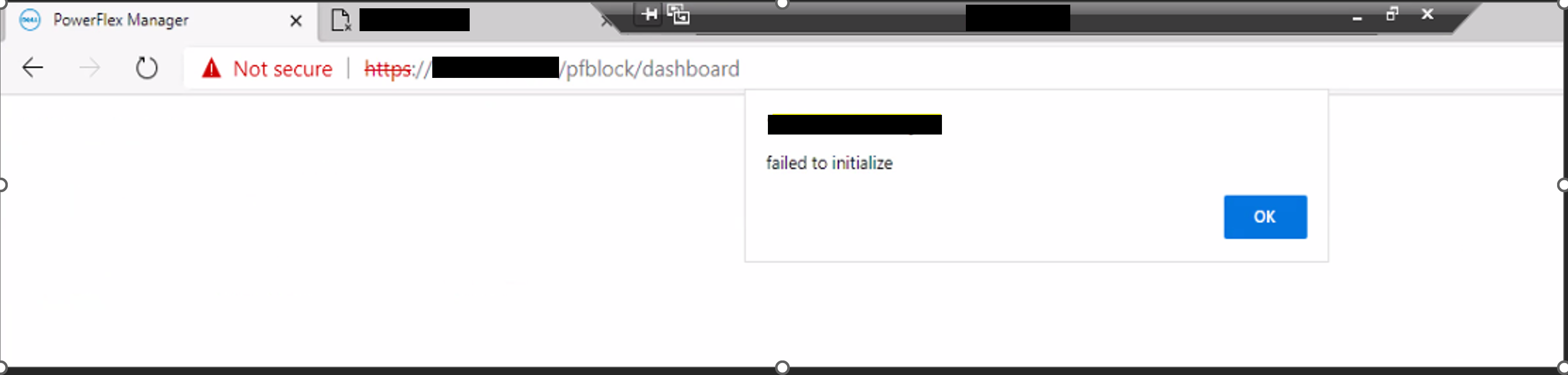
When a user tries to log in to the UI, the login screen fails to load with an error message, "failed to initialize":
Running the below command will verify the PFMP version:
kubectl describe hr -n powerflex asmmanager | grep "Pfmp Version"Example:

Alcm log:
2025-12-05T11:15:20.219571554-06:00 stdout F 2025-12-05 17:15:20 [pool-4-thread-1] (UpgradePFMP.java:1645) [DEBUG] Downloading file from http-share: https://1.1.1.2:443/httpshare/download/Upgrade/apps.json
2025-12-05T11:46:51.1681345-06:00 stdout F 2025-12-05 17:46:51 [pool-4-thread-1] (UpgradePFMP.java:351) [ERROR] The upgrade failed: LCMUpdate job: applicationupdate-4.8.0.0-1344 failed
...
2025-12-05T12:16:53.623276235-06:00 stdout F 2025-12-05 18:16:53 [pool-4-thread-1] (UpgradePFMP.java:351) [ERROR] The upgrade failed: platform-manager pod is not running after waiting for 15 minutes.
2025-12-05T12:16:53.623299714-06:00 stdout F    at com.dell.asm.business.platform.UpgradePFMP.executeSafely(UpgradePFMP.java:326) [!/:4.8.0-SNAPSHOT]
LCM update job:
Last Log:                        Applications Update failed. (apps update status) failed handling request to platform manager during Applications update. Maximum allowed errors reached (48 of 48). Aborting the application upgrade process.
      Started At:                      12-05-2025 17:15:32.285704916
      Update Status:                   failed
The platform manager reports token errors:
2025-12-05T11:46:04.917310164-06:00 stdout F number of logger handlers are : 1
2025-12-05T11:46:04.917324193-06:00 stdout F {"message": "The token is not yet valid (iat)", "taskName": null, "node_name": "pfmp02", "node_ip": "1.2.2.2", "pod_namespace": "powerflex", "pod_ip": "10.42.1.173", "pod_name": "platform-manager-7598f54cdc-jx4pf", "pod_service_account": "platform-manager", "container_name": "platform-manager", "component_id": "Platform-manager", "log_type": "audit", "raised_timestamp": "2025-12-05T17:46:04.000Z", "identity": "platform-manager", "resource_id": "platform-manager", "resource_type": "audit-events", "resource_name": "platform-manager", "severity": "ERROR", "id": "75948fae-80db-4ea7-99e7-50cb6394ec7f"}
Impact
Failure to log in to the UI, or see current and up-to-date information.
Causa
PFMP 4.8 introduces several new Helm Releases (HRs) that must be installed for the upgrade to complete successfully:
block-alerts-engineblock-db-accessorblock-model-injectorbootstrapper-frontendbootstrapper-servicecmo-cert-managercmo-cert-node-controlleripammdm-accessormdm-enginepfmp-diagnostics-enginepfmp-maintenance-managerpfmp-maintenance-uipfmp-security-enginepfmp-swaggerpowerflex-cli
The issue occurs because the upgrade process updates the asmmanager service to version 4.8 and sets its values.pfmpVersion to the new product version prematurely. This version information is displayed in the UI's About screen, giving the impression that the upgrade was successful even though the process is incomplete.
The installation of new Helm services, including critical components like IPAM, happens after the version update. If these services fail to install, the cluster remains partially upgraded, missing essential services required for UI functionality. Consequently, the UI fails to load and displays the error "Failed to initialize."
The post-upgrade behavior might vary, but the underlying failure to install the missing services remains.
Resolución
To validate the existence of the HRs, run the following commands on any MVM:
installed=$(helm list -A -q); expected="block-alerts-engine block-db-accessor block-model-injector bootstrapper-frontend bootstrapper-service cmo-cert-manager cmo-cert-node-controller ipam mdm-accessor mdm-engine pfmp-diagnostics-engine pfmp-maintenance-manager pfmp-maintenance-ui pfmp-security-engine pfmp-swagger powerflex-cli"; missing=""; for hr in $expected; do echo "$installed" | grep -qx "$hr" || missing="${missing}Missing: ${hr}\n"; done; if [ -z "$missing" ]; then echo "All Expected Helm Releases Are Present."; else printf "%b" "Missing Expected Helm Releases:\n$missing"; fi
If any of the HRs are missing, they will need to be installed manually:
1) Download the attached helmrelease48fix_pkb.zip file.
2) Upload the file to any of the MVMs into the /tmp/ directory.
3) Enter the /tmp/ directory and unzip the file:
cd /tmp/; work_dir="missing_helm_releases_recovery"; mkdir $work_dir; unzip $work_dir.zip -d $work_dir; cd $work_dirExample:
~$ cd /tmp/; work_dir="missing_helm_releases_recovery"; mkdir $work_dir; unzip $work_dir.zip -d $work_dir; cd $work_dir
Archive:  missing_helm_releases_recovery.zip
  inflating: missing_helm_releases_recovery/block-alerts-engine.json
  inflating: missing_helm_releases_recovery/block-db-accessor.json
  inflating: missing_helm_releases_recovery/block-model-injector.json
  inflating: missing_helm_releases_recovery/bootstrapper-frontend.json
  inflating: missing_helm_releases_recovery/bootstrapper-service.json
  inflating: missing_helm_releases_recovery/cmo-cert-manager.json
  inflating: missing_helm_releases_recovery/cmo-cert-node-controller.json
  inflating: missing_helm_releases_recovery/install_48_apps.sh
  inflating: missing_helm_releases_recovery/ipam.json
  inflating: missing_helm_releases_recovery/mdm-accessor.json
  inflating: missing_helm_releases_recovery/mdm-engine.json
   creating: missing_helm_releases_recovery/orig/
  inflating: missing_helm_releases_recovery/orig/block-alerts-engine.json
  inflating: missing_helm_releases_recovery/orig/block-alerts-engine.yaml
  inflating: missing_helm_releases_recovery/orig/block-db-accessor.json
  inflating: missing_helm_releases_recovery/orig/block-db-accessor.yaml
  inflating: missing_helm_releases_recovery/orig/block-model-injector.json
  inflating: missing_helm_releases_recovery/orig/block-model-injector.yaml
  inflating: missing_helm_releases_recovery/orig/bootstrapper-frontend.json
  inflating: missing_helm_releases_recovery/orig/bootstrapper-frontend.yaml
  inflating: missing_helm_releases_recovery/orig/bootstrapper-service.json
  inflating: missing_helm_releases_recovery/orig/bootstrapper-service.yaml
  inflating: missing_helm_releases_recovery/orig/cmo-cert-manager.json
  inflating: missing_helm_releases_recovery/orig/cmo-cert-manager.yaml
  inflating: missing_helm_releases_recovery/orig/cmo-cert-node-controller.json
  inflating: missing_helm_releases_recovery/orig/cmo-cert-node-controller.yaml
  inflating: missing_helm_releases_recovery/orig/ipam.json
  inflating: missing_helm_releases_recovery/orig/ipam.yaml
  inflating: missing_helm_releases_recovery/orig/mdm-accessor.json
  inflating: missing_helm_releases_recovery/orig/mdm-accessor.yaml
  inflating: missing_helm_releases_recovery/orig/mdm-engine.json
  inflating: missing_helm_releases_recovery/orig/mdm-engine.yaml
  inflating: missing_helm_releases_recovery/orig/pfmp-diagnostics-engine.json
  inflating: missing_helm_releases_recovery/orig/pfmp-diagnostics-engine.yaml
  inflating: missing_helm_releases_recovery/orig/pfmp-maintenance-manager.json
  inflating: missing_helm_releases_recovery/orig/pfmp-maintenance-manager.yaml
  inflating: missing_helm_releases_recovery/orig/pfmp-maintenance-ui.json
  inflating: missing_helm_releases_recovery/orig/pfmp-maintenance-ui.yaml
  inflating: missing_helm_releases_recovery/orig/pfmp-security-engine.json
  inflating: missing_helm_releases_recovery/orig/pfmp-security-engine.yaml
  inflating: missing_helm_releases_recovery/orig/pfmp-swagger.json
  inflating: missing_helm_releases_recovery/orig/pfmp-swagger.yaml
  inflating: missing_helm_releases_recovery/orig/powerflex-cli.json
  inflating: missing_helm_releases_recovery/orig/powerflex-cli.yaml
  inflating: missing_helm_releases_recovery/pfmp-diagnostics-engine.json
  inflating: missing_helm_releases_recovery/pfmp-maintenance-manager.json
  inflating: missing_helm_releases_recovery/pfmp-maintenance-ui.json
  inflating: missing_helm_releases_recovery/pfmp-security-engine.json
  inflating: missing_helm_releases_recovery/pfmp-swagger.json
  inflating: missing_helm_releases_recovery/powerflex-cli.json
  inflating: missing_helm_releases_recovery/README.txt
/tmp/missing_helm_releases_recovery$
4) Run the recovery script:
./install_48_apps.sh
5) Once the script completes installing the missing HRs, it will print out "The script finished successfully." If seen otherwise or any issues encountered, please contact PowerFlex Support for assistance.
Impacted Versions
PFMP 4.8
Fixed In Version
PFMP 5.1