¿Cómo se puede identificar la versión de Dell Full Disk Encryption?
Resumen: Obtenga información sobre cómo identificar la versión de Dell Full Disk Encryption siguiendo estas instrucciones paso a paso.
Este artículo se aplica a
Este artículo no se aplica a
Este artículo no está vinculado a ningún producto específico.
No se identifican todas las versiones del producto en este artículo.
Instrucciones
Conocer la versión de Dell Full Disk Encryption permite que un administrador realice lo siguiente:
- Identificar problemas conocidos
- Determinar las diferencias de IU
- Entender los cambios en el flujo de trabajo
- Verificar los requisitos del sistema
Productos afectados:
- Dell Full Disk Encryption
Sistemas operativos afectados:
- Windows
Las versiones se pueden determinar mediante la interfaz de usuario del producto (IU) o a través del instalador del producto. Haga clic en el método correspondiente para obtener más información.
IU
Nota: Dell Full Disk Encryption se debe instalar antes de identificar la versión mediante la UI.
- En el escritorio de Windows, haga doble clic en la consola de Dell Data Security.
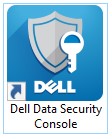 Nota: Como alternativa, se puede acceder a la consola de Dell Data Security mediante el Explorador de Windows en
%SYSTEMDRIVE%\Program Files\Dell\Dell Data Protection\Security Tools\Dell.SecurityFramework.Console.exe. - En la esquina superior derecha de la consola de Dell Data Security, haga clic en el icono de engranaje y, a continuación, seleccione About.

- Registre la versión que se muestra.
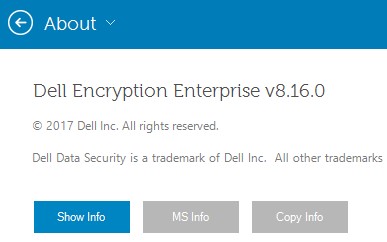 Nota: La versión puede ser diferente del ejemplo anterior.
Installer
Nota: Para obtener información sobre cómo descargar el instalador, consulte Cómo descargar Dell Encryption Enterprise o Dell Encryption Personal.
- Extraiga los instaladores secundarios del instalador principal de Dell Data Security.
Nota: Consulte Cómo extraer instaladores secundarios del instalador maestro de Dell Data Security para obtener más información.
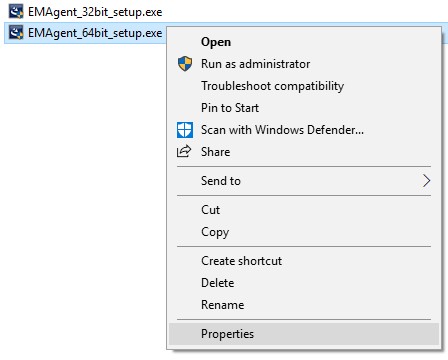
- En la ruta del instalador maestro extraído, haga clic con el botón derecho en [RUTA EXTRAÍDA]
\Encryption Management Agent\EMAgent_[PROFUNDIDAD DE BITS]_setup.exey, a continuación, seleccione Propiedades.
- Haga clic en la ficha Detalles.
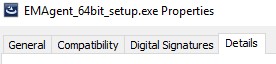
- Registre los tres primeros números de la versión de producto. En el ejemplo, 8.16.0 son los primeros tres números.
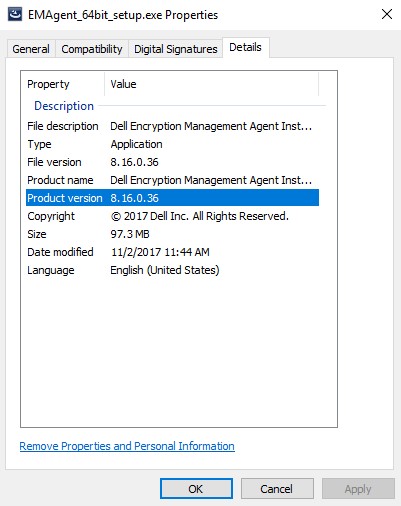 Nota: La versión puede ser diferente del ejemplo anterior.
Para comunicarse con el equipo de soporte, consulte los números de teléfono de soporte internacionales de Dell Data Security.
Vaya a TechDirect para generar una solicitud de soporte técnico en línea.
Para obtener información y recursos adicionales, únase al foro de la comunidad de seguridad de Dell.
Información adicional
Videos
Productos afectados
Dell EncryptionPropiedades del artículo
Número del artículo: 000124907
Tipo de artículo: How To
Última modificación: 19 abr 2026
Versión: 12
Encuentre respuestas a sus preguntas de otros usuarios de Dell
Servicios de soporte
Compruebe si el dispositivo está cubierto por los servicios de soporte.