Data Domain: Split and Download Core file using DD GUI on DDOS 7.x
Resumen: Data Domain Operating System (DDOS) 7.x and later allows split and download of core files using DD System Manager.
Este artículo se aplica a
Este artículo no se aplica a
Este artículo no está vinculado a ningún producto específico.
No se identifican todas las versiones del producto en este artículo.
Instrucciones
A core dump file contains an image of the working memory being used by the process or kernel at the point of termination and can be invaluable for postmortem analysis. This article describes how you can split and download core files using DD System Manager (DD GUI) on DDOS 7.x and later.
For older DDOS version, refer to KB article 000043398: Data Domain: How to upload a core dump file from a Data Domain Restorer for analysis by Data Domain support/engineering
Identify core dump files on the DDR
It is first necessary to identify which core dump files exist on DD - this can be done by logging in to DD System Manager by entering DD hostname or IP address on a Web Browser.
Splitting core file: A maximum of 20 split chunks are permitted.
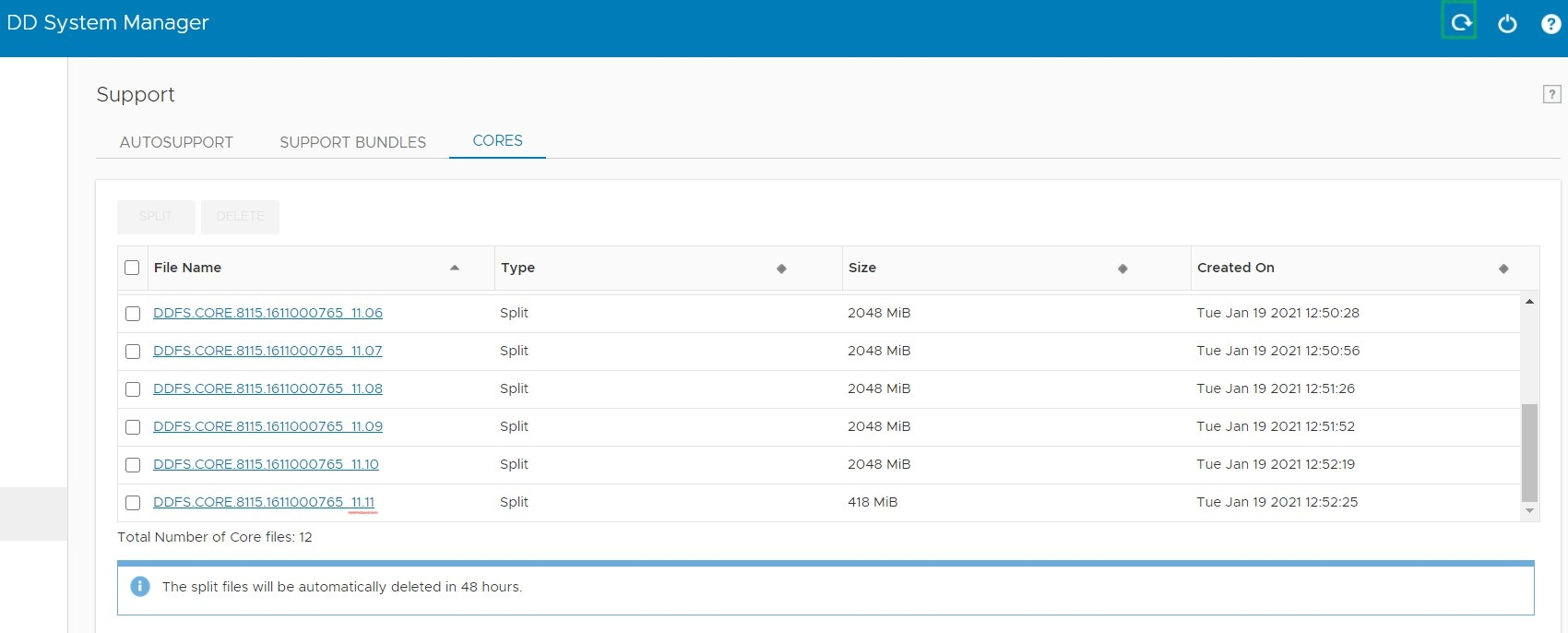
However, best practice would be to select and delete the split files when your task is complete.
For older DDOS version, refer to KB article 000043398: Data Domain: How to upload a core dump file from a Data Domain Restorer for analysis by Data Domain support/engineering
Identify core dump files on the DDR
It is first necessary to identify which core dump files exist on DD - this can be done by logging in to DD System Manager by entering DD hostname or IP address on a Web Browser.
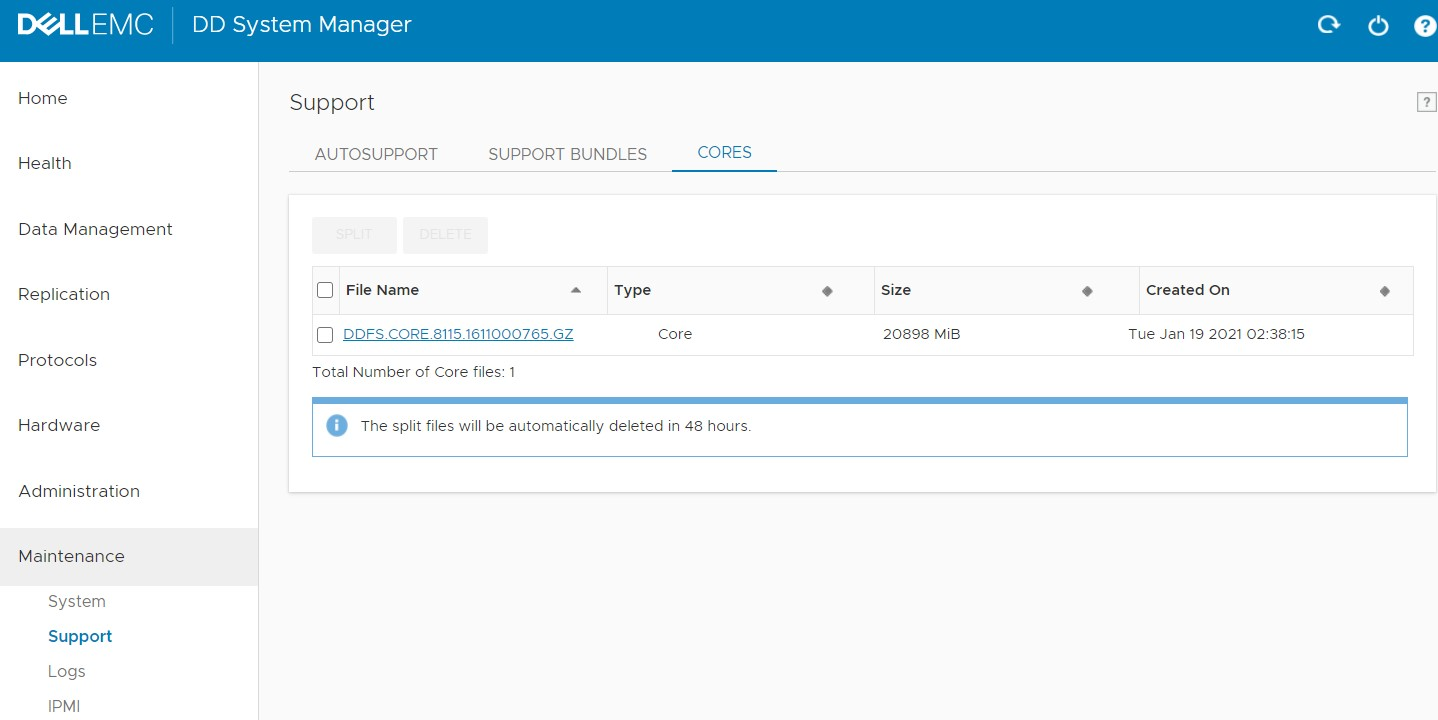
- Click on Maintenance > Support > CORES
- You can now see the Core file ready for download and sort it by clicking Created On
- Click on the Core file name to begin download.
- In some cases, the core file size may be huge and may cause inconvenience in uploading to SR or FTP and we may need to split it before downloading.
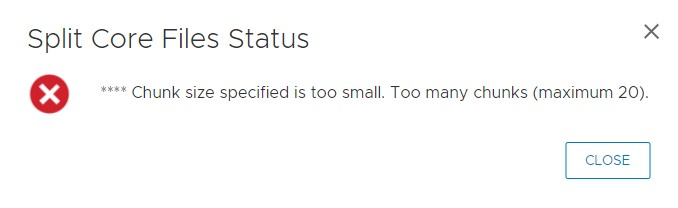
Splitting core file: A maximum of 20 split chunks are permitted.
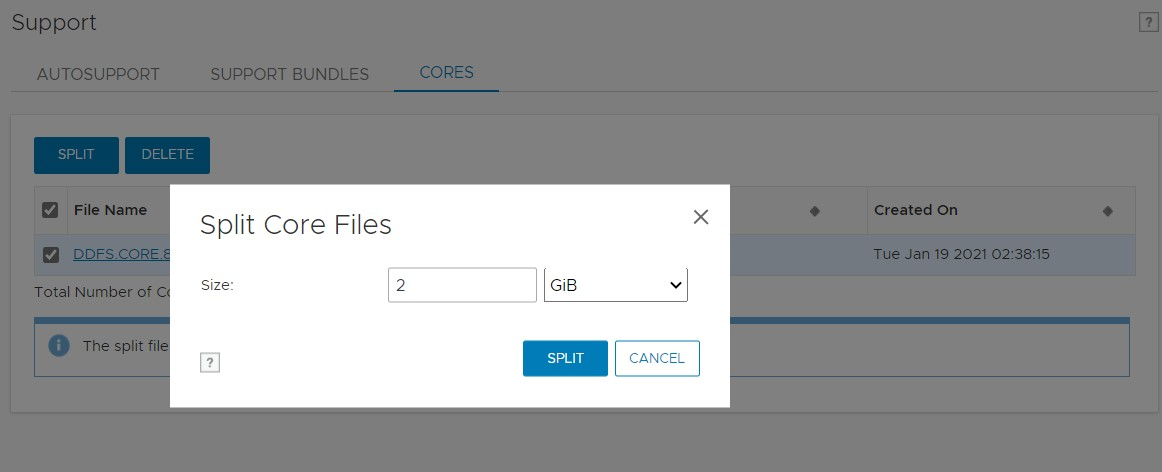
- Select the check box beside core file name and click on SPLIT
- Select the appropriate size to not exceed more than 20 chunks.
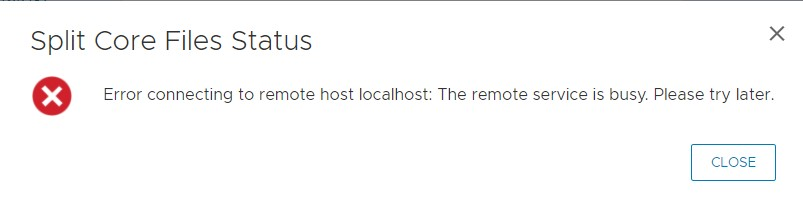
- You may sometimes see a Timeout error, this still means that the split is running in background.
- Wait for 10 minutes, and then Refresh.
- The Split file name can be seen in format <core name>_<Total Chunks>.<Chunk Number> and are stored along with the md5 checksum on DD under /ddvar/core/chunks/
- Make sure that all chunks have been created before you begin downloading.
- Now you can click on the Split core file names to begin the download.
However, best practice would be to select and delete the split files when your task is complete.
Información adicional
Refer to this video:
Productos afectados
Data DomainPropiedades del artículo
Número del artículo: 000182033
Tipo de artículo: How To
Última modificación: 23 nov 2022
Versión: 5
Encuentre respuestas a sus preguntas de otros usuarios de Dell
Servicios de soporte
Compruebe si el dispositivo está cubierto por los servicios de soporte.