PowerProtect: NTP: 시간대 문제 - ErrorResponse [코드=404, 이유=지정된 시간대 ID가 유효하지 않습니다.
Resumen: Network Time Protocol 서버가 GMT +1을 설정하려고 할 때 404 잘못된 시간대 오류를 보고합니다.
Este artículo se aplica a
Este artículo no se aplica a
Este artículo no está vinculado a ningún producto específico.
No se identifican todas las versiones del producto en este artículo.
Síntomas
오류:
로그: sysmgr.log 경로: /var/log/brs/sysmgr/sysmgr.log
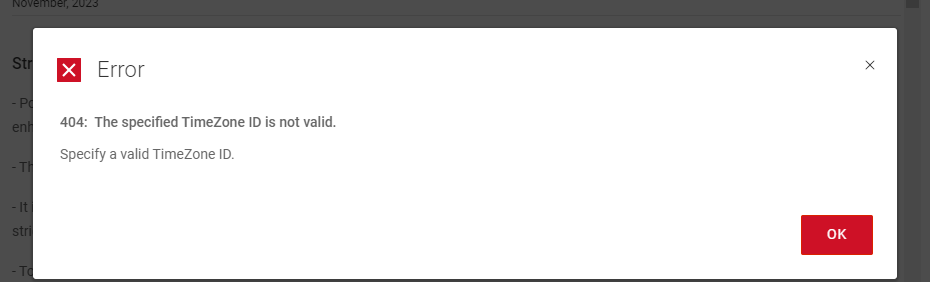
404: The specified Timezone ID is not valid.
Specify a valid Timezone ID
로그: sysmgr.log 경로: /var/log/brs/sysmgr/sysmgr.log
./var/log/brs/sysmgr/sysmgr.log:2024-02-15T16:10:00.069Z ERROR [] [https-jsse-nio-8453-exec-5] [00000000-0000-4000-a000-000000000000][][][TRACE_ID:8b4e########d560][] [c.e.b.s.r.v.AbstractRESTMessageHandler.buildErrorResponse(343)] -  ErrorResponse: ErrorResponse [code=404, reason=The specified TimeZone ID is not valid., remediation=Specify a valid TimeZone ID., timestamp=1708013400069, path=/api/v2/timezones]
./var/log/brs/sysmgr/sysmgr.log:2024-02-15T16:14:01.311Z ERROR [] [https-jsse-nio-8453-exec-1] [00000000-0000-4000-a000-000000000000][][][TRACE_ID:b1dc2e25b3180d91][] [c.e.b.s.r.v.AbstractRESTMessageHandler.buildErrorResponse(343)] -  ErrorResponse: ErrorResponse [code=404, reason=The specified TimeZone ID is not valid., remediation=Specify a valid TimeZone ID., timestamp=1708013641311, path=/api/v2/timezones]
./var/log/brs/sysmgr/sysmgr.log:2024-02-15T18:08:25.154Z ERROR [] [https-jsse-nio-8453-exec-7] [00000000-0000-4000-a000-000000000000][][][TRACE_ID:96cc9d32f169b1a9][] [c.e.b.s.r.v.AbstractRESTMessageHandler.buildErrorResponse(343)] -  ErrorResponse: ErrorResponse [code=404, reason=The specified TimeZone ID is not valid., remediation=Specify a valid TimeZone ID., timestamp=1708020505154, path=/api/v2/timezones]
./var/log/brs/sysmgr/sysmgr.log:2024-02-15T18:08:25.234Z ERROR [] [https-jsse-nio-8453-exec-8] [00000000-0000-4000-a000-000000000000][][][TRACE_ID:a1c2########a87f][] [c.e.b.s.r.v.AbstractRESTMessageHandler.buildErrorResponse(343)] -  ErrorResponse: ErrorResponse [code=404, reason=The specified TimeZone ID is not valid., remediation=Specify a valid TimeZone ID., timestamp=1708020505234, path=/api/v2/timezones]
Causa
시간대 ID가 잘못되었습니다.
Resolución
1. 시간대의 상태를 확인합니다.
timedatectl 상태
2. NTP 서버 이름 또는 IP 주소를 확인하십시오.
chronyc 소스 -v
고양이 /etc/chrony.conf
3. 쿼리를 실행하여 목록에서 원하는 시간대 이름을 찾습니다.
timedatectl 목록 시간대 | grep -i 토론토
4. Time Zone을 설정합니다.
timedatectl set-timezone 아메리카 대륙/토론토
5. 표준 시간대의 상태를 확인합니다.
timedatectl 상태
timedatectl 상태
Sample Output:

admin@ppdm196:~> timedatectl status
      Local time: Fri 2024-02-02 09:08:07 PST
  Universal time: Fri 2024-02-02 17:08:07 UTC
        RTC time: Fri 2024-02-02 17:08:07
       Time zone: PST8PDT (PST, -0800)
 Network time on: no
NTP synchronized: yes
 RTC in local TZ: no
2. NTP 서버 이름 또는 IP 주소를 확인하십시오.
chronyc 소스 -v
Sample Output:

admin@ppdm:~> chronyc sources -v

  .-- Source mode  '^' = server, '=' = peer, '#' = local clock.
 / .- Source state '*' = current best, '+' = combined, '-' = not combined,
| /             'x' = may be in error, '~' = too variable, '?' = unusable.
||                                                 .- xxxx [ yyyy ] +/- zzzz
||      Reachability register (octal) -.           |  xxxx = adjusted offset,
||      Log2(Polling interval) --.      |          |  yyyy = measured offset,
||                                \     |          |  zzzz = estimated error.
||                                 |    |           \
MS Name/IP address         Stratum Poll Reach LastRx Last sample
===============================================================================
^* DC.amer.lan                   2   6   377    30   -559us[  +64us] +/-   54ms
고양이 /etc/chrony.conf
Sample Output:

admin@ppdm:~> cat /etc/chrony.conf
server 192.168.9.100 iburst
3. 쿼리를 실행하여 목록에서 원하는 시간대 이름을 찾습니다.
timedatectl 목록 시간대 | grep -i 토론토
Sample Output:

admin@ppdm:~> timedatectl list-timezones  | grep -i toronto
America/Toronto
4. Time Zone을 설정합니다.
timedatectl set-timezone 아메리카 대륙/토론토
Sample Output:

admin@ppdm196:~> timedatectl set-timezone America/Toronto
==== AUTHENTICATING FOR org.freedesktop.timedate1.set-timezone ===
Authentication is required to set the system timezone.
Authenticating as: root
Password:
==== AUTHENTICATION COMPLETE ===
admin@ppdm196:~> timedatectl status
      Local time: Fri 2024-02-02 12:09:06 EST
  Universal time: Fri 2024-02-02 17:09:06 UTC
        RTC time: Fri 2024-02-02 17:09:06
       Time zone: America/Toronto (EST, -0500)
 Network time on: no
NTP synchronized: yes
 RTC in local TZ: no
5. 표준 시간대의 상태를 확인합니다.
timedatectl 상태
샘플 출력:

admin@ppdm196:~> timedatectl 상태
      현지 시간: 금 2024-02-02 09:08:07 PST
  세계시: 금 2024-02-02 17:08:07 UTC
        RTC 시간: 금 2024-02-02 17:08:07
       시간대: PST8PDT(PST, -0800)
 네트워크 시간 켜짐: 아니요
NTP 동기화: 예
 로컬 TZ의 RTC: 아니요
Propiedades del artículo
Número del artículo: 000222172
Tipo de artículo: Solution
Última modificación: 23 oct 2024
Versión: 3
Encuentre respuestas a sus preguntas de otros usuarios de Dell
Servicios de soporte
Compruebe si el dispositivo está cubierto por los servicios de soporte.