How to Package ASP.NET Core Runtime x64 for Microsoft Configuration Manager
Resumen: This article provides information about how to package ASP.NET Core Runtime x64 for Microsoft Configuration Manager as a prerequisite for Dell software solutions.
Este artículo se aplica a
Este artículo no se aplica a
Este artículo no está vinculado a ningún producto específico.
No se identifican todas las versiones del producto en este artículo.
Instrucciones
Affected Products:
- Dell Pro AI Studio
- Dell Client Device Manager
- Dell Trusted Device
Prerequisites:
- Download the latest version of ASP.NET Core Runtime x64 from Microsoft
.
- Place the ASP.NET Core Runtime x64 installation file on a file share in your environment.
Packaging for Microsoft Configuration Manager:
- Open the Configuration Manager Console.

- Go to Software Library > Application Management > Applications
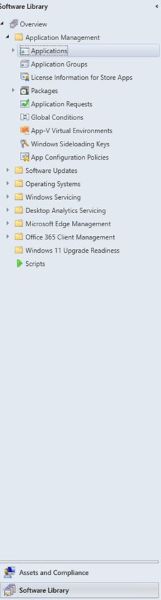
- Click the Create Application button in the top ribbon.

- Click the radio button for Manually specify the application information and click Next.
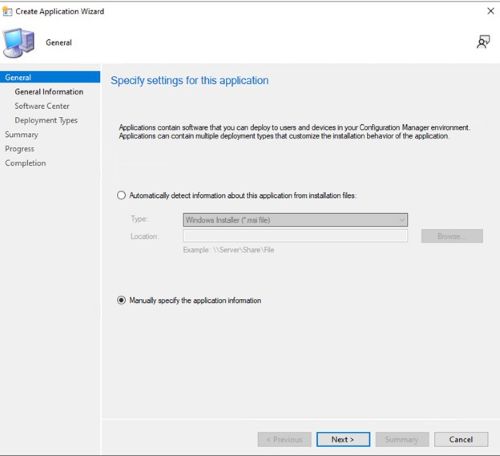
- Enter a name and provide any needed information such as publisher and software version, then update the application owner, and support contact if needed and click Next.

- On the Software Center entry screen, update the language if needed and click Next.

- On the Deployment Types screen, click Add.

- Click the radio button to Manually specify the deployment type information and click Next.
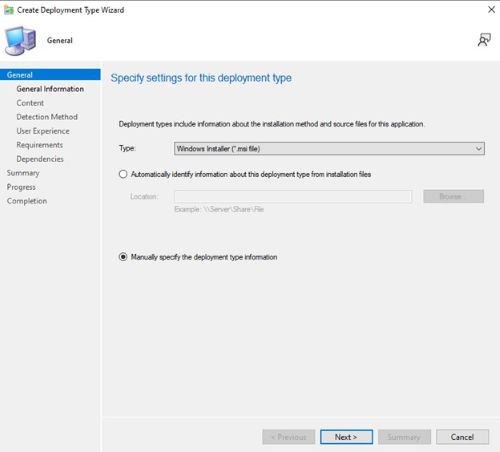
- Provide a name and select a language if needed then click Next.

- Click browse next to Content Location and select the folder where the installer is located.

- In the installation program field type
aspnetcore-runtime-{VERSION}-win-x64.exe /install /quiet /norestartwhere {VERSION} is the application version number example 8.0.15.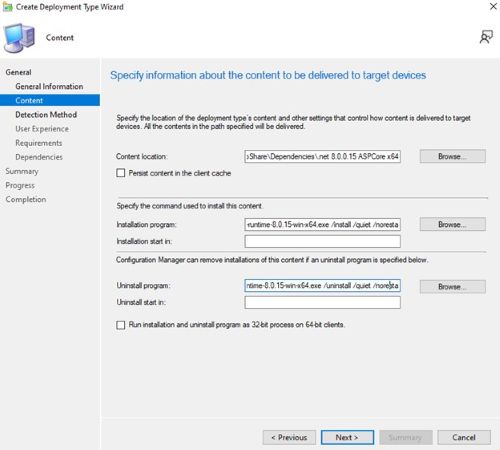
- For uninstall program type
aspnetcore-runtime-{VERSION}-win-x64.exe /uninstall /quiet /norestartwhere {VERSION} is the application version number example 8.0.15. Then click Next.
- On the Detection Method page, click the Add Clause button.
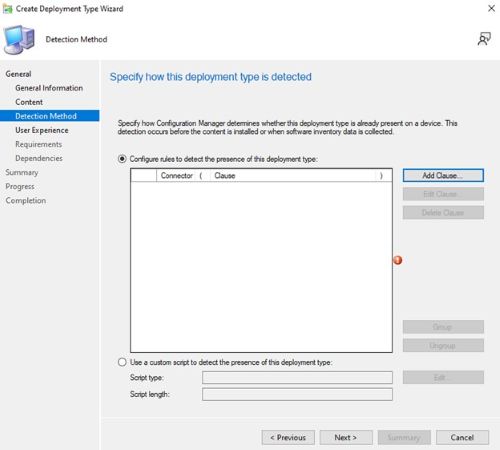
- Set the following options then click OK.
Setting Type: File System
Type: File
Path: C:\Program Files\dotnet\shared\Microsoft.AspNetCore.App
File or folder name: 8.0.15

- Click Next.
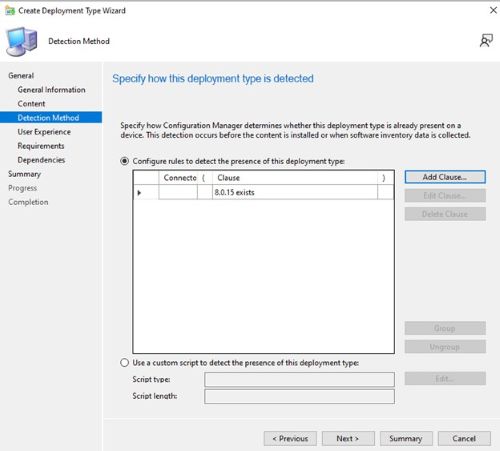
- On the User Experience page set the options below and click Next.
Installation behavior: Install for system
Logon requirement: Whether or not a user is logged on
Installation program visibility: Hidden

- On the Requirements page, click Add
- Select the requirements based on your environment, then click Ok.
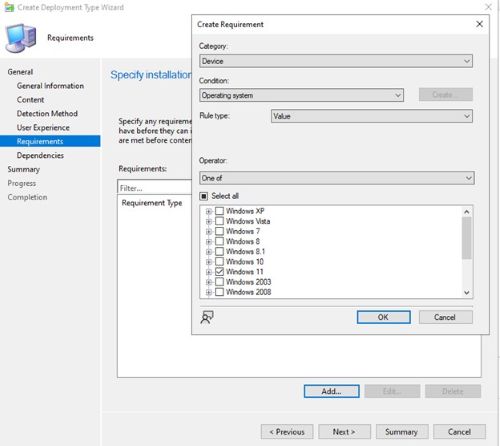
- Once finished click Next.

- On the Dependencies page, click Next.

- On the Summary page, click Next then on the completion page click Close.

- Click Next on the Deployment Types page.

- On the Summary page, click Next then on the completion screen click Close.

Productos afectados
Dell Client Device Manager, Dell Pro AI Studio, Dell Trusted DevicePropiedades del artículo
Número del artículo: 000321691
Tipo de artículo: How To
Última modificación: 19 may 2025
Versión: 3
Encuentre respuestas a sus preguntas de otros usuarios de Dell
Servicios de soporte
Compruebe si el dispositivo está cubierto por los servicios de soporte.