PowerStore: Adding Initiator fails with error "Cannot add IQN since it already exists as part of the host (0xE0A01001000C)"
Resumen: Adding Initiator fails with error "Cannot add IQN since it already exists as part of the host (0xE0A01001000C)"
Este artículo se aplica a
Este artículo no se aplica a
Este artículo no está vinculado a ningún producto específico.
No se identifican todas las versiones del producto en este artículo.
Síntomas
Appliance running PowerStore OE 2.2.1
Two hosts (host1 and host2) were mistakenly assigned initiators with the same WWPN
The duplicate WWPN is deleted from host1
The GUI and PSTCLI output do not show the deleted WWPN in use by any host.
Trying to add the WWPN that was deleted from host1 to host2 fails with error "Cannot add IQN since it already exists as part of the host (0xE0A01001000C)"
Note: Ignore the IQN reference, the issue is applicable to any initiator type.
Example of Issue: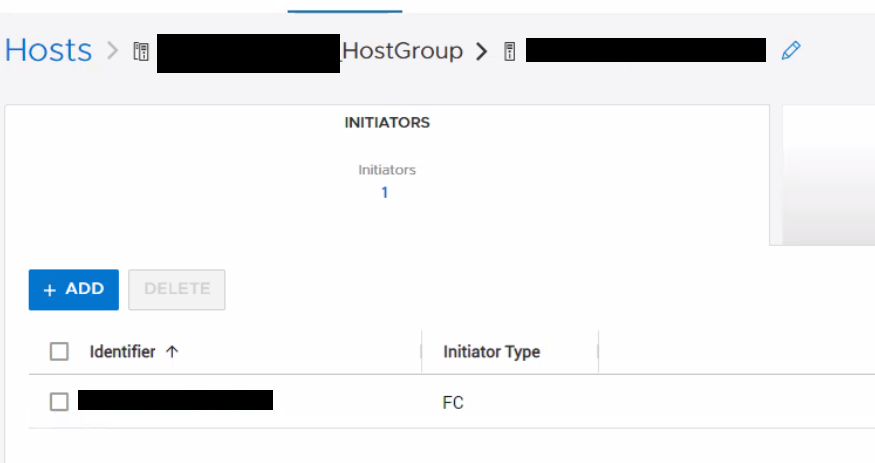
The initiator we are trying to add will also not be found in any other host using PSTCLI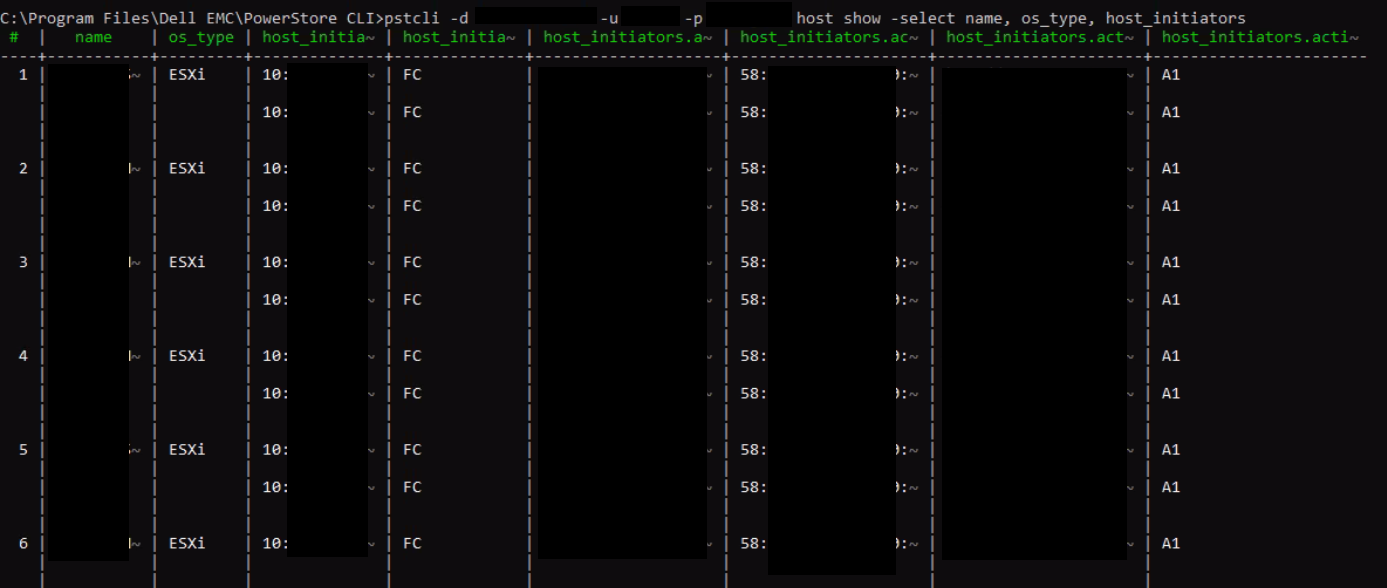
Two hosts (host1 and host2) were mistakenly assigned initiators with the same WWPN
The duplicate WWPN is deleted from host1
The GUI and PSTCLI output do not show the deleted WWPN in use by any host.
Trying to add the WWPN that was deleted from host1 to host2 fails with error "Cannot add IQN since it already exists as part of the host (0xE0A01001000C)"
Note: Ignore the IQN reference, the issue is applicable to any initiator type.
Example of Issue:
- Create 2 hosts, host1 with WWPN A, B, host2 with WWPN C.
- Add those hosts into a host group.
- Add WWPN A to host2. It was successful. Now each host has 2 initiators. This is wrong. 2 hosts cannot use the same WWPN.
- Remove WWPN A from host1. WWPN A appears to be removed from both hosts on GUI, but it's not removed from underlying database for host2.
- Now try to add WWPN A to host2. It fails with the error "Cannot add IQN since it already exists as part of the host (0xE0A01001000C)"
The initiator we are trying to add will not be listed under the host in the GUI.
The initiator we are trying to add will also not be found in any other host using PSTCLI
"host show -select name, os_type, host_initiators"
Causa
There is an issue with PowerStore OE 2.1.1.1 that allows adding a duplicate initiator to an existing host.
Resolución
Workaround:
If this issue is encountered please contact Dell Technical Support and reference this article for assistance.
Fix:
This issue is corrected in PowerStore OE 3.0.0.1 and above.
If this issue is encountered please contact Dell Technical Support and reference this article for assistance.
Fix:
This issue is corrected in PowerStore OE 3.0.0.1 and above.
Productos afectados
PowerStorePropiedades del artículo
Número del artículo: 000205128
Tipo de artículo: Solution
Última modificación: 27 jul. 2023
Versión: 3
Encuentre respuestas a sus preguntas de otros usuarios de Dell
Servicios de soporte
Compruebe si el dispositivo está cubierto por los servicios de soporte.