Data Domain: How to find event codes | Error Message Catalog
Resumen: This article describes how to find a list of Data Domain event codes.
Este artículo se aplica a
Este artículo no se aplica a
Este artículo no está vinculado a ningún producto específico.
No se identifican todas las versiones del producto en este artículo.
Instrucciones
An .xml file listing Data Domain event codes can be downloaded from the Dell support site by following the below steps.
- Go to the Support product page and select the relevant Data Domain model (Dell Support login may be required).
- For example, for a DD9900:
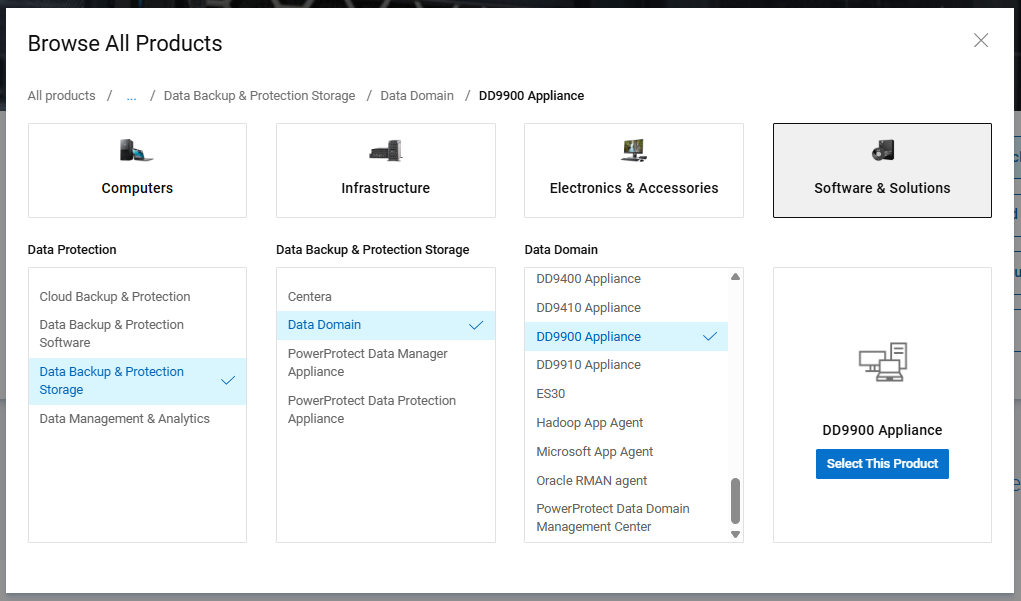
- For example, for a DD9900:
- Go to "Drivers & Downloads," scroll down, and locate the required DD OS version in the list.
- For example, for DD OS 8.3.1.10:
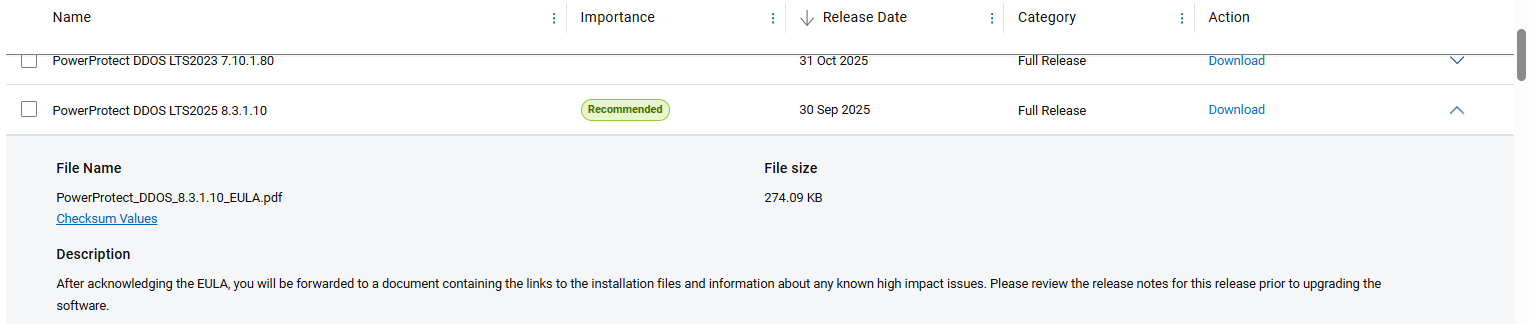
- For example, for DD OS 8.3.1.10:
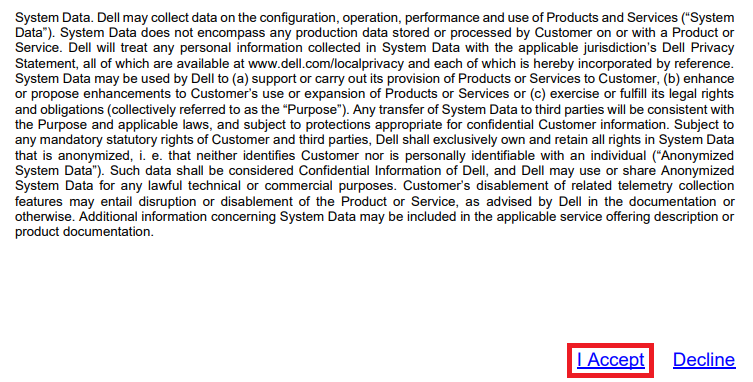
- Click "Download." This takes you to a EULA .pdf.
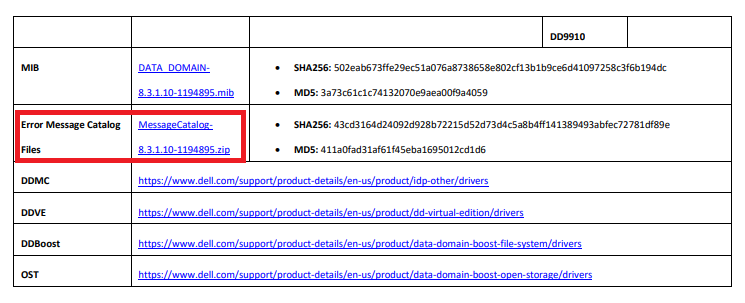
- Scroll to the bottom of the .pdf and click "I Accept" to accept the terms of service. This takes you to the Read Me First (RMF) .pdf.
- Scroll to the bottom of the .pdf and locate the "Error Message Catalog Files" section. Click the file name to download a .zip file containing the event code definitions.
- Once the .zip file is downloaded, extract it locally and open the .xml file in a text editor such as Notepad++.
Productos afectados
Data DomainProductos
Data DomainPropiedades del artículo
Número del artículo: 000020930
Tipo de artículo: How To
Última modificación: 16 mar 2026
Versión: 4
Encuentre respuestas a sus preguntas de otros usuarios de Dell
Servicios de soporte
Compruebe si el dispositivo está cubierto por los servicios de soporte.