How to Reinstall Dell Encryption Using Previous Keys
Resumen: This article provides information how to reinstall Dell Encryption (formerly Dell Data Protection | Encryption) using previous keys.
Instrucciones
Affected Products:
- Dell Encryption
- Dell Data Protection | Encryption
Dell Encryption leverages specific sets of keys for each device and user. During an uninstall of Dell Encryption whether remotely or locally managed, we can uninstall without the decryption agent. This prevents data from being decrypted and leaves the Dell Encryption drivers in place and active.
Remotely Managed:
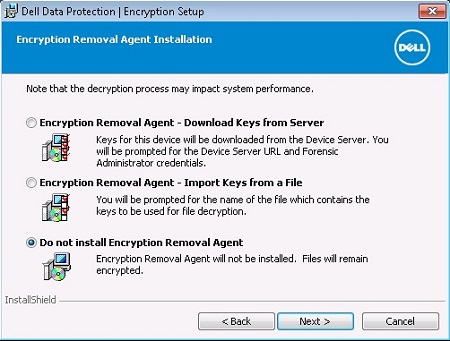
Locally Managed:

To reinstall and leverage previously used keys, we must run through the installation again. This is a different process for Remotely and Locally Managed.
Remotely Managed:
The Dell Encryption endpoint leverages an identifier that is called DCID. This is stored in a registry. If we uninstalled without decrypting, this key should be in place.
The location of this key:
HKLM\Software\Microsoft\Windows NT\CurrentVersion\Winlogon\CMGshield
REG_SZ: DCID
Value: <8 character DCID>
This value is sent to the server during the reinstall and key material specific to this device, and user combination is downloaded from the server.
Locally Managed:
The Dell Encryption endpoint for locally managed also leverages a DCID. During the activation wizard, this is modified.
To keep the previous keys, and gain access back to files that were encrypted with this keyset, we must find and run the file.
Once we have rerun the installer and are presented with the "Activation Wizard" for Dell Encryption Personal (formally Dell Data Protection | Personal Edition), we want to run the LSARecovery file and select the second option.

This prompts us to reboot.
Once the computer has rebooted, the configuration wizard is bypassed, and policies are pulled from the previously configured settings.
To contact support, reference Dell Data Security International Support Phone Numbers.
Go to TechDirect to generate a technical support request online.
For additional insights and resources, join the Dell Security Community Forum.