NVP vProxy: NetWorker Parallelism Settings and Considerations
Resumen: Overview of which parallelism settings must be configured for NetWorker VMware Protection (NVP) vProxy backups.
Síntomas
- NetWorker VMware Protection (NVP) backups are failing with errors indicating session unavailability.
- Virtual Machine (VM) backup sessions are queued in a "Waiting to run" state.
There are two different possibilities:
1. If the NetWorker server parallelism is less than the action parallelism (or less than hot add + Network Block Device (NBD)), the workflow log may report:
Unable to setup direct save with server <Server name>:  retry needed
mmsave setup failed: retry needed
Unable to start save session with nsrmmd on <server name>: retry needed
<VM name>: nsr_start failed (-13), retrying in 60 seconds.
Found no available session on <server name> after waiting for 60 secs
The action parallelism should not be greater than the server parallelism because, while the vProxy backups are running, the server could run backups for other policies.
2. If hot add and NBD sessions in vProxy settings exceed workflow action parallelism, backup logs may report issues:
Request timed out waiting to be started
You may also notice Virtual Machines (VM) sessions sitting in "waiting to run" state, as they wait for an available session to become available.
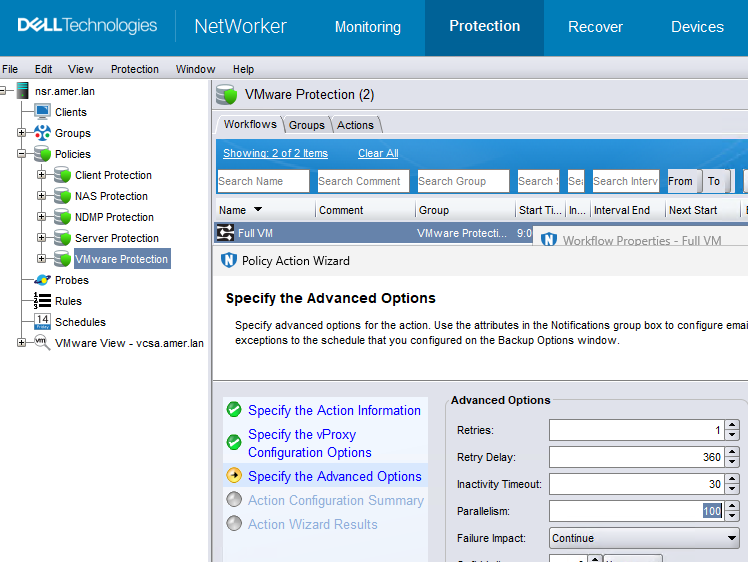
The action parallelism should be at least equal to the maximum hot add + NBD sessions defined in vProxy settings.
For example, if hot add and NBD are each set to 13, set the action parallelism to 26 or greater.
Causa
NetWorker parallelism configurations.
Resolución
The NetWorker Administration Guide, Performance Optimization and Planning, and VMware Integration Guide provide additional details regarding the points raised in this article. For more details, refer to the NetWorker version-specific guides mentioned. NetWorker Guides are available through: Support for NetWorker | Manuals & Documents
In addition to NetWorker Parallelism configurations, consider scheduling overlaps. If many VMware protection schedules overlap, this may lead to high session utilization and an overall impact to job completion and performance. Group configurations and workflow scheduling are a consideration in addition to parallelism settings.
NetWorker Server Parallelism:
The NetWorker 'Server Parallelism' defines the number of simultaneous data streams that the NetWorker server allows. Set this value high enough for VMware backups to run. It must also accommodate other backup or restore sessions running simultaneously: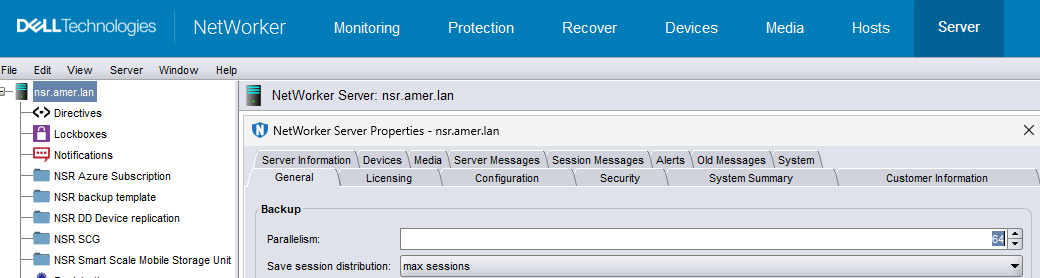
32, 64, 128, 256, 512, and so forth, increments.
Action parallelism:
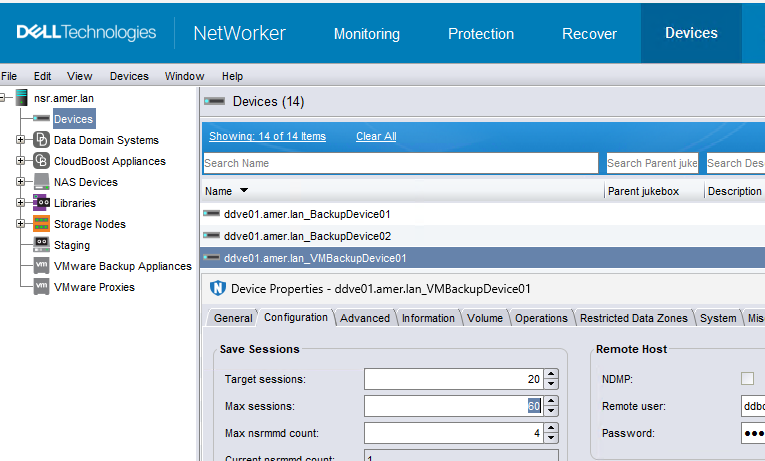
DD Boost max sessions:
NVP backups only write to DD Boost (Data Domain) devices. The DD Boost device max sessions must be greater than maximum hot add and NBD vProxy sessions. By default, the DD Boost 'max session' is set to 60 per device.