如何为 Dell Data Security 服务器计划托管报告
Resumen: 了解如何按照这些说明在 Dell Data Security Server 和 Dell Data Security Server Virtual 上计划托管报告。
Este artículo se aplica a
Este artículo no se aplica a
Este artículo no está vinculado a ningún producto específico.
No se identifican todas las versiones del producto en este artículo.
Instrucciones
管理员可以将托管报告设置为发送到 Dell Data Security 服务器(Dell Security Management Server 或 Dell Security Management Server Virtual)的电子邮件收件人列表。
受影响的产品:
- Dell Security Management Server
- Dell Security Management Server Virtual
受影响的版本:
- 受影响的版本:0 及更高版本
可以将新的或现有托管报告设置为发送到一个或多个电子邮件地址。单击相应的任务以了解更多信息。
注:
- 电子邮件通知要求在 Dell Data Security 服务器上配置 SMTP 设置。
- 有关更多信息,请参阅如何为 Dell Data Security 服务器配置 SMTP 设置。
新建
- 登录到 Dell Data Security 管理控制台。
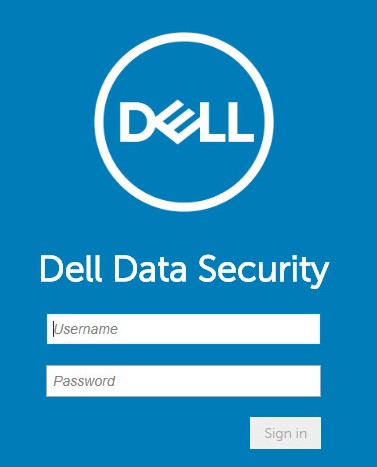 有关更多信息,请参阅如何访问 Dell Data Security Management Server 管理控制台(英文版)。
 - 从左侧菜单窗格中,单击 Reporting,然后单击 Manage Reports。

- 单击 Create New Report 下拉列表,然后选择相应的报告。
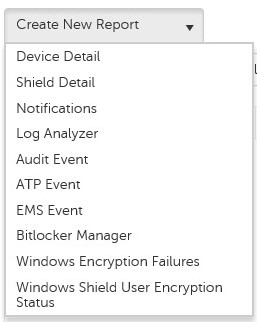
- 根据需要更改默认报告筛选器。完成后,单击 Save As。

- 从“Report - Save As”菜单中:
- 填充报告名称。
- 填充描述。
- (可选)选择 Private。
- 单击 保存。
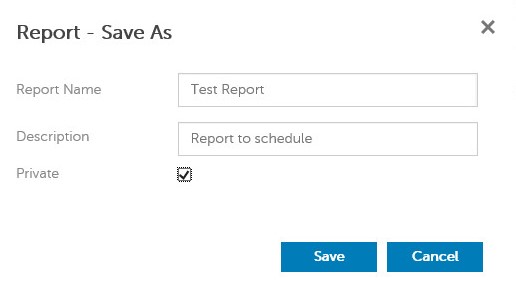 只有所有者和报告管理员可以查看私有报告。
 - 单击Schedule。

- 单击 Add Schedule。

- 在“Add Schedule”菜单中:
- 填写电子邮件以接收报告。
- 为要运行的报告选择计划。
- 选择运行的时间。
- 选择区域设置。
- 单击 Save。
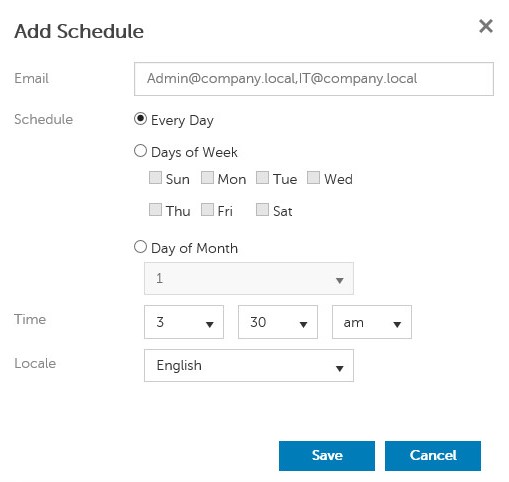 注意:用逗号分隔多个电子邮件地址。
现有
- 登录到 Dell Data Security 管理控制台。
 有关更多信息,请参阅如何访问 Dell Data Security Management Server 管理控制台(英文版)。
 - 从左侧菜单窗格中,单击 Reporting,然后单击 Manage Reports。

- 选择要计划的报告。
 您环境中的报告信息(名称、描述和报告类型)可能有所不同。
 - 单击Schedule。

- 单击 Add Schedule。

- 在“Add Schedule”菜单中:
- 填写电子邮件以接收报告。
- 为要运行的报告选择计划。
- 选择运行的时间。
- 选择区域设置。
- 单击 Save。
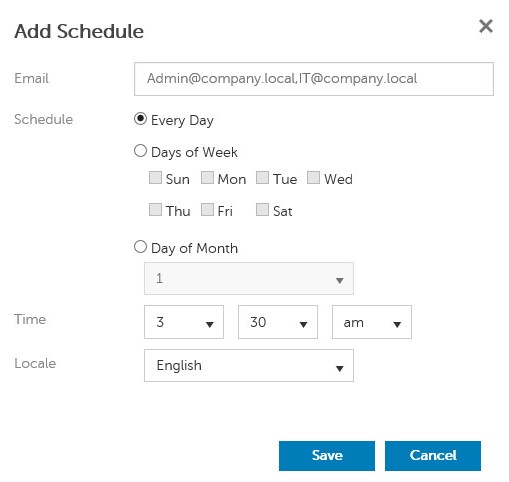 注意:用逗号分隔多个电子邮件地址。
Productos afectados
Dell EncryptionPropiedades del artículo
Número del artículo: 000125166
Tipo de artículo: How To
Última modificación: 05 ago. 2026
Versión: 10
Encuentre respuestas a sus preguntas de otros usuarios de Dell
Servicios de soporte
Compruebe si el dispositivo está cubierto por los servicios de soporte.