PowerFlex: PM1733a/PM1735a Drives are missing in iDRAC - PDR5 or PR8
Resumen: Dell PM1735a NVMe (Non-Volatile Memory Express) drive failing in PowerEdge servers
Síntomas
Dell PowerEdge based servers configured with Dell Samsung PM1735a may report drives as failed, offline, or missing in the iDRAC and operating system. This can occur on a system with an NVMe enabled PERC storage controller or NVMe direct configuration.
If there is a failure, the following error messages can be present in the LifeCycle Controller logs.
PDR5  - Disk arg1 in Backplane 1 in of RAID Controller in SL3 is removed
PDR1001 - Fault detected on drive arg1 in disk drive bay
CTL137 - iDRAC is unable to successfully communicate with the device PCIe SSD in Slot X in Bay Y
PR8 - Device not detected: Dell NVMe PCIe SSD Configuration Data(PCIe SSD in Slot X in Bay Y)
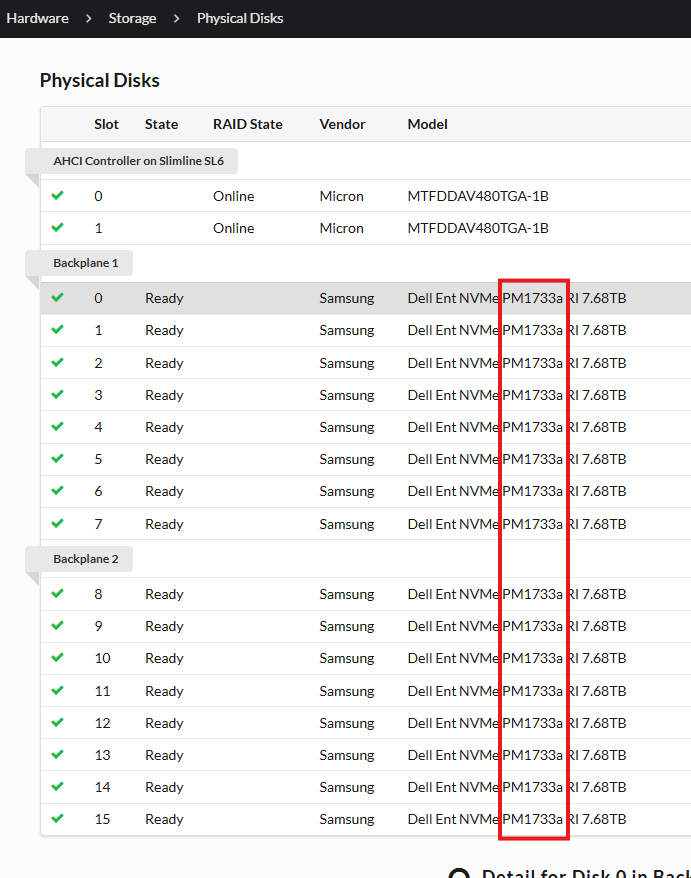
Disk model can be checked form iDRAC > Physical Disks
Causa
Resolución
Dell Technologies recommends updating the PM1733a/PM1735a drive firmware at the earliest available opportunity to avoid future occurrences of this error condition.
Dell Samsung PM1733a and PM1735a drives can both be updated using these new firmware versions
Once a drive has entered into a failed state, it is not possible to recover or update it.
Not Encrypted Devices
Dell PowerEdge Express Flash Ent NVMe PM1733a/35a AGN Firmware
Self Encrypted Devices (SED)