Dell Unity:フォレスト レベルの認証が構成されている場合に、LDAPユーザーのロール マッピングを追加できませんでした
Resumen: お客様が UI 管理のために Unity でフォレスト レベルの LDAP 認証を構成しました。LDAP接続は正常に検証されましたが、お客様がLDAPユーザーのロール マッピングを追加できませんでした。(ユーザー修正可能)(英語)」
Este artículo se aplica a
Este artículo no se aplica a
Este artículo no está vinculado a ningún producto específico.
No se identifican todas las versiones del producto en este artículo.
Síntomas
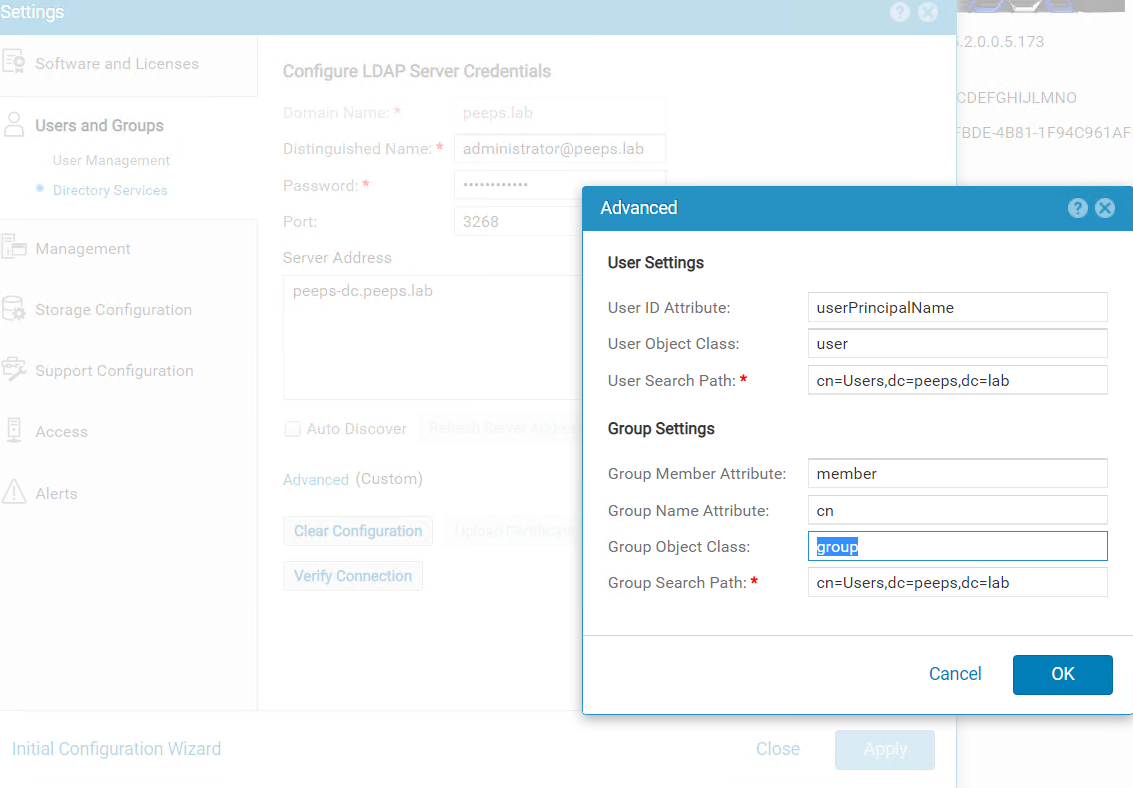
Unisphere管理用にLDAPサーバー ポート3268でフォレスト レベルのLDAP認証をお客様が構成しました。お客様は、セキュリティ構成ガイドに従って、[Advanced]ウィンドウの[User ID Attribute]フィールドにuserPrincipalNameを指定します。
Dell EMC Unityファミリー セキュリティ構成ガイド(delltechnologies.com)
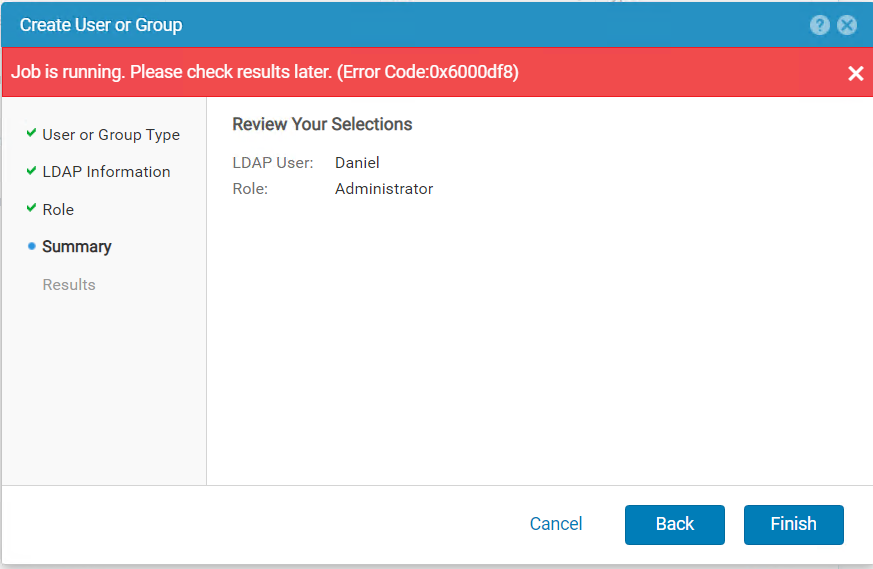
Users and Groups -->User Management -->Manage Users & GroupsにLDAPユーザーを追加しようとすると、次のエラーが表示されました。
Causa
フォレスト レベルのLDAP認証が構成されている場合、ロール マッピング用のLDAPユーザーのユーザー名は、 <username>@<domain> の形式で構成する必要があります。これは、お客様がLDAPサーバーでユーザーに対して構成したuserPincipalNameとまったく同じです。
Resolución
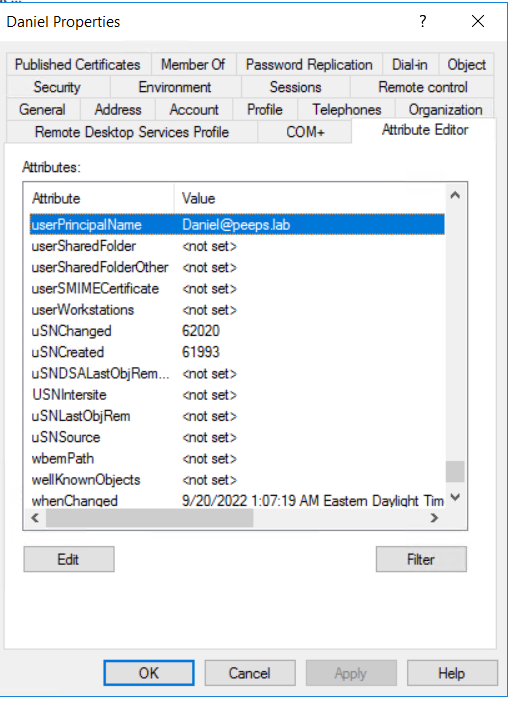
Windows ドメイン コントローラーが LDAP サーバーの場合は、 Active Directory ユーザーとコンピューターを使用して、ユーザーのプロパティから userPrincipalName を再試行できます。
注:ユーザーの属性エディタ(Attribute Editor)を表示するには、ビューの高度な機能(Advanced Features in View)タブを有効にする必要があります。
Productos afectados
Dell EMC UnityPropiedades del artículo
Número del artículo: 000203550
Tipo de artículo: Solution
Última modificación: 03 jun 2026
Versión: 5
Encuentre respuestas a sus preguntas de otros usuarios de Dell
Servicios de soporte
Compruebe si el dispositivo está cubierto por los servicios de soporte.