VPLEX:如何更改 IP 地址
Résumé: 本文详细介绍了生成 SolVe Desktop 过程以更改 VPlex 群集的 IP 地址的步骤。
Cet article concerne
Cet article ne concerne pas
Cet article n’est associé à aucun produit spécifique.
Toutes les versions du produit ne sont pas identifiées dans cet article.
Instructions
此更改 VPlex 群集 IP 地址的过程可在 Solve Desktop 步骤生成器中的以下位置找到:
VPlex -> 管理员 -> 管理过程 -> 管理 -> 更改 IP 地址。
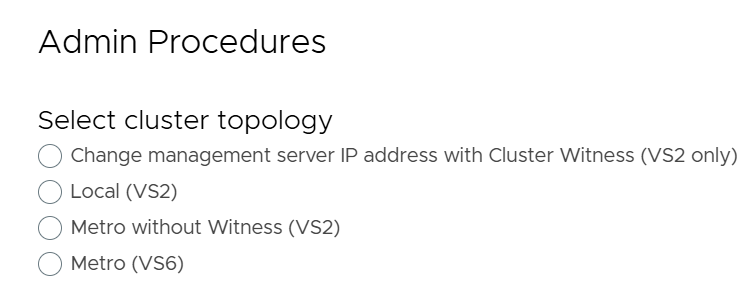
根据从以下四个选项中选择的 VPlex 群集类型生成过程:
-
- 使用群集见证更改管理服务器 IP 地址(仅限 VS2)
- 本地 (VS2)
- 无见证的 Metro (VS2)
- Metro (VS6)
下面是来自 SolVe Desktop 步骤生成器的屏幕截图引用,其中显示了用于更改 VPlex 群集的 IP 地址的四个可用选项:
Informations supplémentaires
Produits concernés
VPLEX, VPLEX VS2, VPLEX VS6Produits
VPLEX GeoSynchronyPropriétés de l’article
Numéro d’article: 000158332
Type d’article: How To
Dernière modification: 04 May 2026
Version: 4
Trouvez des réponses à vos questions auprès d’autres utilisateurs Dell
Services de support
Vérifiez si votre appareil est couvert par les services de support.