Avamar : Not able to access Avamar GUI "Avamar Administrator client is not compatible with the selected server" error reported
Résumé: Not able to access Avamar GUI with "Avamar Administrator client is not compatible with the selected server" error reported
Cet article concerne
Cet article ne concerne pas
Cet article n’est associé à aucun produit spécifique.
Toutes les versions du produit ne sont pas identifiées dans cet article.
Symptômes
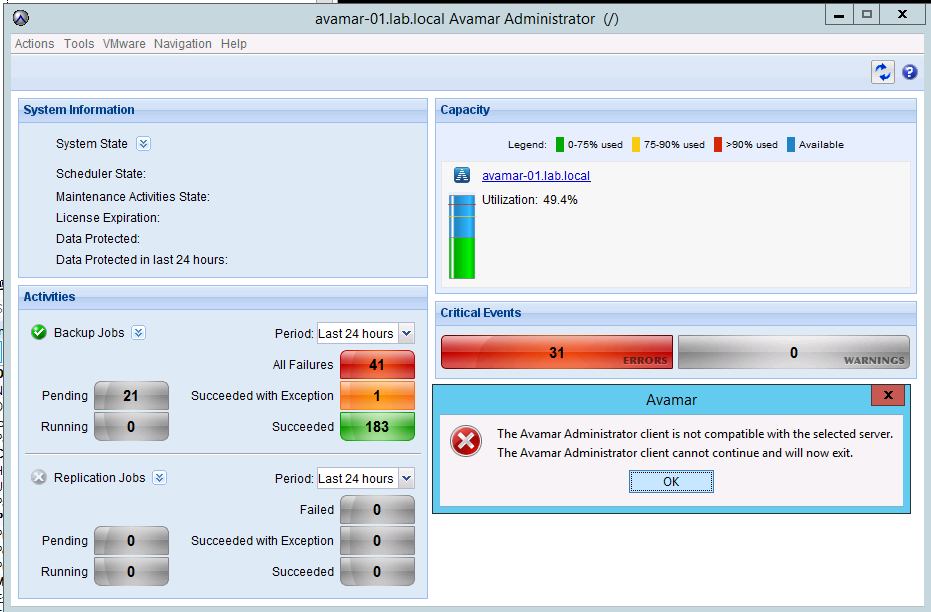
Not able to access GUI and the following error is reported:
The Avamar Administrator client is not compatible with the selected server.
The Avamar Administrator client cannot continue and will now exit.
The MCS version has been checked and it matches the Avamar Administrator version.
If the MCS version doesn't match the Avamar Administrator version, download the latest Avamar Administrator version from the Downloads page.
The Avamar Administrator client is not compatible with the selected server.
The Avamar Administrator client cannot continue and will now exit.
The MCS version has been checked and it matches the Avamar Administrator version.
If the MCS version doesn't match the Avamar Administrator version, download the latest Avamar Administrator version from the Downloads page.
Cause
- Under certain circumstances, one or more Java processes can become hung.
- Usually, the hung Java PIDs have quite an old date.
- The following command can be used to confirm:
ps -ef | grep java
Résolution
- Stop the MCS, EMS/EMT and avinstaller services. The backup scheduler will be stopped with MCS.
dpnctl stop mcs
dpnctl stop ems
dpnctl stop avinstaller
dpnctl stop ems
dpnctl stop avinstaller
- As user "root" kill all java processes
killall java
- Verify no java processes remain
ps -ef | grep java
- As user "admin" restart the services
dpnctl start
- Verify services are running
dpnctl status
Produits concernés
AvamarProduits
Avamar, Avamar ServerPropriétés de l’article
Numéro d’article: 000071469
Type d’article: Solution
Dernière modification: 18 Apr 2026
Version: 5
Trouvez des réponses à vos questions auprès d’autres utilisateurs Dell
Services de support
Vérifiez si votre appareil est couvert par les services de support.