如何識別 Netskope 用戶端版本
Résumé: 瞭解如何依照這些逐步指示來識別 Netskope 用戶端的版本。
Cet article concerne
Cet article ne concerne pas
Cet article n’est associé à aucun produit spécifique.
Toutes les versions du produit ne sont pas identifiées dans cet article.
Instructions
本文提供找出並識別 Netskope 用戶端版本的步驟。
受影響的產品:
- Netskope 用戶端
受影響的作業系統:
- Windows
- Mac
- Android
瞭解 Netskope 用戶端版本可讓系統管理員:
- 識別已知問題
- 判斷 UI 差異
- 瞭解工作流程變更
- 確認系統需求
按一下 Windows、 Mac 或 Android 以取得版本資訊。
Windows
您可以透過以下方式識別 Windows Netskope 用戶端版本:
如需詳細資訊,請按一下適當的方法。
UI
- 登入 Windows 電腦。
- 在 Windows 系統匣中,以滑鼠右鍵按一下 Netskope 用戶端 圖示,然後選取 關於。

- 記下版本。在範例中,版本是 66.0.0.327。
 注意:版本可能會與以上範例不同。
CLI
- 使用系統管理員身份,在 Windows「開始」功能表上按右鍵,然後按一下 執行。

- 在 「執行 」UI 中,鍵入
cmd然後按下 Enter 鍵。
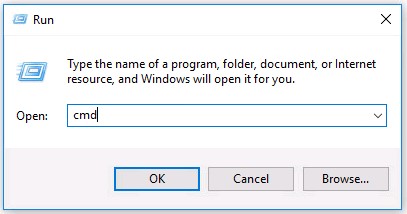
- 在命令提示字元中輸入
wmic product where name='Netskope Client' get version然後按下 Enter 鍵。

- 記下版本。在範例中,產品 版本是 70.0.0.391。

- 類型
exit然後按下 Enter 鍵。注意:版本可能會與以上範例不同。
安裝程式
- 以滑鼠右鍵按一下
NSClient[TENANTSPECIFICINFO].msi,然後選擇 屬性。
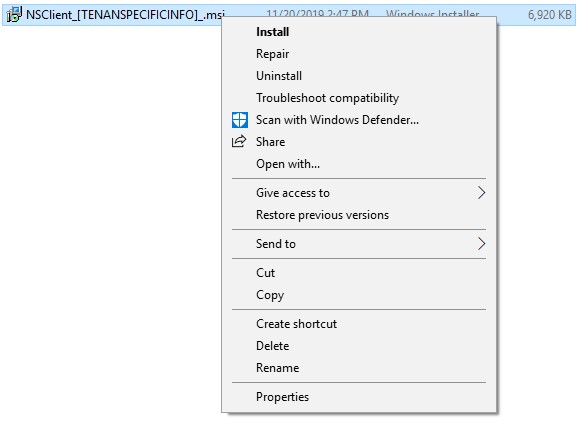 註:
註:[TENANTSPECIFICINFO]= 指派給 Netskope 租戶的名稱 - 按一下詳細資料標籤。

- 版本位於 「主旨」中。記下版本。在範例中,版本是 69.2.0.373。
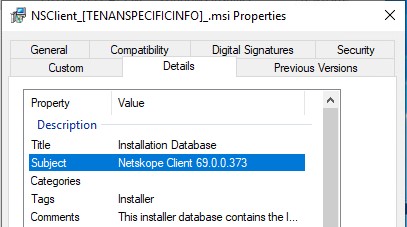 注意:版本可能會與以上範例不同。
Mac
Mac Netskope 用戶端版本可透過以下方式識別:
如需詳細資訊,請按一下適當的方法。
UI
- 登入 Mac 電腦。
- 在功能表列中,選取 Netskope 用戶端圖示,然後選取 關於。
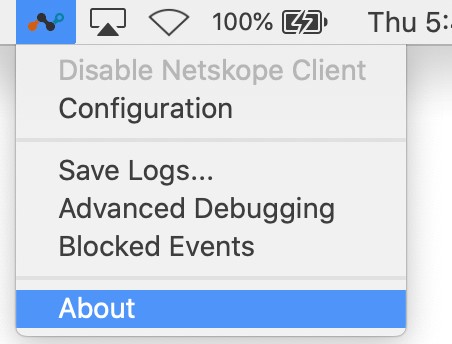
- 記下版本。在範例中,版本是 70.0.0.391。
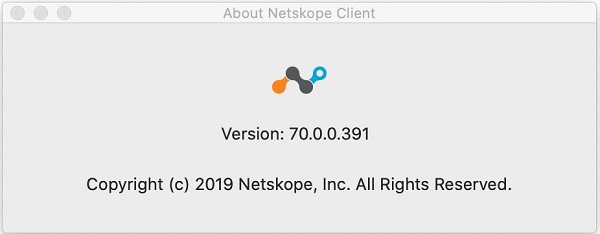 注意:版本可能會與以上範例不同。
終端機
- 從 Apple 選單中,按一下前往,然後選取工具程式。
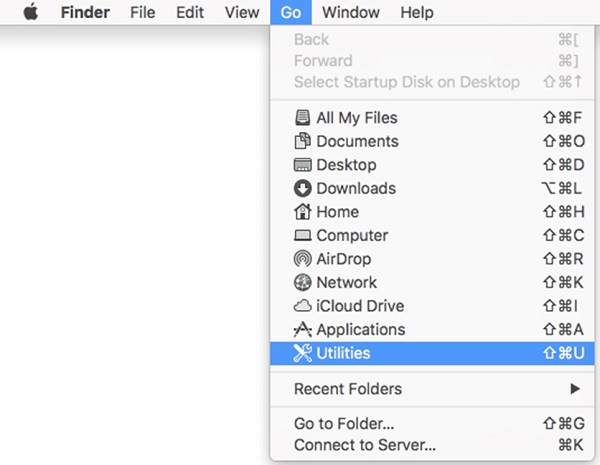
- 在 「工具程式 」功能表中,按兩下 終端機。
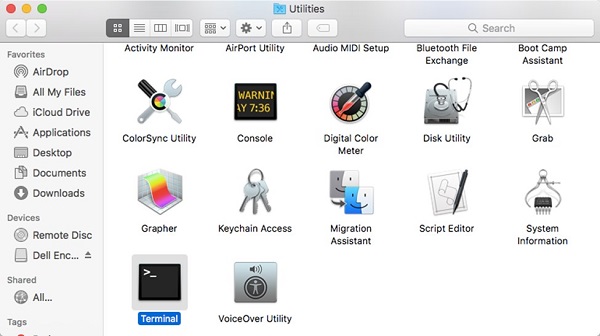
- 在 終端機中,輸入
defaults read /Library/Application\ Support/Netskope/STAgent/Netskope\ Client.app/Contents/Info.plist CFBundleShortVersionString然後按下 Enter 鍵。

- 記下版本。在範例中,產品版本是 70.0.0.391。
 注意:版本可能會與以上範例不同。
 - 類型
exit然後按下 Enter 鍵。
Android
Android Netskope 用戶端版本可透過使用者介面 (UI) 識別。
- 選取 Netskope 用戶端 應用程式。

- 選擇右側的下拉清單,然後選擇 “設置”。

- 找到 應用程式資訊 ,然後記 下版本。在範例中, 版本是 70.0.0.391。
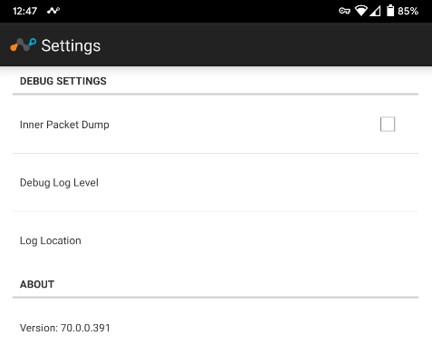 注意:版本可能會與以上範例不同。
Informations supplémentaires
Vidéos
Produits concernés
NetskopePropriétés de l’article
Numéro d’article: 000130781
Type d’article: How To
Dernière modification: 31 août 2026
Version: 15
Trouvez des réponses à vos questions auprès d’autres utilisateurs Dell
Services de support
Vérifiez si votre appareil est couvert par les services de support.