Dell ESA 7.0 PAK Manager PAKファイルDellEMCEnterpriseStorageAnalytics-7.0.0-build-2260_signed.pakはzip形式ではありません。
Résumé: PAK Manager PAKファイルDellEMCEnterpriseStorageAnalytics-7.0.0-build-2260_signed.pakはzip形式ではありません。
Cet article concerne
Cet article ne concerne pas
Cet article n’est associé à aucun produit spécifique.
Toutes les versions du produit ne sont pas identifiées dans cet article.
Symptômes
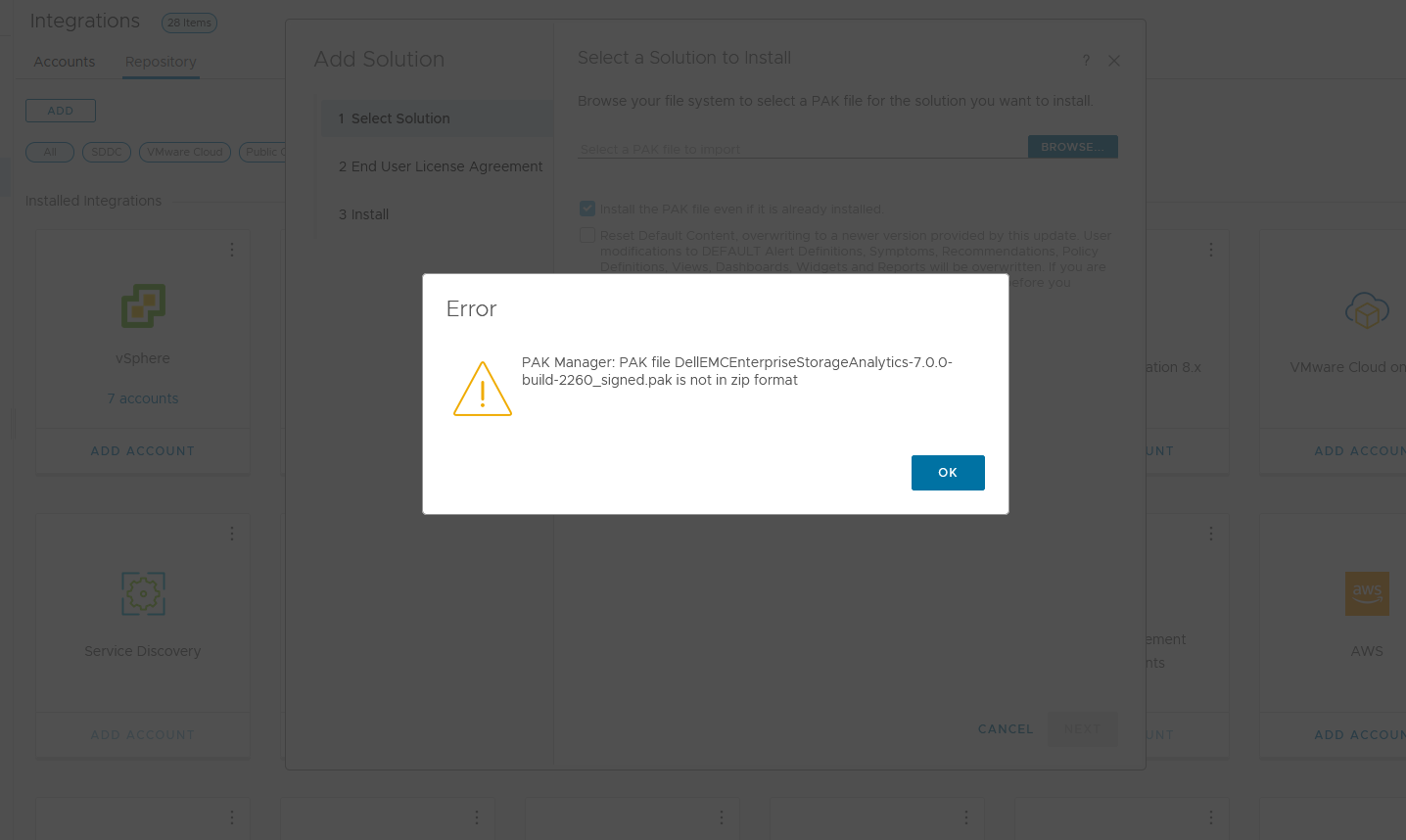
VMware vRealize Operations (vROps)で、このPAKファイルDellEMCEnterpriseStorageAnalytics-7.0.0-build-2260_signed.pakをアップロードしようとすると、次のメッセージが表示され続けます。
PAK Manager: PAK file DellEMCEnterpriseStorageAnalytics-7.0.0-build-2260_signed.pak is not in zip format.または
PAK Manager: PAK file reservedTemp_2696460655826554461.pak is not in zip format
Cause
ダウンロードしたpakファイルが破損しています。
Résolution
ダウンロードしたファイルを使用する前に、チェックサムを実行してファイルの整合性を確認することをお勧めします。
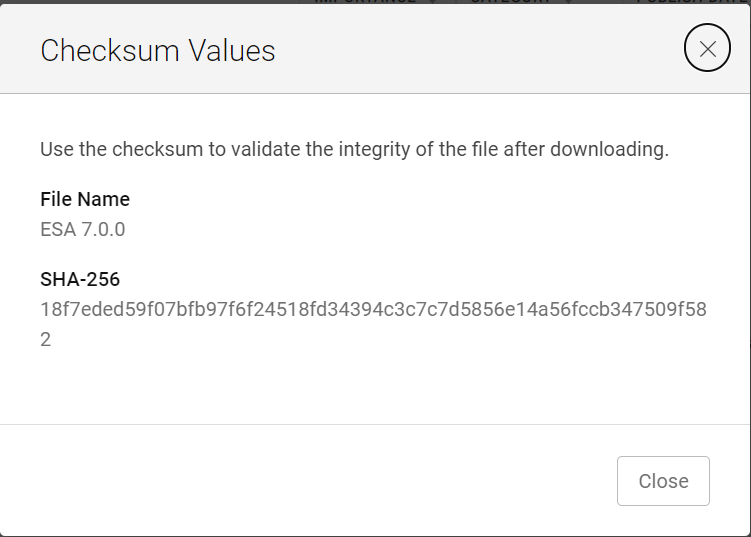
1.ESA 7.0ファイル(DellEMCEnterpriseStorageAnalytics-7.0.0-build-2260_signed.pak)をダウンロードし、そのチェックサム値を取得します。
2.PowerShellを呼び出す
3.Checksumを実行して、ダウンロードしたファイルの英数字のChecksum値がWebサイトに記載されている値と一致することを確認します。

4.インストール
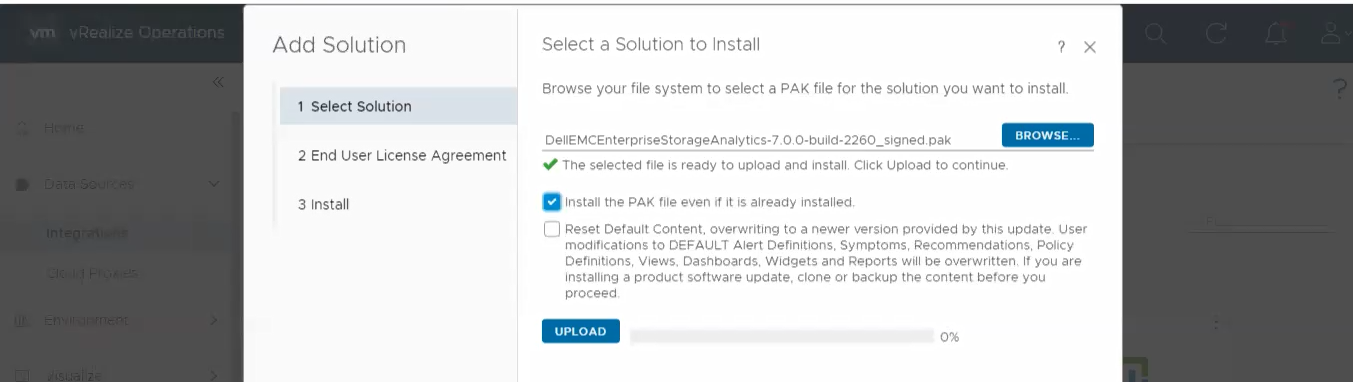
するソリューションの選択 5.[UPLOAD]をクリックして、検証済みのファイルが正常にアップロードされたことを確認します。
1.ESA 7.0ファイル(DellEMCEnterpriseStorageAnalytics-7.0.0-build-2260_signed.pak)をダウンロードし、そのチェックサム値を取得します。
2.PowerShellを呼び出す
入力:
Press winkey+ R.
Type cmd.
The command prompt is opened.
Type PowerShell and press enter.
3.Checksumを実行して、ダウンロードしたファイルの英数字のChecksum値がWebサイトに記載されている値と一致することを確認します。
4.インストール
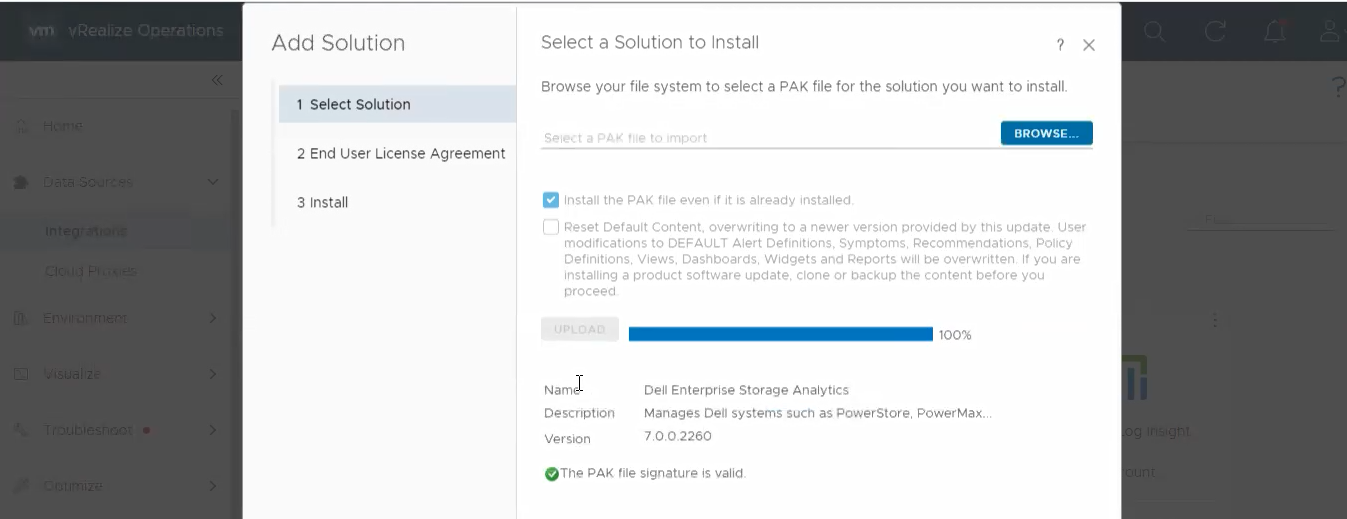
するソリューションの選択 5.[UPLOAD]をクリックして、検証済みのファイルが正常にアップロードされたことを確認します。
Propriétés de l’article
Numéro d’article: 000204311
Type d’article: Solution
Dernière modification: 12 mars 2024
Version: 2
Trouvez des réponses à vos questions auprès d’autres utilisateurs Dell
Services de support
Vérifiez si votre appareil est couvert par les services de support.