如何为 Dell Data Security 服务器计划托管报告
Résumé: 可按照以下说明在 Dell Data Security 服务器上计划托管报告。
Cet article concerne
Cet article ne concerne pas
Cet article n’est associé à aucun produit spécifique.
Toutes les versions du produit ne sont pas identifiées dans cet article.
Symptômes
管理员可以将托管报告设置为发送到 Dell Data Security 服务器(Dell Security Management Server 或 Dell Security Management Server Virtual)的电子邮件收件人列表。
受影响的产品:
- Dell Security Management Server
- Dell Security Management Server Virtual
受影响的版本:
- v10.1.0 及更高版本
Cause
不适用
Résolution
新 托管 或 现有 托管报告可能会计划发送到一个或多个电子邮件地址。单击相应的任务以了解更多信息。
提醒:
- 电子邮件通知要求在 Dell Data Security 服务器上配置 SMTP 设置。
- 有关更多信息,请参阅如何为 Dell Data Security 服务器配置 SMTP 设置。
全新
- 登录到 Dell Data Security 管理控制台。
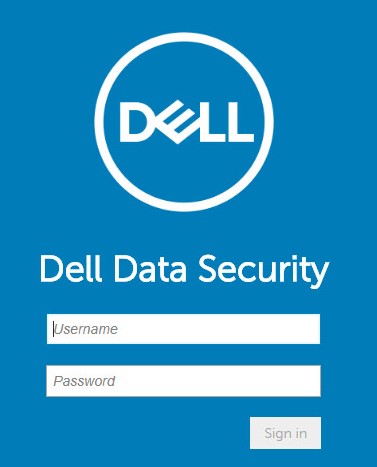
提醒:有关更多信息,请参阅 如何访问 Dell Data Security Server 管理控制台 。
- 从左侧菜单窗格中,单击 Reporting,然后单击 Manage Reports。

- 单击 Create New Report 下拉列表,然后选择相应的报告。
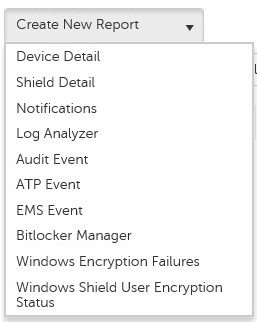
- 对默认报告筛选器进行任何更改。完成后,单击 Save As。

- 从“Report - Save As”菜单中:
- 填充报告名称。
- 填充描述。
- (可选)选中 Private。
- 单击 Save。
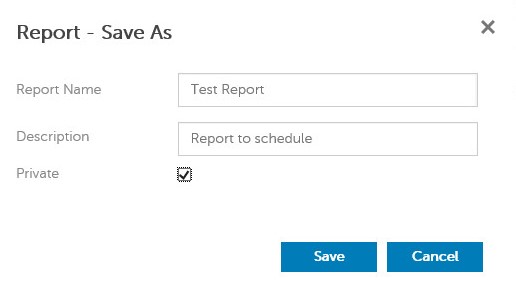
提醒:只有所有者和报告管理员可以查看私有报告。
- 单击 Schedule。

- 单击 Add Schedule。

- 在“Add Schedule”菜单中:
- 填写电子邮件以接收报告。
- 为要运行的报告选择计划。
- 选择运行的时间。
- 选择区域设置。
- 单击 Save。
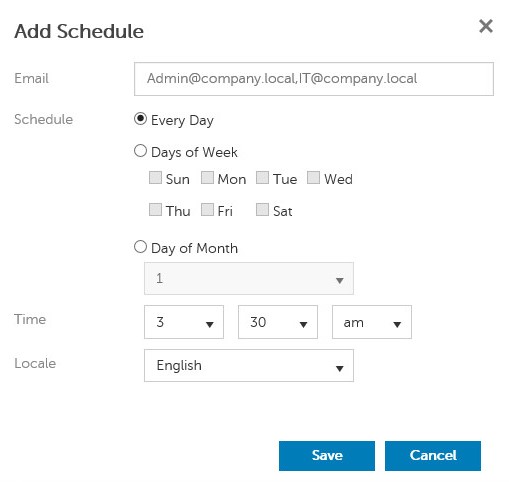
提醒:多个电子邮件地址可以用逗号分隔。
现有报告
- 登录到 Dell Data Security 管理控制台。
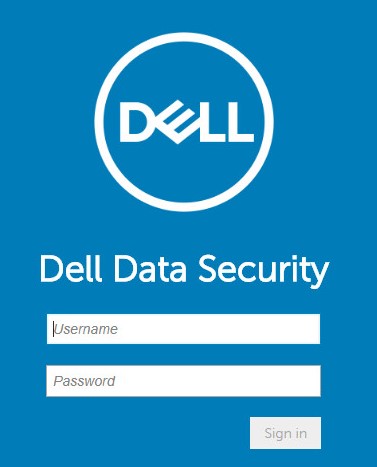
提醒:有关更多信息,请参阅 如何访问 Dell Data Security Server 管理控制台 。
- 从左侧菜单窗格中,单击 Reporting,然后单击 Manage Reports。
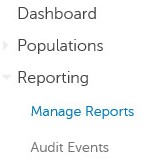
- 选择要计划的报告。

提醒:您环境中的报告信息(名称、描述和报告类型)可能有所不同。
- 单击 Schedule。

- 单击 Add Schedule。

- 在“Add Schedule”菜单中:
- 填写电子邮件以接收报告。
- 为要运行的报告选择计划。
- 选择运行的时间。
- 选择区域设置。
- 单击 Save。
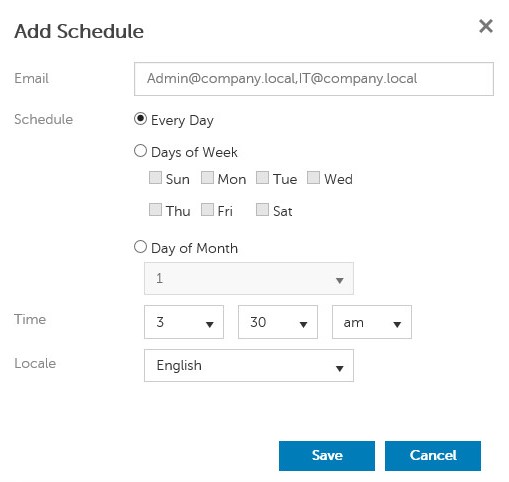
提醒:多个电子邮件地址可以用逗号分隔。
要联系支持部门,请参阅 Dell Data Security 国际支持电话号码。
转至 TechDirect,在线生成技术支持请求。
要获得更多见解和资源,请加入戴尔安全社区论坛。
Produits concernés
Dell EncryptionPropriétés de l’article
Numéro d’article: 000125166
Type d’article: Solution
Dernière modification: 23 Oct 2023
Version: 8
Trouvez des réponses à vos questions auprès d’autres utilisateurs Dell
Services de support
Vérifiez si votre appareil est couvert par les services de support.