PowerFlex: Restore PFMP from Backup FAILED When Password Is Not Encoded
Résumé: This article explain how to fix the restore operation failure when password is not encoded as mentioned in the admin guide
Symptômes
When restoring PowerFlex Manager from backup, the passwords must be in base64 encoded format.
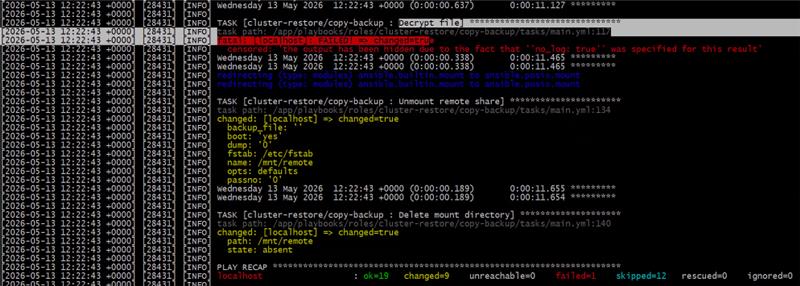
Error example when encryption password is not encoded
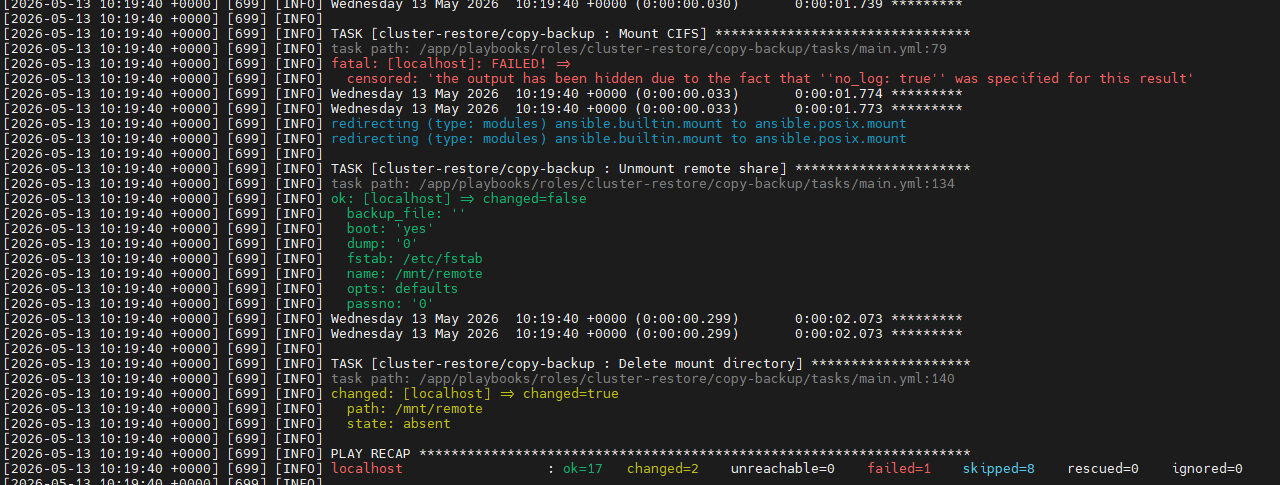
Error example when CIFS password is not encoded
Cause
User entered plain password not encoded password in the following steps
Please enter CIFS password(base64 encoded). Press enter to skip if username is not required:

Please enter encryption password for backup file (base64 encoded):
Résolution
Run the following command to encode the password into base64 encoded format.
echo -n 'MyPassword' | base64Replace Mypassword which the password to be encoded, make sure to put the password between 2 single quotes ' '
Example:

In this Example password was encoded into cGFzc3dvcmQ=
Rerun the restoration script and make sure to use the new encoded password when asked and not your plain password
Please enter CIFS password(base64 encoded). Press enter to skip if username is not required: cGFzc3dvcmQ=

Please enter encryption password for backup file (base64 encoded): cGFzc3dvcmQ=
Informations supplémentaires
Full Steps to Restore PowerFlex manager can be found in the following Guide Dell PowerFlex Manager 4.8.x User Guide
Restoring PowerFlex Manager
Restoring PowerFlex Manager returns user-created data to an earlier configuration that is saved in a backup file. To restore from a backup, you must run a script outside of PowerFlex Manager. The user interface does not support the ability to restore from a backup.
Prerequisites
Before you begin the restore procedure, you must satisfy these prerequisites:
- The restore cluster must be exactly the same PowerFlex version and Kubernetes version.
- The restore cluster must have exactly the same IP addresses and configuration.
The cluster configuration must be the same as the cluster configuration where the backup was taken.
- All Kubernetes nodes must have the same IP addresses.
- All Kubernetes nodes must have the same names.
- All LoadBalancer IP addresses must be the same.
- Log in to the node where the PowerFlex Manager platform installer was initially run.
- Run the restore script that is included with the installer bundle:
./restore_backup.sh- Provide details as needed to complete the execution of the script.
You will be prompted to provide the SSH username and password. In addition, you will be asked to specify whether the passwords are the same for all nodes, and also provide the location of the backup file and the encrypted password for the file. You may also be asked to provide the CIFS username and password. The CIFS credentials may not be required for a CIFS share that allows for anonymous access.Note: The passwords must be in base64 encoded format.
To encode the password into base64 use the following command
echo -n 'MyPassword' | base64Replace Mypassword which the password to be encoded , make sure to put the password between 2 single qoutes ' '
Example:
echo -n 'example' | base64
ZXhhbXBsZQ==
To complete the execution of the restore script, you must specify whether the restore operation will be performed on an existing cluster or a new cluster.
Here is a snippet that shows a sample run of the restore script:
[root@sheetal-installer scripts]# ./restore_backup.sh

/usr/local/lib/python3.8/site-packages/paramiko/transport.py:236: CryptographyDeprecationWarning: Blowfish has been deprecated "class": algorithms.Blowfish, Installation logs are available at <Bundle root>/PFMP_Installer/logs/ directory. More detailed logs are available at <Bundle root>/atlantic/logs/ directory. PFMP Installer is about to reset a PFMP cluster based on the configuration specified in the PFMP_Config.json.

Please enter the ssh username for the nodes specified in the PFMP_Config.json[root]:root

Are passwords the same for all the cluster nodes[Y]?:Y

Please enter the ssh password for the nodes specified in the PFMP_Config.json. Password:

Please enter backup file location - Example CIFS: \\1.2.3.4\Lab\backup\file.tgz

Please enter CIFS username. Press enter to skip if username is not required:administrator

Please enter CIFS password(base64 encoded). Press enter to skip if username is not required: UmFpZDR1cyE=

Please enter encryption password for backup file (base64 encoded): UmFpZDR1cyE=

Perform restore on existing cluster? Please enter yes/y or no/n :
The restore process prints status information until the restore is complete.