AppSync: Uploading the license in AppSync UI displays an error "Adding the license file failed due to undefined."
Résumé: Uploading an AppSync license file in UI using a browser other than Chrome (IE or Firefox), where the file name format is "ArrayName_APPSY_XXXX_DATE.lic" displays an error.
Cet article concerne
Cet article ne concerne pas
Cet article n’est associé à aucun produit spécifique.
Toutes les versions du produit ne sont pas identifiées dans cet article.
Symptômes
Uploading license file in AppSync UI using browser other than Chrome returns error:
Here is the actual message display:
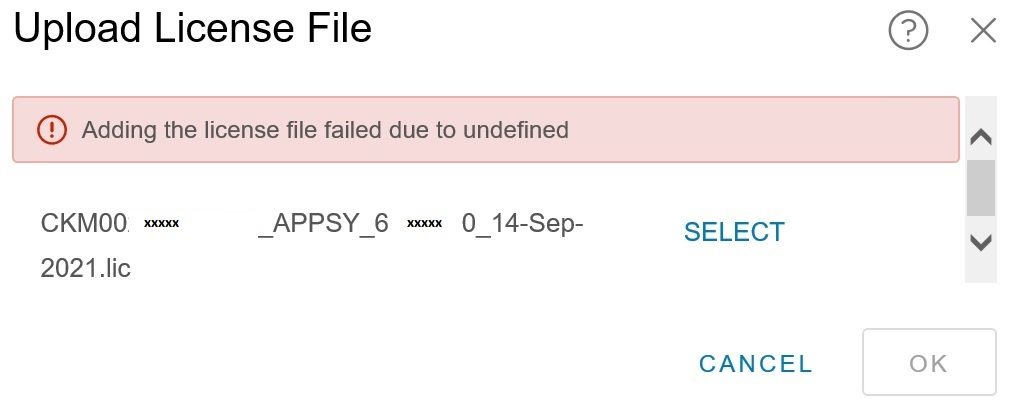
Adding the license file failed due to undefined.
Cause
The specific cause is not known. However, it was determined that the error was browser-related. The error displayed only when uploading the license file through AppSync UI opened in Internet Explorer or Mozilla Firefox.
Résolution
Workaround:
Use a Chrome browser to access the AppSync UI to upload a license.
Use a Chrome browser to access the AppSync UI to upload a license.
Propriétés de l’article
Numéro d’article: 000191818
Type d’article: Solution
Dernière modification: 28 Oct 2025
Version: 3
Trouvez des réponses à vos questions auprès d’autres utilisateurs Dell
Services de support
Vérifiez si votre appareil est couvert par les services de support.