Dell Data Protection Encryption Message is Displayed "Encryption Administrator Password"
Résumé: Customer may report an "Encryption Administrator Password" message occurs on every startup or reboot on computers with Dell Encryption (formerly Dell Data Protection | Encryption) installed. ...
Symptômes
Affected Products:
- Dell Encryption
- Dell Data Protection | Encryption
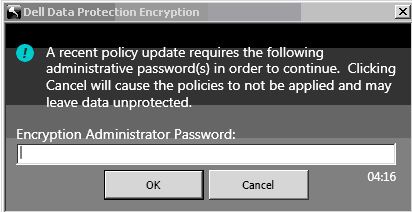
Figure 1: (English Only) Encryption Administrator Password
This issue occurs after changing any policy, password, or client user changes including adding a client user. Next to the Key Backup icon within the UI a yellow circle with an exclamation appears indicating Key Backup is required.
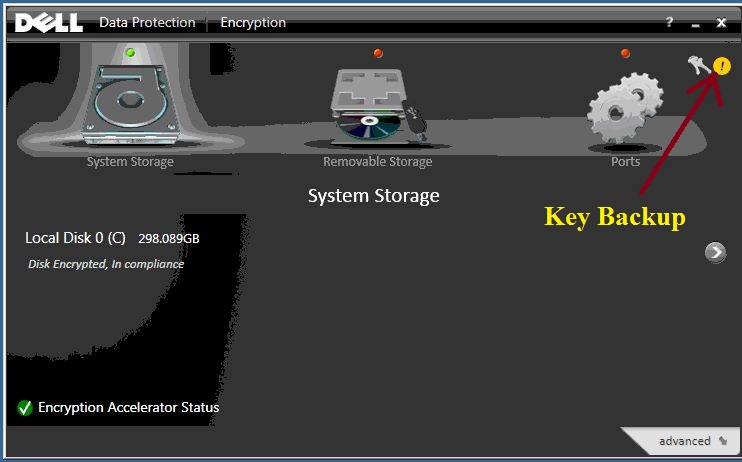
Figure 2: (English Only) Dell Data Protection | Encryption status
Cause
Not Applicable
Résolution
To eliminate the persistent message from being displayed, double-click the Key Backup icon and follow the on-screen instructions through completion.
To contact support, reference Dell Data Security International Support Phone Numbers.
Go to TechDirect to generate a technical support request online.
For additional insights and resources, join the Dell Security Community Forum.