Cómo descargar el desinstalador de Dell Data Security
Résumé: Obtenga información sobre cómo descargar el desinstalador de Dell Data Security siguiendo estas instrucciones.
Cet article concerne
Cet article ne concerne pas
Cet article n’est associé à aucun produit spécifique.
Toutes les versions du produit ne sont pas identifiées dans cet article.
Instructions
Nota:
- Es posible que los productos enumerados en los productos afectados no se encuentren en un estado activo. A fin de obtener información actualizada acerca del soporte para un producto, consulte Política de ciclo de vida útil (final del ciclo de vida/fin del soporte) de productos para Dell Data Security. Si tiene preguntas sobre artículos alternativos, comuníquese con el equipo de ventas o al correo endpointsecurity@dell.com.
- Consulte Endpoint Security para obtener información adicional acerca de los productos actuales.
El desinstalador de Dell Data Security proporciona un método de eliminación optimizado para los productos afectados de Dell Data Security de Windows (anteriormente Dell Data Protection). En este artículo, se proporcionan los pasos para obtener el desinstalador de Dell Data Security de estos productos.
Productos afectados:
- Dell Encryption Enterprise
- Dell Data Protection | Edición Enterprise
- Dell Encryption Personal
- Dell Data Protection | Personal Edition
- Dell Encryption External Media
- Dell Data Protection | External Media Edition
- Dell Data Guardian
- Dell Encryption Enterprise Self-Encrypting Drive Manager
- Dell BitLocker Manager
- Dell Full Disk Encryption
- Dell Data Protection | Secure Lifecycle
- Dell Data Protection | Cloud Edition
- Dell Endpoint Security Suite Enterprise
- Dell Endpoint Security Suite Pro
- Dell Threat Defense
- Dell Data Protection | Server Encryption
- Dell Data Protection | Security Tools
Versiones afectadas:
- v8.0.X y versiones posteriores
Sistemas operativos afectados:
- Windows
- En un navegador web, vaya a https://www.dell.com/support/home/.
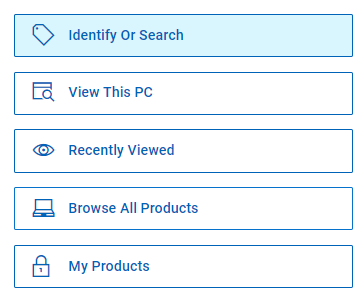
- Haga clic en Browse All Products.
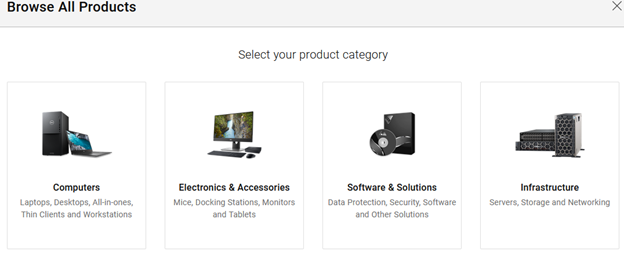
- Haga clic en Software & Solutions.
- Haga clic en Seguridad.

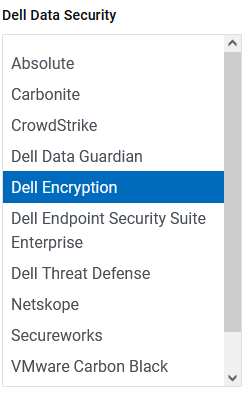
- Haga clic en Dell Data Security.

- Haga clic en Dell Encryption.
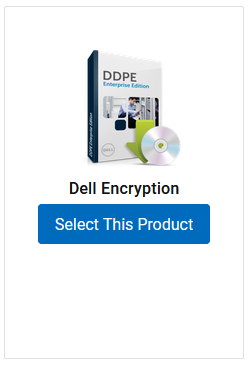
- Haga clic en Seleccionar este producto.
- Haga clic en Drivers & Downloads (Controladores y descargas).

- En el menú desplegable Operating system, seleccione Windows 7 [X-bit], Windows 8 [X-bit], Windows 8.1 [X-bit], Windows 10 [X-bit] o Windows 11.

- A la derecha del desinstalador de Dell Data Guardian, haga clic en Download.
 La fecha de lanzamiento puede ser distinta de la captura de pantalla anterior.
Produits concernés
Dell Data Guardian, Dell Encryption, Dell Threat Defense, Dell Endpoint Security Suite Pro, Dell Endpoint Security Suite EnterprisePropriétés de l’article
Numéro d’article: 000130754
Type d’article: How To
Dernière modification: 05 août 2026
Version: 15
Trouvez des réponses à vos questions auprès d’autres utilisateurs Dell
Services de support
Vérifiez si votre appareil est couvert par les services de support.