Como fazer download do desinstalador do Dell Data Security
Résumé: Saiba como fazer download do desinstalador do Dell Data Security seguindo estas instruções.
Cet article concerne
Cet article ne concerne pas
Cet article n’est associé à aucun produit spécifique.
Toutes les versions du produit ne sont pas identifiées dans cet article.
Instructions
Nota:
- Os produtos listados em Affected Products podem não estar em um estado Active. Para obter informações atualizadas sobre o suporte a um produto, consulte a Política de ciclo de vida do produto (fim do suporte/fim da vida útil) para o Dell Data Security. Se você tiver alguma dúvida sobre artigos alternativos, entre em contato com sua equipe de vendas ou envie um e-mail para endpointsecurity@dell.com.
- Consulte Segurança de endpoints para obter mais informações sobre os produtos atuais.
O Desinstalador do Dell Data Security tem um método de remoção simplificado para os Produtos afetados listados do Windows Dell Data Security (anteriormente, Dell Data Protection). Este artigo apresenta as etapas para obter o desinstalador do Dell Data Security para esses produtos.
Produtos afetados:
- Dell Encryption Enterprise
- Dell Data Protection | Enterprise Edition
- Dell Encryption Personal
- Dell Data Protection | Personal Edition
- Dell Encryption External Media
- Dell Data Protection | External Media Edition
- Dell Data Guardian
- Dell Encryption Enterprise Self-Encrypting Drive Manager
- Dell BitLocker Manager
- Dell Full Disk Encryption
- Dell Data Protection | Secure Lifecycle
- Dell Data Protection | Cloud Edition
- Dell Endpoint Security Suite Enterprise
- Dell Endpoint Security Suite Pro
- Dell Threat Defense
- Dell Data Protection | Server Encryption
- Dell Data Protection | Security Tools
Versões afetadas:
- v8.0.X e versões posteriores
Sistemas operacionais afetados:
- Windows
- Em um navegador da Web, acesse https://www.dell.com/support/home.
- Clique em Procurar todos os produtos.
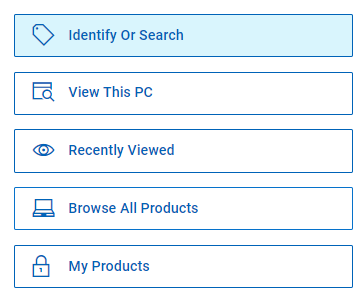
- Clique em Software e soluções.
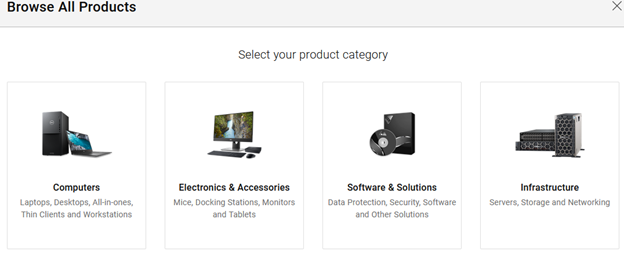
- Clique em Security.

- Clique em Dell Data Security.

- Clique em Dell Encryption.
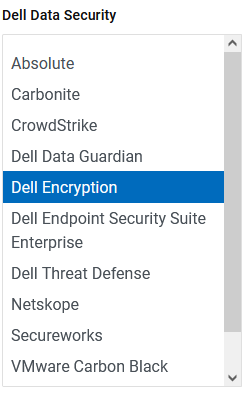
- Clique em Selecionar este produto.
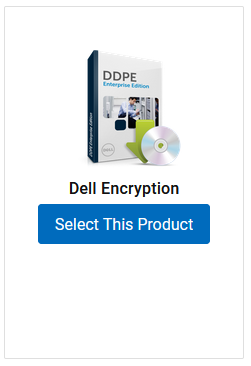
- Clique em Drivers & Downloads (Drivers e downloads).

- No menu suspenso Sistema operacional, selecione Windows 7 [X-bit], Windows 8 [X-bit], Windows 8.1 [X-bit], Windows 10 [X-bit] ou Windows 11.

- À direita do desinstalador do Dell Data Security, clique em Download.
 A data da versão pode ser diferente da captura de tela acima.
Produits concernés
Dell Data Guardian, Dell Encryption, Dell Threat Defense, Dell Endpoint Security Suite Pro, Dell Endpoint Security Suite EnterprisePropriétés de l’article
Numéro d’article: 000130754
Type d’article: How To
Dernière modification: 05 août 2026
Version: 15
Trouvez des réponses à vos questions auprès d’autres utilisateurs Dell
Services de support
Vérifiez si votre appareil est couvert par les services de support.