如何从 Dell Data Security 主安装程序中解压子安装程序
Résumé: 可以按照以下说明从 Dell Data Security 主安装程序中解压子安装程序。
Cet article concerne
Cet article ne concerne pas
Cet article n’est associé à aucun produit spécifique.
Toutes les versions du produit ne sont pas identifiées dans cet article.
Symptômes
提醒:
- 从 2022 年 5 月起,Dell Endpoint Security Suite Enterprise 停止维护。戴尔不再更新本产品及其文章。
- 从 2019 年 1 月起,Dell Endpoint Security Suite Pro 停止维护。戴尔不再更新本产品及其文章。
- 有关详细信息,请参阅 戴尔数据安全产品生命周期(支持终止和停售)政策。如果您对其他文章有任何疑问,请联系您的销售团队或联系 endpointsecurity@dell.com。
- 请参阅端点安全性,了解有关当前产品的其他信息。
本文讨论如何从 Dell Data Security(原 Dell Data Protection)主安装程序中解压子安装程序。
受影响的产品:
- Dell Encryption Enterprise
- Dell Data Protection | Enterprise Edition
- Dell Encryption Personal
- Dell Data Protection | Personal Edition
- Dell Endpoint Security Suite Enterprise
- Dell Endpoint Security Suite Pro
Cause
不适用
Résolution
Dell Data Security 使用包含软件的各个子安装程序的主安装程序。主安装程序称为 DDSSetup.exe(以前称为 DDPSetup.exe)或 DDSSuite.exe(以前称为 DDPSuite.exe)。
Dell Data Security 产品的主安装程序:
- DDSSetup.exe (Dell Encryption Enterprise)
- DDSSetup.exe (Dell Encryption Personal)
- DDSSuite.exe (Dell Endpoint Security Suite Enterprise)
- DDSSuite.exe (Dell Endpoint Security Suite Pro)
传统 Dell Data Protection 产品的主安装程序:
- DDPSetup.exe (Dell Data Protection | Enterprise Edition)
- DDPSetup.exe (Dell Data Protection | Personal Edition)
- DDPSuite.exe (Dell Data Protection | Endpoint Security Suite)
- DDPSuite.exe (Dell Data Protection | Endpoint Security Suite Enterprise)
单击相应的主安装程序,了解有关解压子安装程序的步骤。
提醒:有关获取 DDPSetup.exe 的信息,请参阅如何下载 Dell Encryption Enterprise 或 Dell Encryption Personal。
- 右键单击 Windows 的“开始”菜单,然后单击运行。
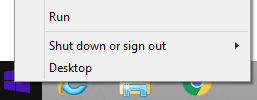
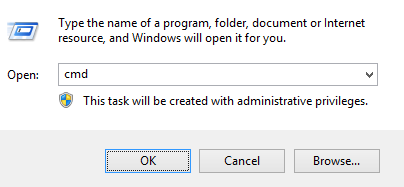
- 在“运行”UI 中,键入
cmd,然后按确定。这将打开命令提示符。
- 在命令提示符中,通过键入
CD "[LOCATION of DDSSetup.EXE]"并按 Enter 键,转至 DDSSuite.exe 的位置。
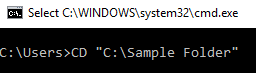
提醒:屏幕截图中的位置是一个示例,在您的环境中可能有所不同。
- 键入
DDSSetup.exe /z"\"EXTRACT_INSTALLERS=C:\extracted\"",然后按 Enter 键。这会将子安装程序解压到C:\Extracted。

提醒:
- Windows 要求指定的路径
EXTRACT_INSTALLER小于 256 个字符。 - 如果字符限制在解压过程中导致问题,请重试解压到桌面上的文件夹,以减少路径中使用的字符数。
- 在示例中,
C:\extracted是指定的EXTRACT_INSTALLER路径。
- 如果启用了用户帐户控制 (UAC),请单击 Yes 以打开 DDSSetup.exe。如果禁用了 UAC,请转至步骤 6。
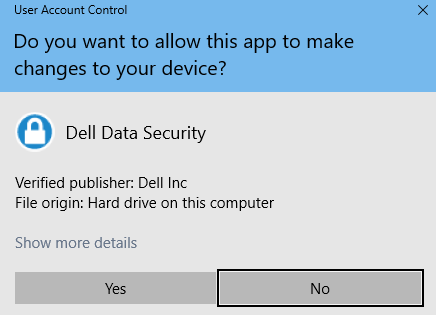
- 主安装程序解压子安装程序。完成后,单击 Finish 关闭 InstallShield 向导。
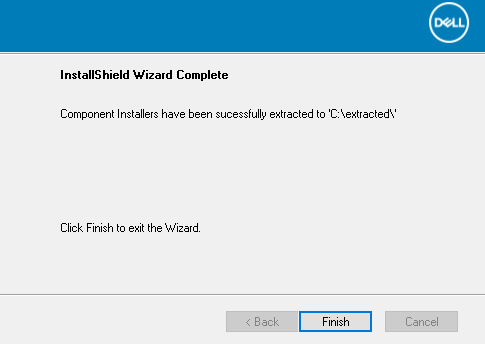
- 子安装程序位于步骤 4 的目录中。
提醒:有关获取 DDPSetup.exe 的信息,请参阅如何下载 Dell Encryption Enterprise 或 Dell Encryption Personal。
- 右键单击 Windows 的“开始”菜单,然后单击运行。
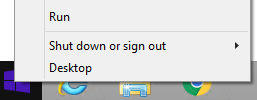
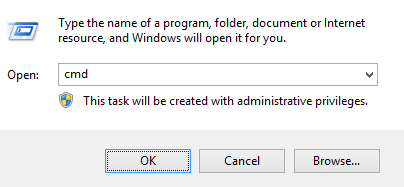
- 在“运行”UI 中,键入
cmd,然后按确定。这将打开命令提示符。
- 在命令提示符中,通过键入
CD "[LOCATION of DDSSUITE.EXE]"并按 Enter 键,转至 DDSSuite.exe 的位置。
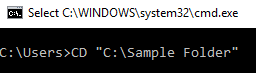
提醒:屏幕截图中的位置是一个示例,在您的环境中可能有所不同。
- 键入
DDSSuite.exe /z"\"EXTRACT_INSTALLERS=C:\extracted\"",然后按 Enter 键。这会将子安装程序解压到C:\Extracted。

提醒:
- Windows 要求指定的路径
EXTRACT_INSTALLER小于 256 个字符。 - 如果字符限制在解压过程中导致问题,请重试解压到桌面上的文件夹,以减少路径中使用的字符数。
- 在示例中,
C:\extracted是指定的EXTRACT_INSTALLER路径。
- 如果启用了用户帐户控制 (UAC),请单击 Yes 以打开 DDSSuite.exe。如果禁用了 UAC,请转至步骤 6。
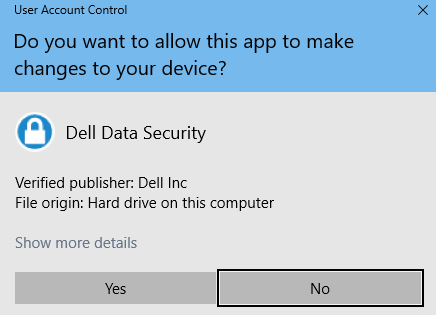
- 主安装程序解压子安装程序。完成后,单击 Finish 关闭 InstallShield 向导。
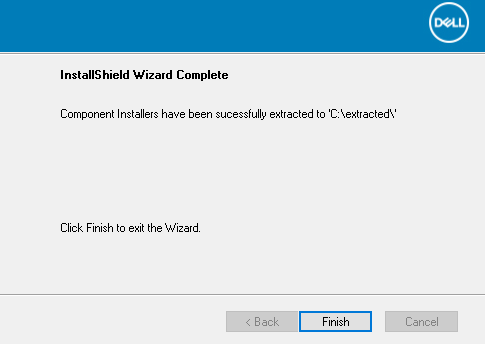
- 子安装程序位于步骤 4 的目录中。
提醒:有关获取 DDPSetup.exe 的信息,请参阅如何下载 Dell Encryption Enterprise 或 Dell Encryption Personal。
- 右键单击 Windows 的“开始”菜单,然后单击运行。
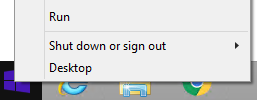
- 在“运行”UI 中,键入
cmd,然后按确定。这将打开命令提示符。
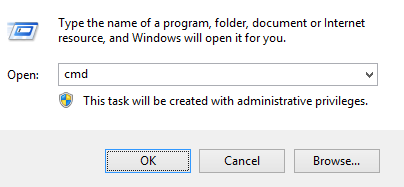
- 在命令提示符中,通过键入
CD "[LOCATION of DDPSETUP.EXE]"并按 Enter 键,转至 DDSSuite.exe 的位置。
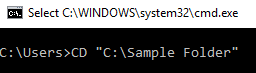
提醒:屏幕截图中的位置是一个示例,在您的环境中可能有所不同。
- 键入
DDPSetup.exe /z"\"EXTRACT_INSTALLERS=C:\extracted\"",然后按 Enter 键。这会将子安装程序解压到C:\Extracted。

提醒:
- Windows 要求指定的路径
EXTRACT_INSTALLER小于 256 个字符。 - 如果字符限制在解压过程中导致问题,请重试解压到桌面上的文件夹,以减少路径中使用的字符数。
- 在示例中,
C:\extracted是指定的EXTRACT_INSTALLER路径。
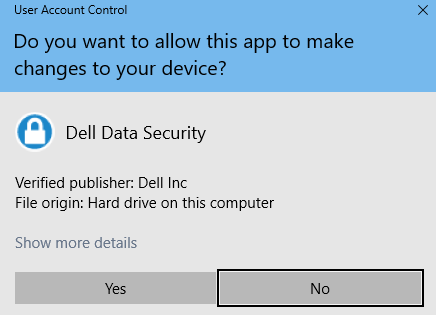
- 如果启用了用户帐户控制 (UAC),请单击 Yes 以打开 DDPSetup.exe。如果禁用了 UAC,请转至步骤 6。
- 安装程序包解压子安装程序。完成后,单击 Finish 关闭 InstallShield 向导。
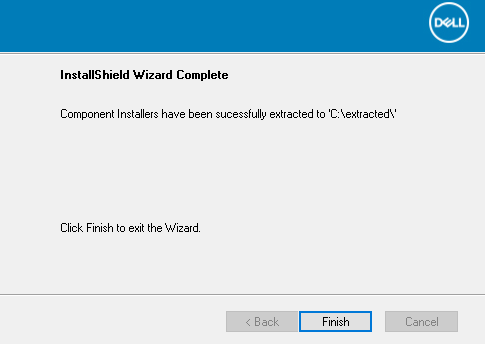
- 子安装程序位于步骤 4 的目录中。
提醒:有关获取 DDPSetup.exe 的信息,请参阅如何下载 Dell Encryption Enterprise 或 Dell Encryption Personal。
- 右键单击 Windows 的“开始”菜单,然后单击运行。
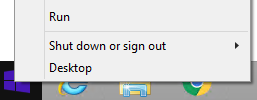
- 在“运行”UI 中,键入
cmd,然后按确定。这将打开命令提示符。
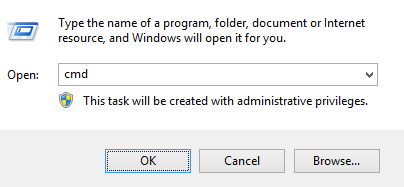
- 在命令提示符中,通过键入
CD "[LOCATION of DDPSUITE.EXE]"并按 Enter 键,转至 DDSSuite.exe 的位置。
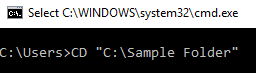
提醒:屏幕截图中的位置是一个示例,在您的环境中可能有所不同。
- 键入
DDPSuite.exe /z"\"EXTRACT_INSTALLERS=C:\extracted\"",然后按 Enter 键。这会将子安装程序解压到C:\Extracted。

提醒:
- Windows 要求指定的路径
EXTRACT_INSTALLER小于 256 个字符。 - 如果字符限制在解压过程中导致问题,请重试解压到桌面上的文件夹,以减少路径中使用的字符数。
- 在示例中,
C:\extracted是指定的EXTRACT_INSTALLER路径。
- 如果启用了用户帐户控制 (UAC),请单击 Yes 以打开 DDPSuite.exe。如果禁用了 UAC,请转至步骤 6。
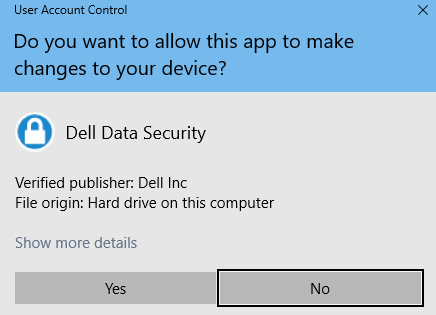
- 主安装程序解压子安装程序。完成后,单击 Finish 关闭 InstallShield 向导。
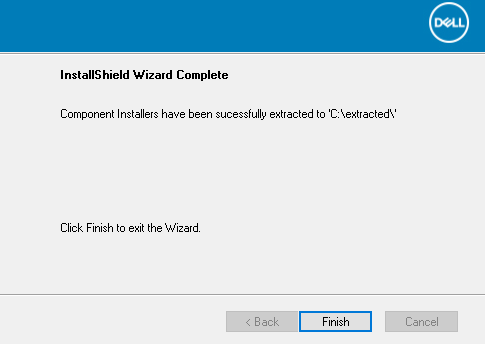
- 子安装程序位于步骤 4 的目录中。
要联系支持部门,请参阅 Dell Data Security 国际支持电话号码。
转至 TechDirect,在线生成技术支持请求。
要获得更多见解和资源,请加入戴尔安全社区论坛。
Informations supplémentaires
Vidéos
Produits concernés
Dell Encryption, Dell Endpoint Security Suite Pro, Dell Endpoint Security Suite EnterprisePropriétés de l’article
Numéro d’article: 000124409
Type d’article: Solution
Dernière modification: 01 Nov 2023
Version: 9
Trouvez des réponses à vos questions auprès d’autres utilisateurs Dell
Services de support
Vérifiez si votre appareil est couvert par les services de support.