Sådan downloader du Dell data Security-afinstallationsprogrammet https://www.dell.com/support/article/sln318621/.
Résumé: Få mere at vide om, hvordan du downloader Dell Data Security-afinstallationsprogrammet ved at følge disse instruktioner.
Cet article concerne
Cet article ne concerne pas
Cet article n’est associé à aucun produit spécifique.
Toutes les versions du produit ne sont pas identifiées dans cet article.
Instructions
Bemærk:
- Produkter, der er angivet under Berørte produkter, er muligvis ikke i en Aktiv tilstand. Du kan få opdaterede oplysninger om support til et produkt i Politik for produktets levetid (slutdato for levetid/slutdato for support) for Dell Data Security. Hvis du har spørgsmål til alternative artikler, kan du kontakte din salgsafdeling eller endpointsecurity@dell.com.
- Se Slutpunktssikkerhed for at få yderligere oplysninger om aktuelle produkter.
Dell Data Security-afinstallationsprogrammet tilbyder en strømlinet fjernelsesmetode til de anførte Windows Dell Data Security-produkter (tidligere Dell Data Protection). Denne artikel indeholder trin til at hente Dell Data Security-afinstallationsprogrammet til disse produkter.
Berørte produkter:
- Dell Encryption Enterprise
- Dell Data Protection | Enterprise Edition
- Dell Encryption Personal
- Dell Data Protection | Mobile Edition
- Dell Encryption External Media
- Dell Data Protection – kryptering af eksterne medier
- Dell Data Guardian
- Dell Encryption Enterprise Self-Encrypting Drive Manager – Aktiv
- Dell BitLocker Manager kræver:
- Dell Full Disk Encryption
- Dell Data Protection | Secure Lifecycle
- Dell Data Protection | Cloud Encryption
- Dell Endpoint Security Suite Enterprise
- Dell Endpoint Security Suite Pro
- Dell Threat Defense
- Dell Data Protection | Cloud Encryption
- Dell Data Protection | Security Tools
Berørte versioner:
- v8.0.X og nyere
Påvirkede operativsystemer:
- Windows
- Gå til https://dellservices.lightning.force.com/lightning/page/home i en webbrowser
- Klik på Se alle produkter.
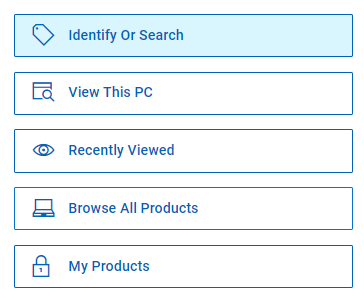
- Klik på Software og løsninger.
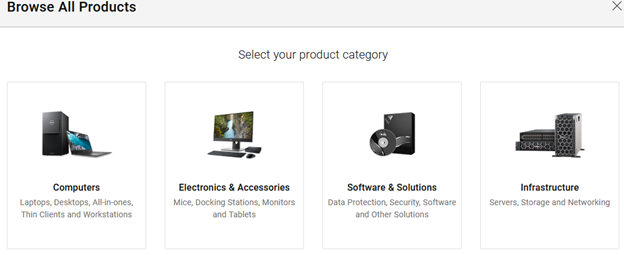
- Klik på Sikkerhed.

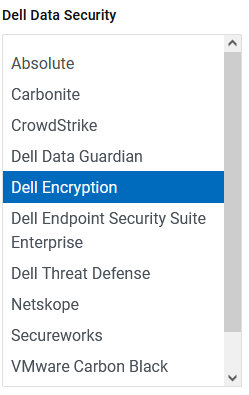
- Klik på Dell Data Security.

- Klik på Dell Encryption.
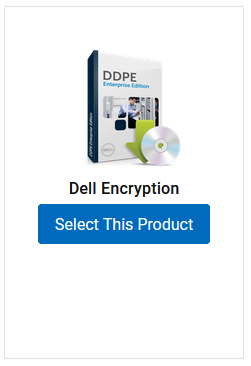
- Klik på Vælg dette produkt.
- Klik på Drivere og Downloads.

- I rullemenuen Operativsystem skal du vælge Windows 7 [X-bit], Windows 8 [X-bit], Windows 8.1 [X-bit], Windows 10 [X-bit] eller Windows 11.

- Klik på Download til højre for Dell Data Guardian.
 Udgivelsesdatoen kan variere fra ovenstående skærmbillede.
Produits concernés
Dell Data Guardian, Dell Encryption, Dell Threat Defense, Dell Endpoint Security Suite Pro, Dell Endpoint Security Suite EnterprisePropriétés de l’article
Numéro d’article: 000130754
Type d’article: How To
Dernière modification: 05 Aug 2026
Version: 15
Trouvez des réponses à vos questions auprès d’autres utilisateurs Dell
Services de support
Vérifiez si votre appareil est couvert par les services de support.