VxRail: VxRail Manager 보안 부팅을 활성화하는 방법
Résumé: VxRail Manager 보안 부팅을 활성화하는 방법에 대한 지침입니다.
Instructions
VxRail 7.0.350에서 사용자는 아래 단계에 따라 VxRail Manager의 보안 부팅을 활성화할 수 있습니다.
이러한 단계를 수행하는 동안 VxRail Manager 및 VxRail 플러그인의 연결이 끊어집니다.
1. VxRail Manager의 호스트를 찾습니다.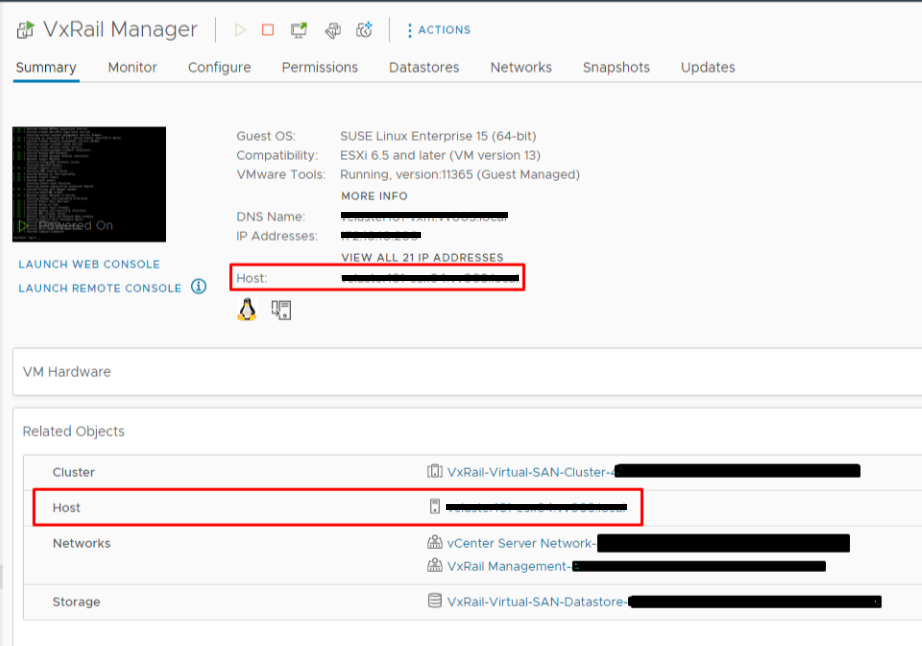
2. vSphere Host Client에 관리자로 로그인하고 "Virtual Machines"를 선택한 다음 VxRail Manager를 종료합니다.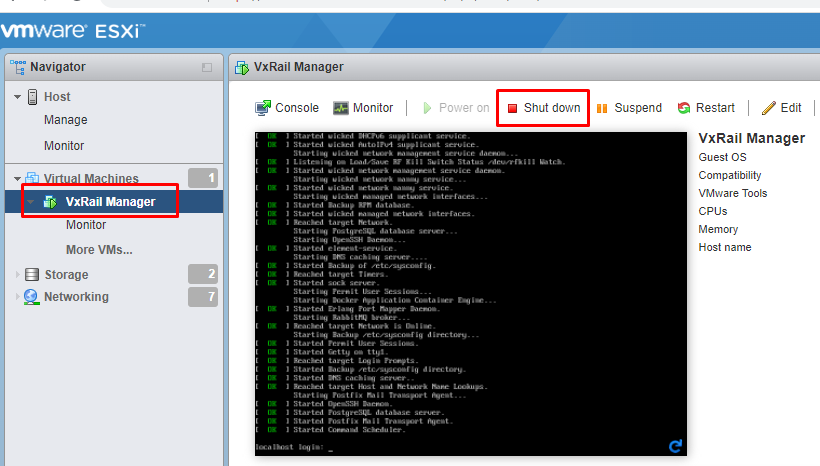
3. VxRail Manager의 전원이 꺼진 후 "Action"을 클릭하고 "Edit Settings"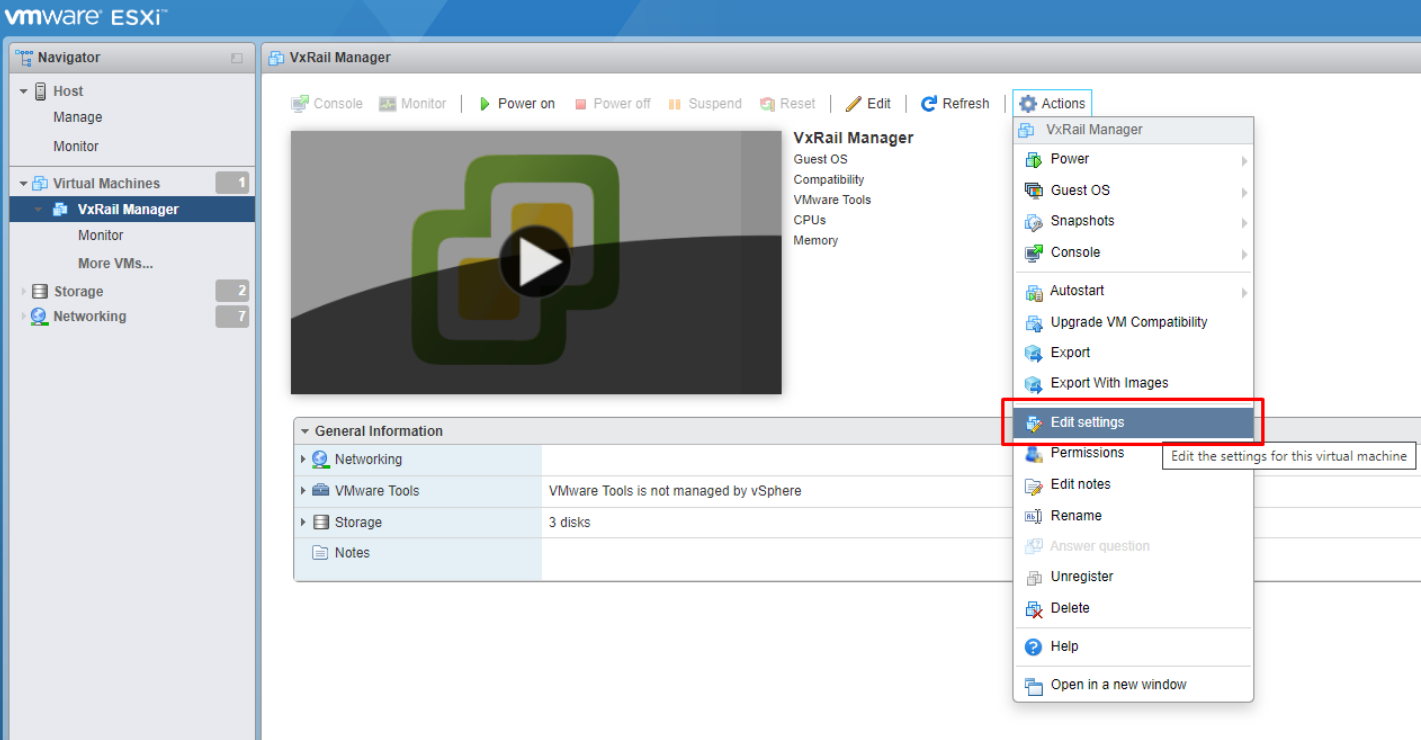
를 선택합니다. 4. "VM 옵션"을 선택합니다. "일반 옵션"을 클릭하고 "게스트 OS 버전"을 "기타 3.x 이상 Linux(64비트)"로 변경한 다음 "저장"을 누릅니다.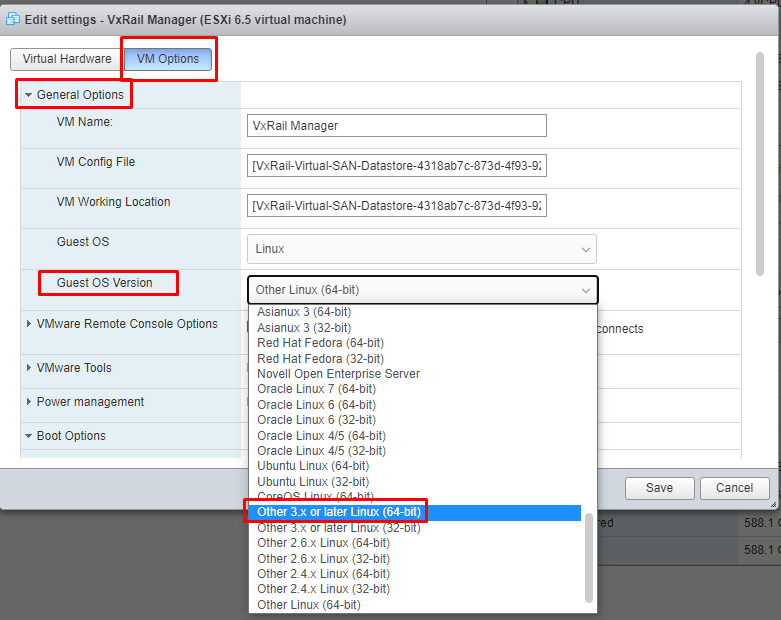
5. "Action"을 클릭하고 "Edit Settings"를 다시 선택한 다음 "VM Options"를 선택합니다. "Boot Options"를 클릭하고 "Firmware"를 "BIOS"에서 "EFI"로 변경한 다음 Save를 클릭합니다.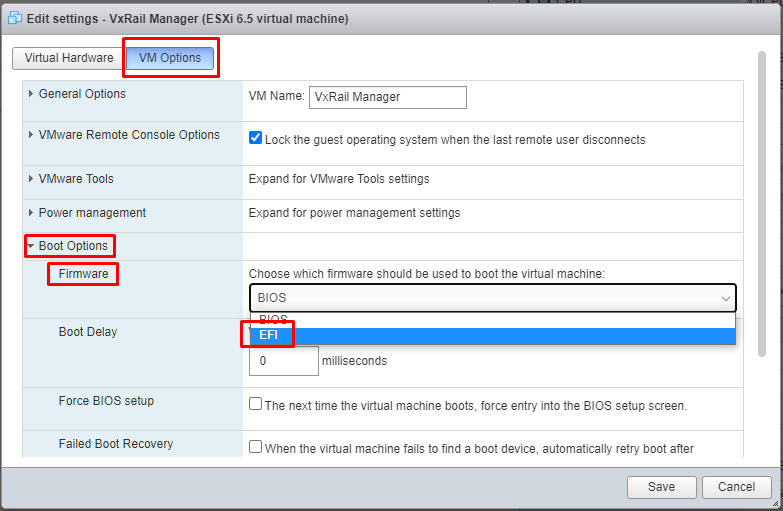
6. VxRail Manager의 전원을 켭니다.
7. VxRail Manager에 루트로 로그인하고 다음 두 명령을 실행하여 보안 부팅을 활성화합니다.
#grub2-mkconfig -o /boot/grub2/grub.cfg
#shim-install --config-file=/boot/grub2/grub.cfg
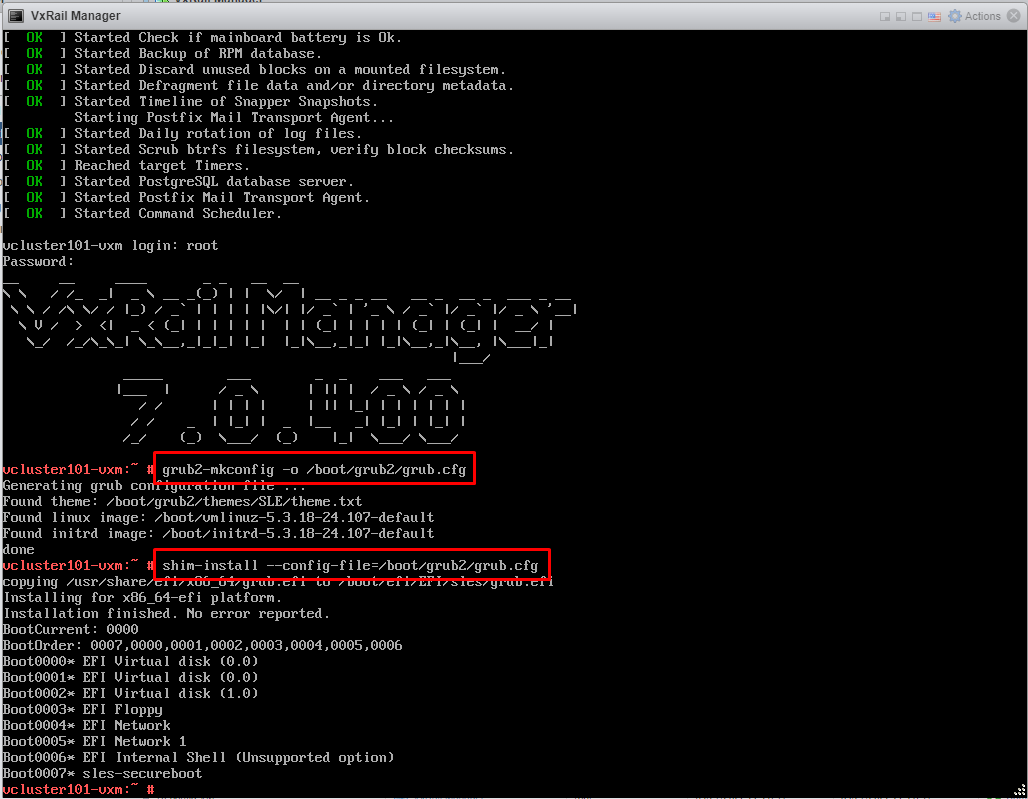
8. VxRail Manager를 종료합니다.
9. "Action"을 클릭하고 "Edit Settings"를 다시 선택한 다음 "VM Options"를 선택합니다. "Boot Options"를 클릭하고 "Enable UEFI secure boot" 확인 버튼을 클릭한 다음 Save를 클릭합니다.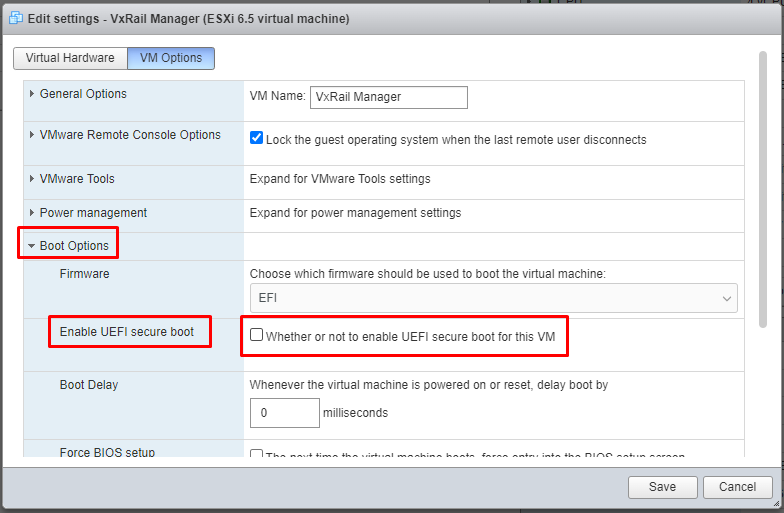
10. VxRail Manager의 전원을 켭니다. VxRail 플러그인이 vCenter에 표시될 때까지 몇 분 정도 기다려야 합니다.
11. VxRail Manager에서 보안 부팅 상태를 확인합니다. 루트 계정으로 아래 명령을 실행합니다.
#od -An -t u1 /sys/firmware/efi/vars/SecureBoot-8be4df61-93ca-11d2-aa0d-00e098032b8c/data
return 1 명령은 보안 부팅이 성공적으로 활성화되었음을 의미합니다.
"/sys/firmware/efi/vars/SecureBoot-8be4df61-93ca-11d2-aa0d-00e098032b8c/data" 경로는 고정 경로이므로 사용자가 수정할 필요가 없습니다.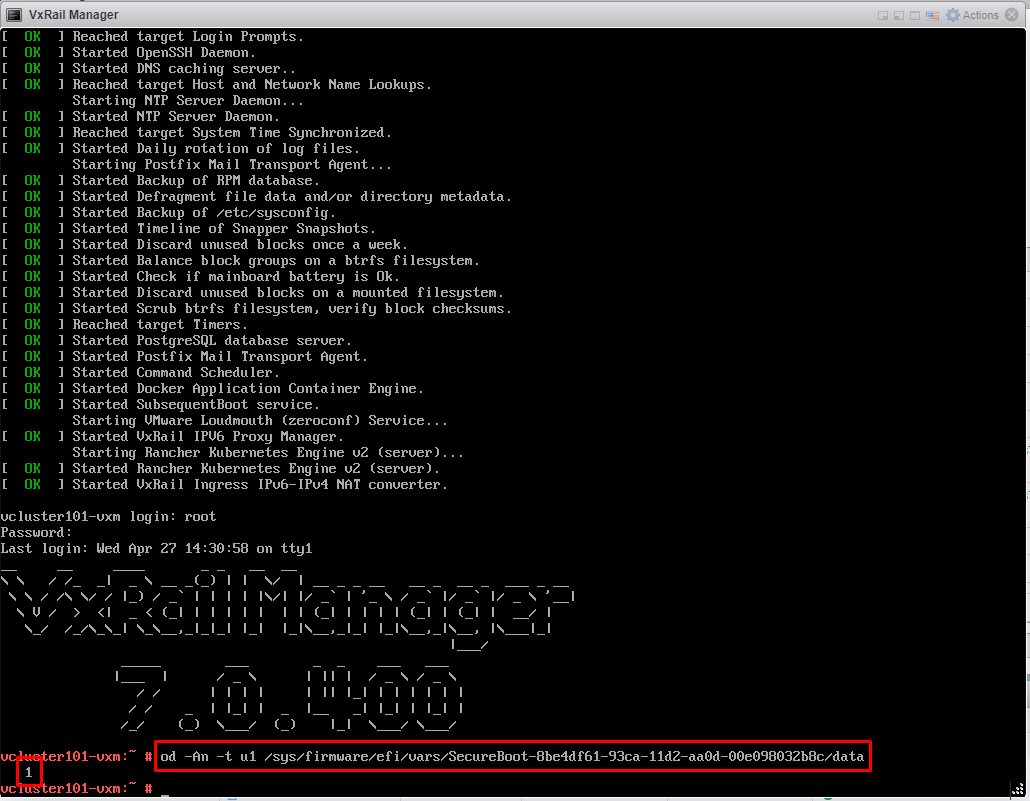
Informations supplémentaires
보안 부팅은 SUSE 및 VMware 권장 사항을 기반으로 합니다.
Suse: UEFI(Unified Extensible Firmware Interface) | 관리 가이드 | SUSE Linux Enterprise Server 15 SP2 (외부 링크)
VMware: 가상 머신(vmware.com)에 대한 UEFI 보안 부팅 활성화 또는 비활성화 (외부 링크)
참고: VxRail Manager에 보안 부팅이 활성화되어 있는 경우 파일 기반 백업/복원 절차를 진행하면 보안 부팅이 비활성화 상태로 재설정됩니다. 이 KB 단계를 따라 다시 활성화하십시오.