如何识别 Dell Enterprise Security Suite Pro 版本
Résumé: 了解如何按照这些说明识别 Dell Endpoint Security Suite Pro 的版本。
Cet article concerne
Cet article ne concerne pas
Cet article n’est associé à aucun produit spécifique.
Toutes les versions du produit ne sont pas identifiées dans cet article.
Instructions
可以通过产品用户界面 (UI) 或产品安装程序确定版本。单击相应的选项卡以了解更多信息。
UI
必须先安装 Dell Endpoint Security Suite Pro,然后才能通过 UI 识别版本。
- 登录 Windows 计算机。
- 在 Windows 系统托盘中,右键单击 Dell Data Security 图标,然后选择 About。

- 记录 Dell Endpoint Security Suite Pro vX.X.X 右侧的数字。在示例图像中,版本为 1.8.0。
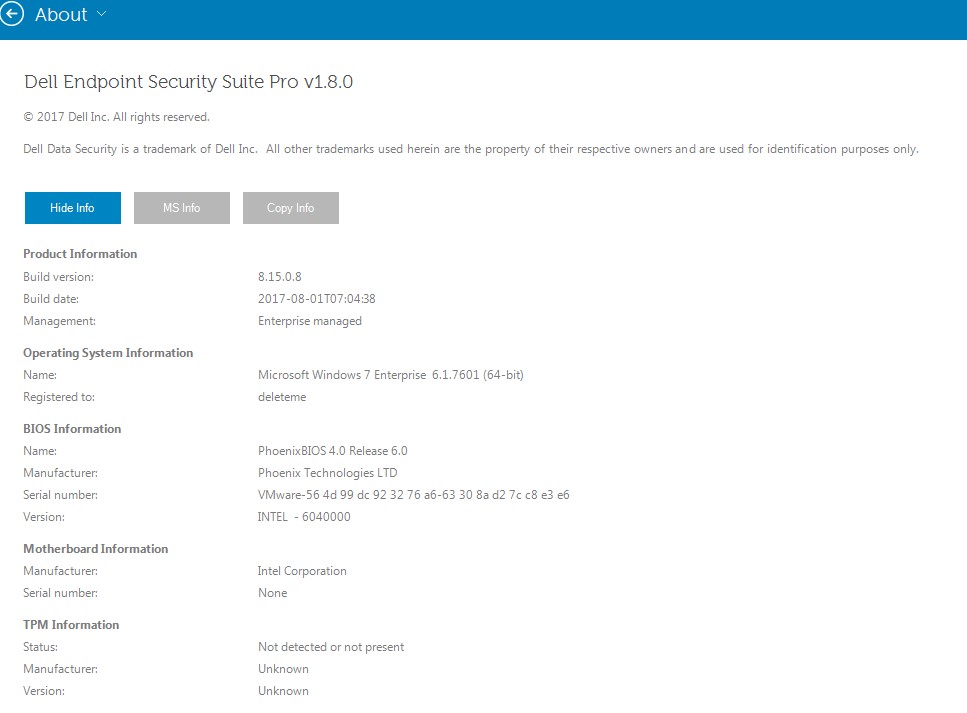 您的客户端的版本可能与上面的屏幕截图不同。
安装程序
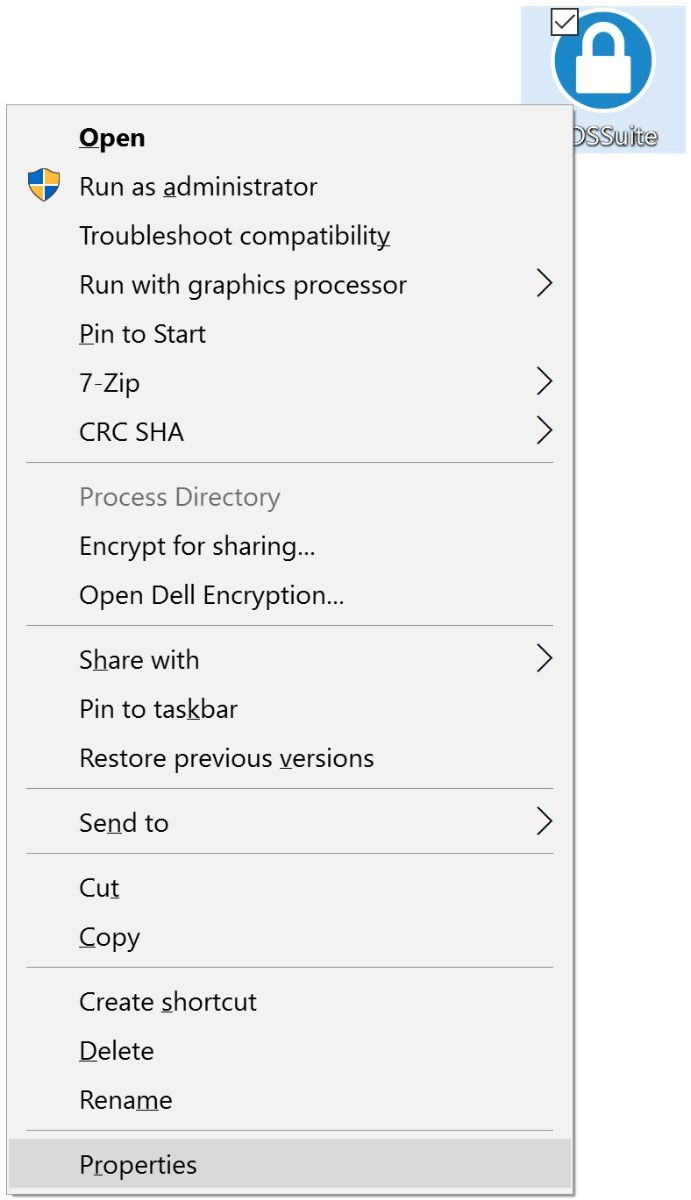
- 右键单击
DDSSuite.exe(以前称为DDPSuite.exe),然后选择 属性。
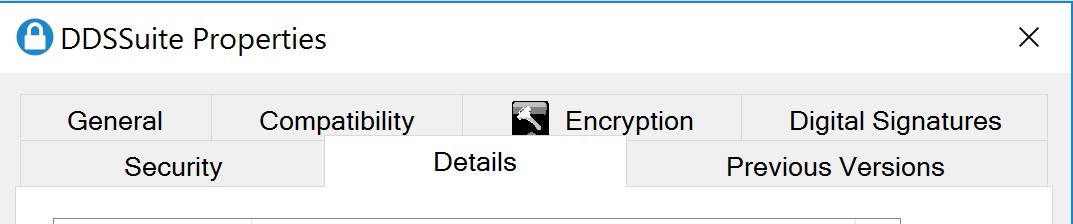
- 单击详细信息选项卡。
- 记下产品版本。在示例中,版本为 1.8.0.45。
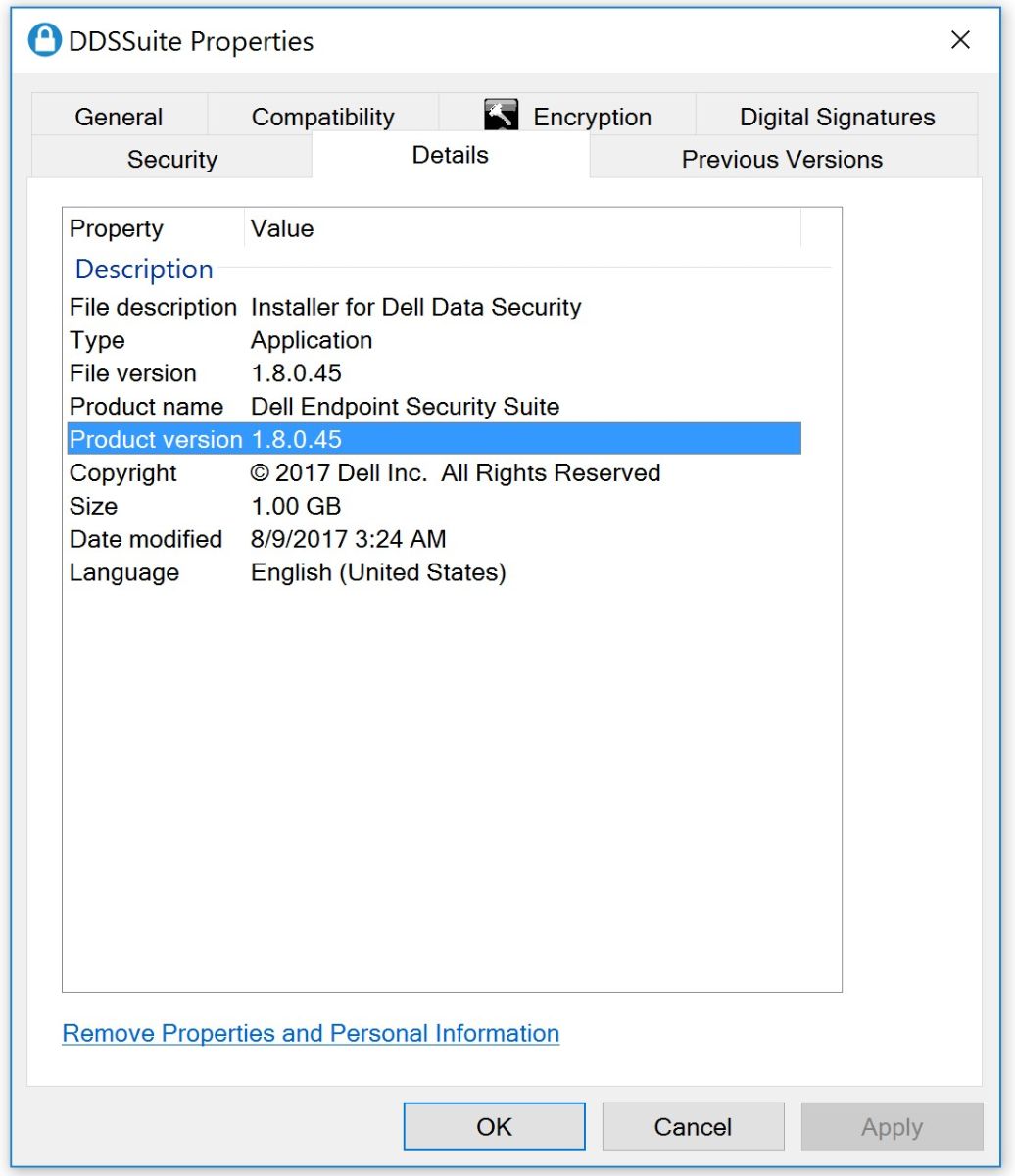 您的客户端的版本可能与上面的屏幕截图不同。
Informations supplémentaires
Vidéos
Produits concernés
Dell Endpoint Security Suite ProPropriétés de l’article
Numéro d’article: 000125145
Type d’article: How To
Dernière modification: 10 Aug 2026
Version: 12
Trouvez des réponses à vos questions auprès d’autres utilisateurs Dell
Services de support
Vérifiez si votre appareil est couvert par les services de support.